
UiPath UiPath-STEPv1 Practice Exams
Last updated on Oct 22,2026- Exam Code: UiPath-STEPv1
- Exam Name: UiPath Software Testing Engineer Professional Exam
- Certification Provider: UiPath
- Latest update: Oct 22,2026
What is the scope of custom fields in UiPath Test Suite?
- A . Define custom attributes unique to the project and the set of APIs, test cases, and test sets.
- B . Define project-specific custom attributes for the requirements, test cases, and test sets.
- C . Define project-specific custom attributes for the requirements workflows, test sets, and test executions.
- D . Define project-specific custom attributes for the requirements, test cases, test sets, and reports.
B
Explanation:
The scope of custom fields in UiPath Test Suite is to define project-specific custom attributes for requirements, test cases, and test sets. These custom fields allow for better categorization and management of test data and help tailor the test management process to the project’s specific needs.
Which type of local templates can be used when creating a new test case?
- A . Execution template, Workflow template, Test case template.
- B . Execution template, Workflow template, Script template.
- C . Execution template, Project template, Custom template.
- D . Test template, Project template, Workflow template.
A
Explanation:
When creating a new test case in UiPath, you can use local templates such as:
Execution template C defines how the test case is executed
Workflow template C provides reusable workflow logic
Test case template C serves as the base structure for new test cases These templates help standardize and streamline test creation.
DRAG DROP
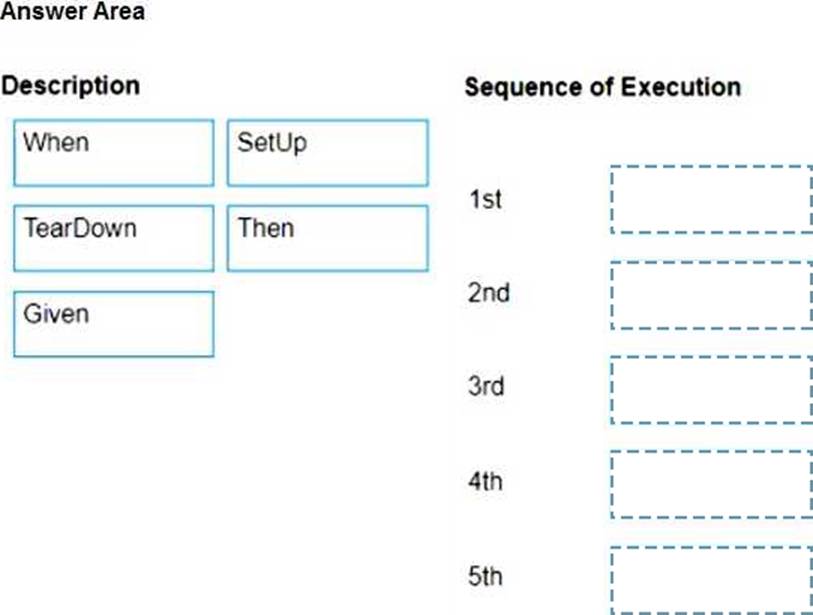
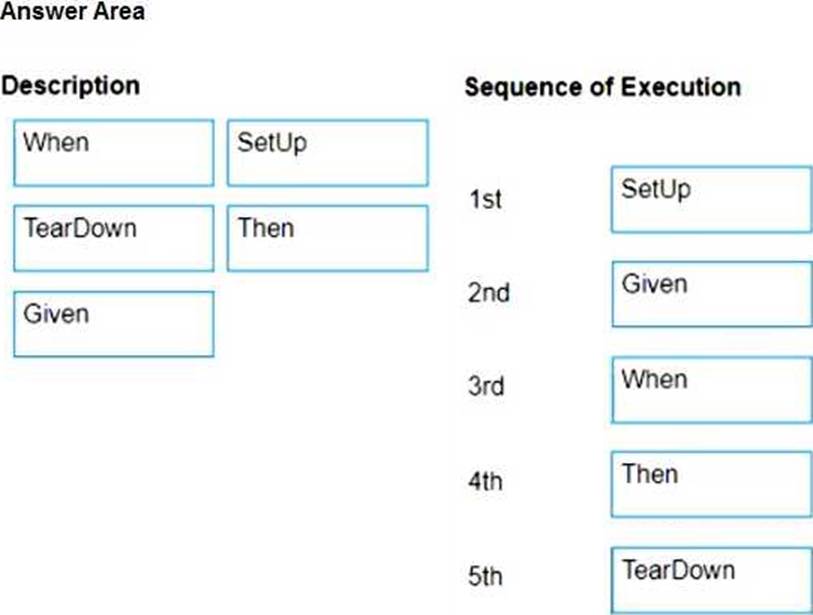
What is the sequence of execution of the main blocks of a Test Case that has Test Automation Framework attached?
Instructions: Drag the Description found on the left and drop on the correct Sequence of Execution found on the right.
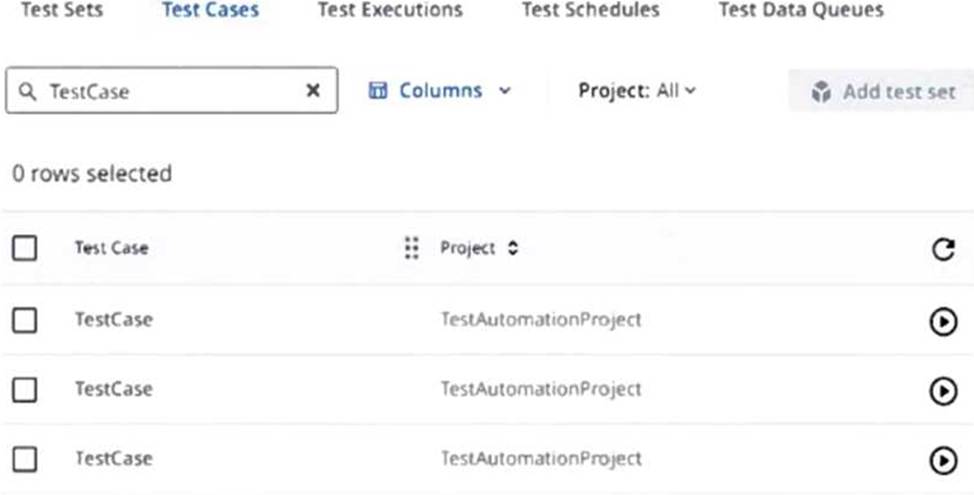
Why are test cases duplicated in orchestrator for the scenario below?
- A . Different project versions were used while publishing the test automation project.
- B . Different test automation project machine hosts were used while publishing.
- C . The Test Case is linked to multiple Test Manager projects.
- D . The Test Case is used in multiple Test Sets.
A
Explanation:
Test cases are duplicated in Orchestrator when different project versions are used while publishing the test automation project. Each published version of the project includes its own instance of the test case, resulting in multiple entries appearing in Orchestrator.
A developer has a test case created in Studio that is linked to a Test Data Queue in Orchestrator. Recently, the data in the Test Data Queue have been updated.
What is the fastest way for the developer to test with the new test data?
- A . Using "Run" on the specific test case in Test Explorer panel.
- B . Right click on the test case in Project panel + ‘Update Test Data’ + ‘Run File" on the specific test case in Design tab.
- C . Using "Run File’ on the specific test case in Design tab.
- D . Using ‘Update Test Data’ + ‘Run’ in Test Explorer panel.
D
Explanation:
The fastest way to test with updated data from a Test Data Queue is by selecting ‘Update Test Data’ followed by ‘Run’ from the Test Explorer panel. This ensures the latest queue items are pulled and used during execution.
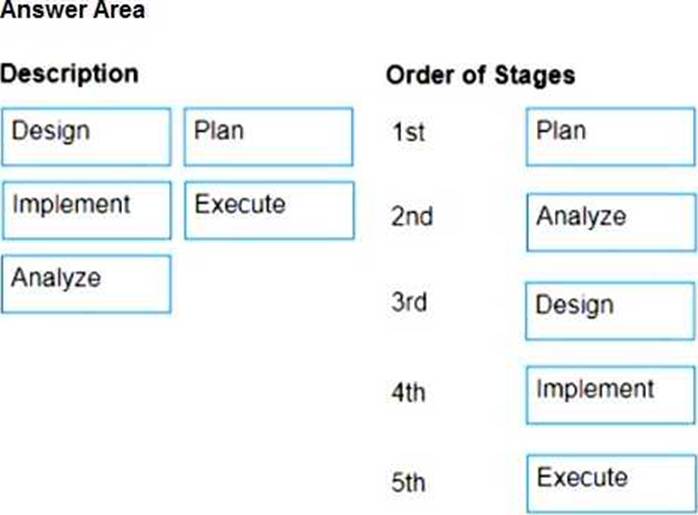
DRAG DROP
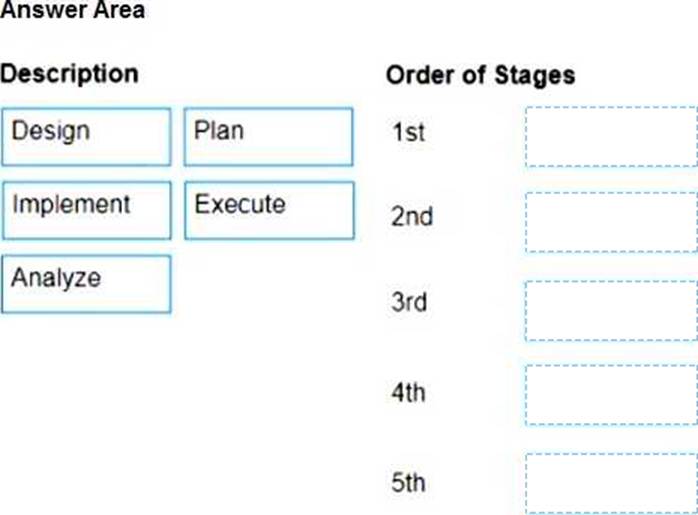
What is the correct order of stages of the Testing process?
Instructions: Drag the Description found on the left and drop on the correct order of stages found on the right.
What is the purpose of the ‘Verify Expression’ activity in the UiPath.Testing.Activities package of UiPath?
- A . It verifies the truth value of a given expression.
- B . It verifies and asserts the output of a specific activity.
- C . It verifies an expression by comparing it with another expression using a defined operation.
- D . It verifies if a given expression falls within a specific range.
A
Explanation:
The ‘Verify Expression’ activity in the UiPath.Testing.Activities package is used to evaluate the truth value of a given VB expression. If the expression evaluates to True, the test continues; if False, it results in a failed assertion.
What is the purpose of the ‘Verify Expression’ activity in the UiPath.Testing.Activities package of UiPath?
- A . It verifies the truth value of a given expression.
- B . It verifies and asserts the output of a specific activity.
- C . It verifies an expression by comparing it with another expression using a defined operation.
- D . It verifies if a given expression falls within a specific range.
A
Explanation:
The ‘Verify Expression’ activity in the UiPath.Testing.Activities package is used to evaluate the truth value of a given VB expression. If the expression evaluates to True, the test continues; if False, it results in a failed assertion.
What are the actions needed in UiPath Test Manager in order to give the Project Owner role to a different user?
- A . Assign the Project Owner role via the Assign users/group option in Project Settings.
- B . Assign the Project creator role via Role Assignment in overall UiPath Test Manager settings.
- C . Select the new user via the Ownership tab in Project Settings.
- D . Select the Transfer ownership option for the new user via Manage access in Project Settings.
D
Explanation:
To give the Project Owner role to a different user in UiPath Test Manager, you need to select the Transfer ownership option for the new user via Manage access in Project Settings. This allows the ownership to be transferred to the new user.
What does the Run All in View action in the Test Explorer panel do?
- A . It runs tests that are currently in view through all filters.
- B . It runs only failed test cases.
- C . It runs all test cases and workflows.
- D . It runs only selected test cases and workflows.
A
Explanation:
The Run All in View action in the Test Explorer panel executes all test cases currently visible after applying filters or folder selections. This allows users to target specific subsets of test cases without manually selecting each one.