
Tableau TDS-C01 Practice Exams
Last updated on Oct 23,2026- Exam Code: TDS-C01
- Exam Name: Tableau Desktop Specialist
- Certification Provider: Tableau
- Latest update: Oct 23,2026
True or False: A LEFT JOIN or INNER JOIN creates a row each time the join criteria is satisfied, which can result in duplicate rows. One way to avoid this is to use data blending instead.
- A . True
- B . False
A
Explanation:
Joins combine tables by adding more columns of data across similar row structures. This can cause data loss or duplication if tables are at different levels of detail, and joined data sources must be fixed before analysis can begin.
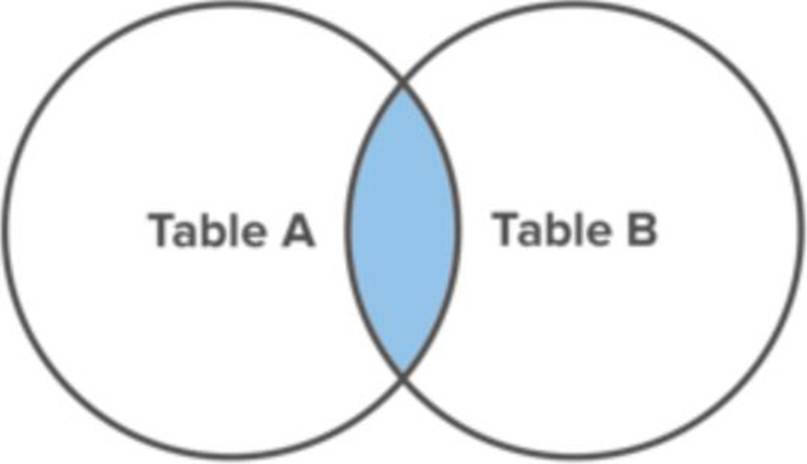
Inner join
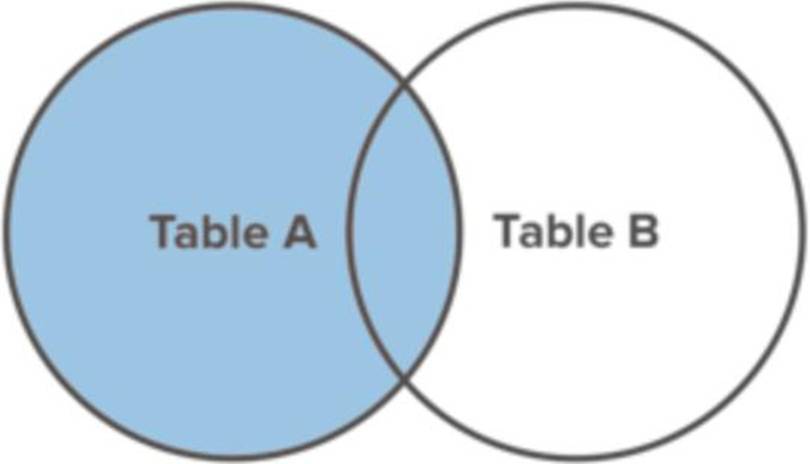
Left Join
Blends, unlike relationships or joins, never truly combine the data. Instead, blends query each data source independently, the results are aggregated to the appropriate level, then the results are presented visually together in the view.
Reference: https://help.tableau.com/current/pro/desktop/en-us/multiple_connections.htm
True or False: It is possible to add a field to more than one hierarchy
- A . True
- B . False
A
Explanation:
Yes! It is possible to duplicate a field and add it to more than one hierarchy. Right click and choose duplicate.
Reference: https://www.tableau.com/about/blog/2016/8/take-note-these-10-handy-tableau-shortcuts-57561
Is it possible to deploy a URL action on a dashboard object to open a Web Page within a dashboard rather than opening the system’s web browser?
- A . YES, we can do this with the help of a plugin
- B . NO, this is not currently possible in Tableau
- C . YES, we can do this with the help of a Web-Page object
- D . YES, we can do this with the help of Tableau Public
C
Explanation:
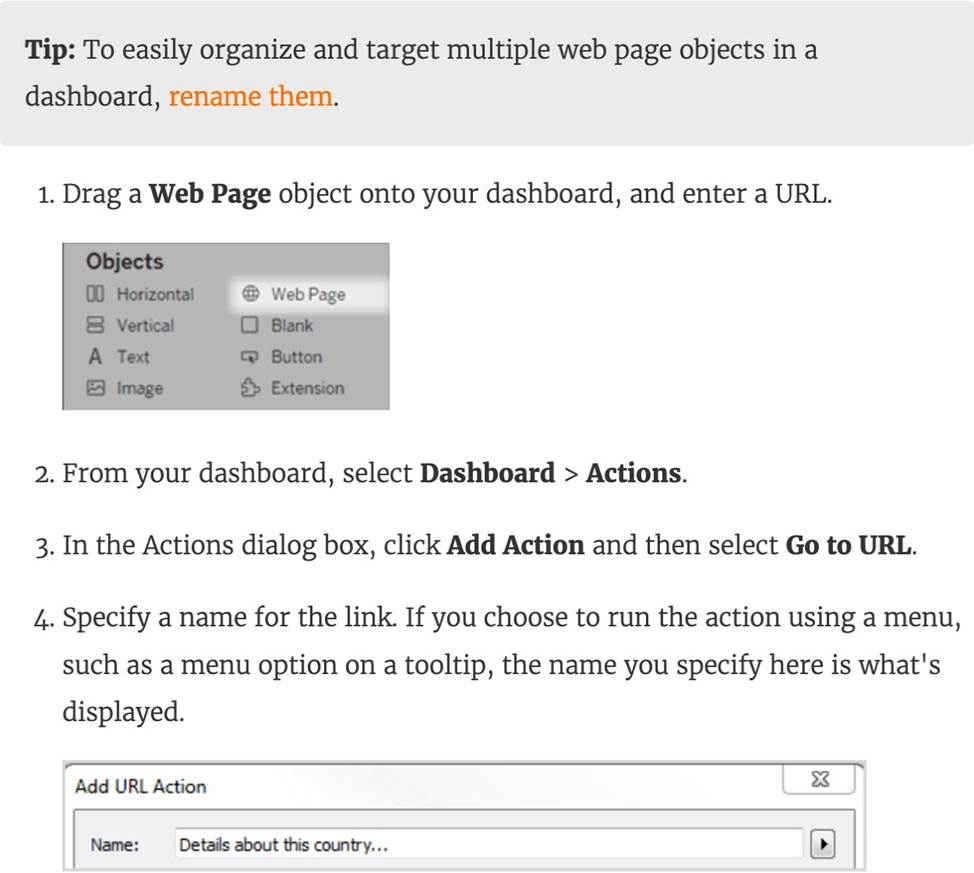
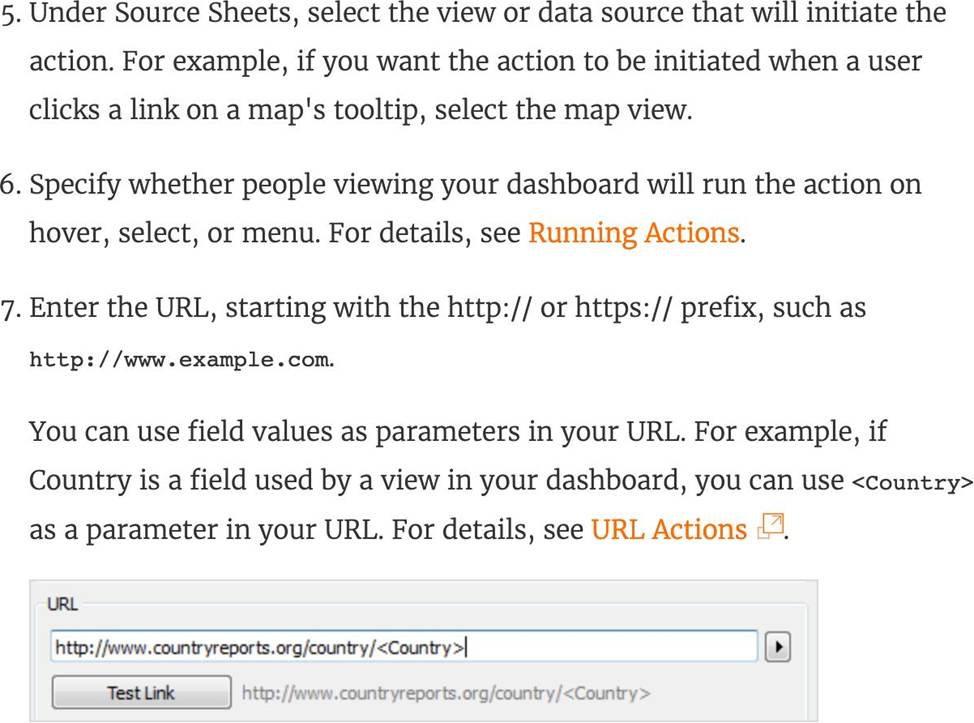
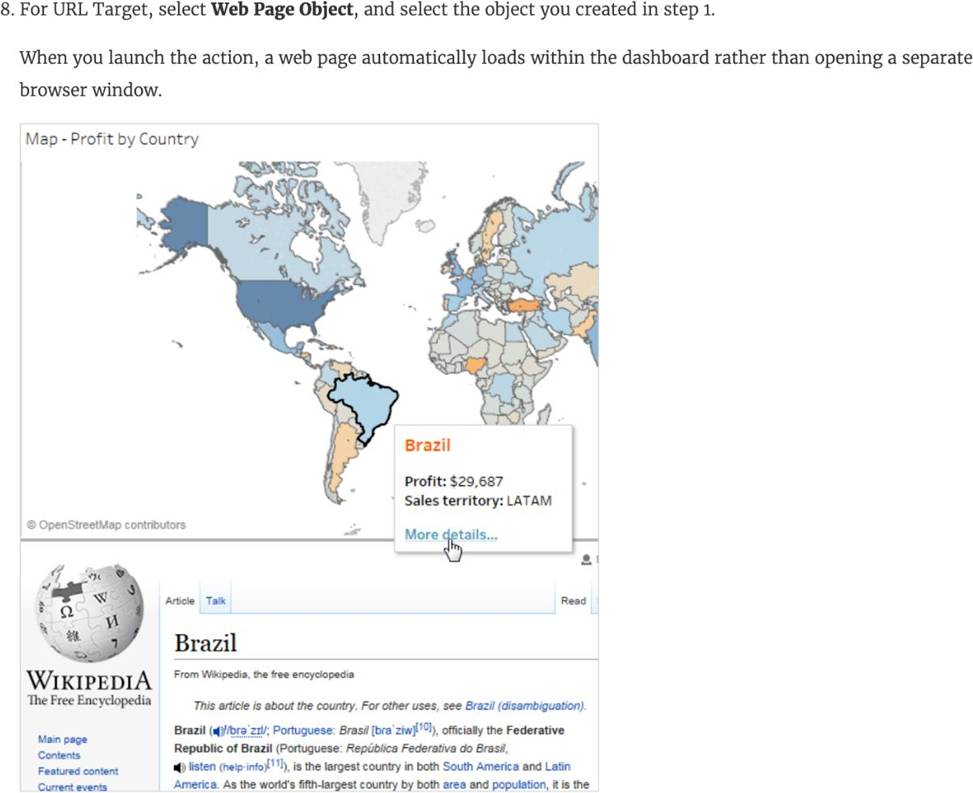
To interactively display information from the web INSIDE a dashboard, you can use a URL action with a web page object.
For example, you might have a dashboard that shows profits by country. In addition to showing the profit data in your dashboard, you also want to display supplemental information about the countries from a web site.
Reference: https://help.tableau.com/current/pro/desktop/en-us/actions_dashboards.htm
You have a dashboard that shows car rental statistics by city, including a field named Car Dropoff City in the view. A URL action in the dashboard uses https://en.wikipedia.org/wiki/<Car Dropoff City> as the URL target.
When you click Salt Lake City in the view, to where will the URL action direct you?
- A . https://en.wikipedia.org/wiki/<Car Dropoff City>
- B . https://en.wikipedia.org/wiki/<Salt-Lake-City>
- C . https://en.wikipedia.org/wiki/Salt.LakeXity
- D . https://en.wikipedia.org/wiki/Salt+Lake+City+Car+Dropoff+City
B
Explanation:
When you click Salt Lake City in the view, the URL action will direct you to https://en.wikipedia.org/wiki/Salt+Lake+City+Car+Dropoff+City. A URL action is a hyperlink that points to a web page or other web-based resource outside of Tableau. You can use URL actions to create an email or link to additional information about your data. To customize links based on your data, you can automatically enter field values as parameters in URLs3 In this case, the URL action uses https://en.wikipedia.org/wiki/<Car Dropoff City> as the URL target, where <Car Dropoff City> is a field value from the view. When you click Salt Lake City in the view, Tableau will replace <Car Dropoff City> with Salt Lake City in the URL target. However, since spaces are not allowed in URLs, Tableau will encode them as + signs instead. Therefore, the final URL will be https://en.wikipedia.org/wiki/Salt+Lake+City+Car+Dropoff+City3 The other options are not correct because they do not reflect how Tableau encodes field values in URL actions.
True or False: Bins can be created on dimensions
- A . False
- B . True
B
Explanation:
Bin are a user-defined grouping of numerical data in the data source.
According to the official Tableau documentation: It’s sometimes useful to convert a continuous measure (or a numeric dimension) into bins.
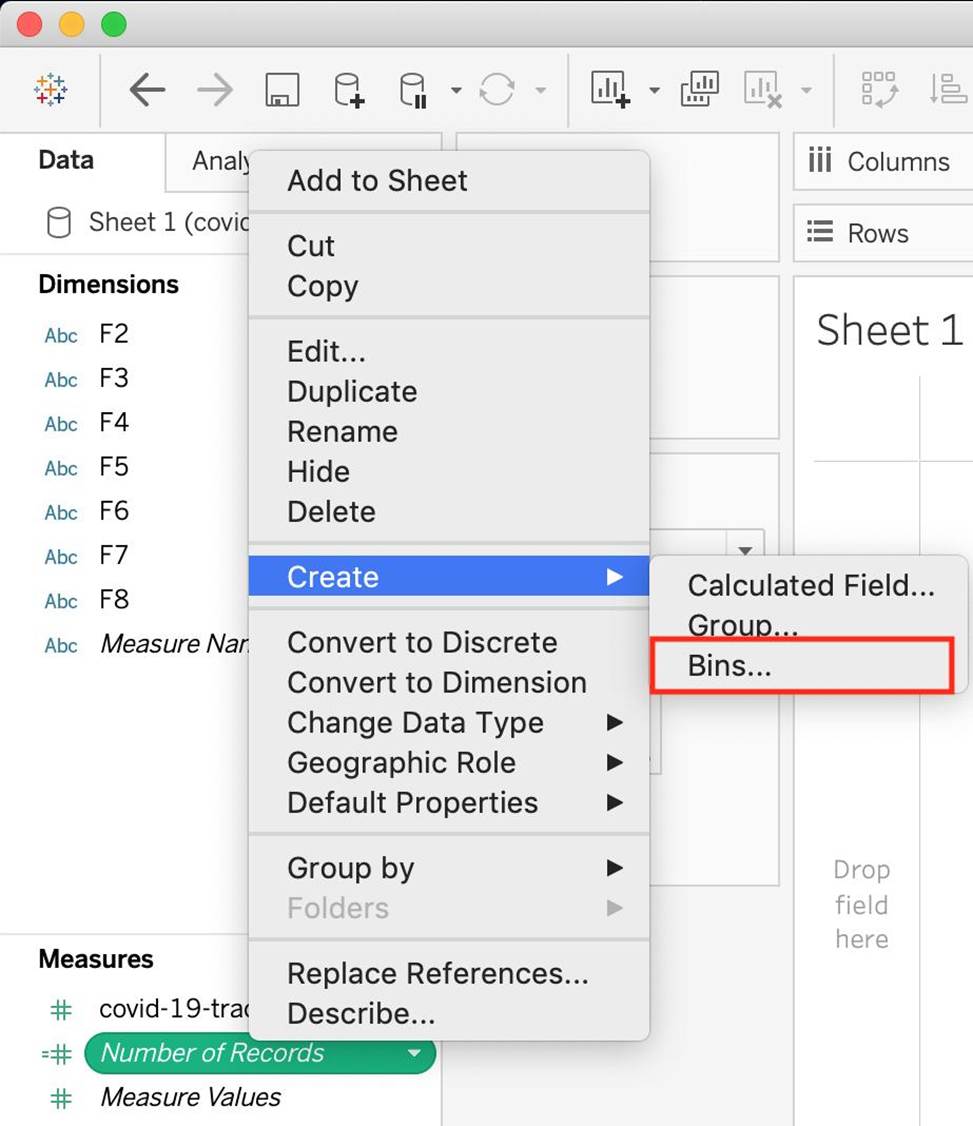
Have a look at the following image.
When we right click a measure, we get the following options:
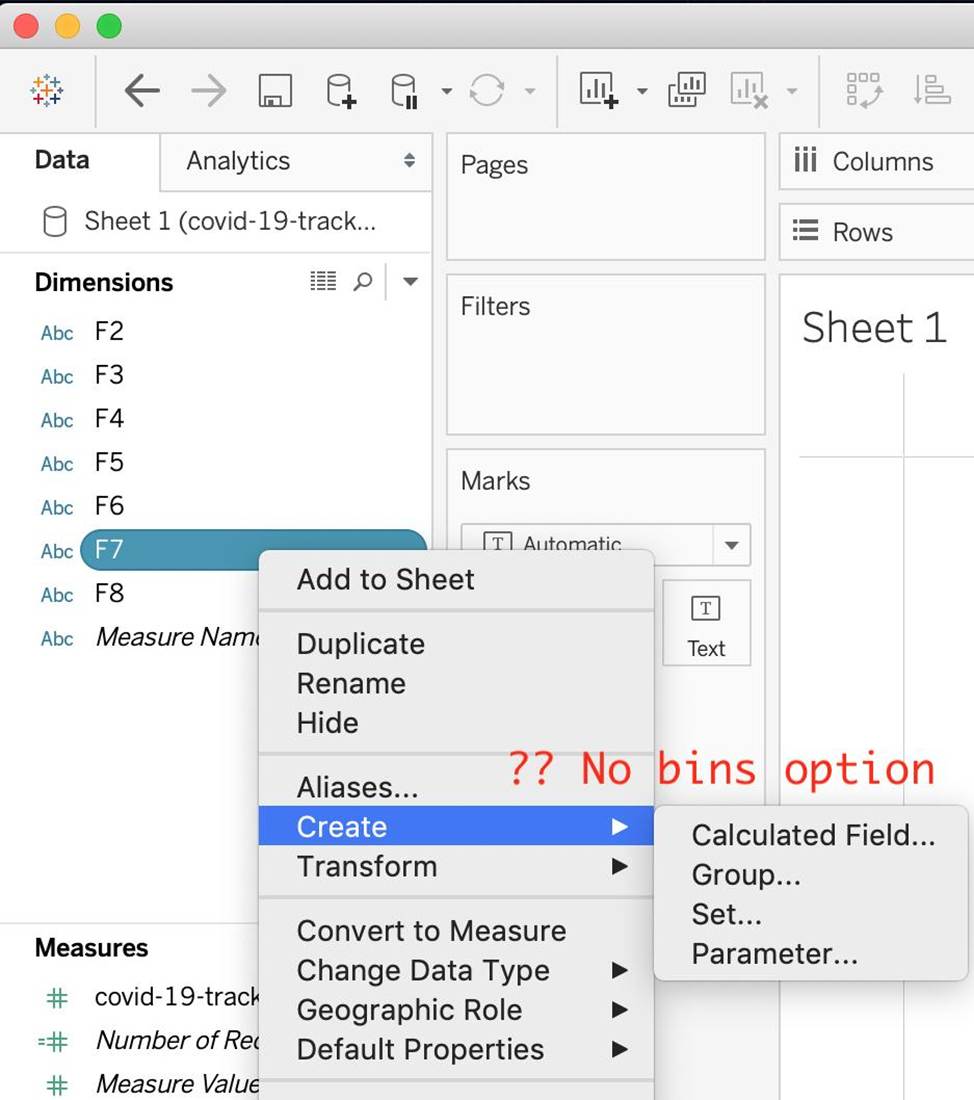
However, for a dimension (this is because the DATA TYPE of this dimension is a string:
But what if we have a dimension of type NUMBER (NUMERIC DIMENSION)? See below:
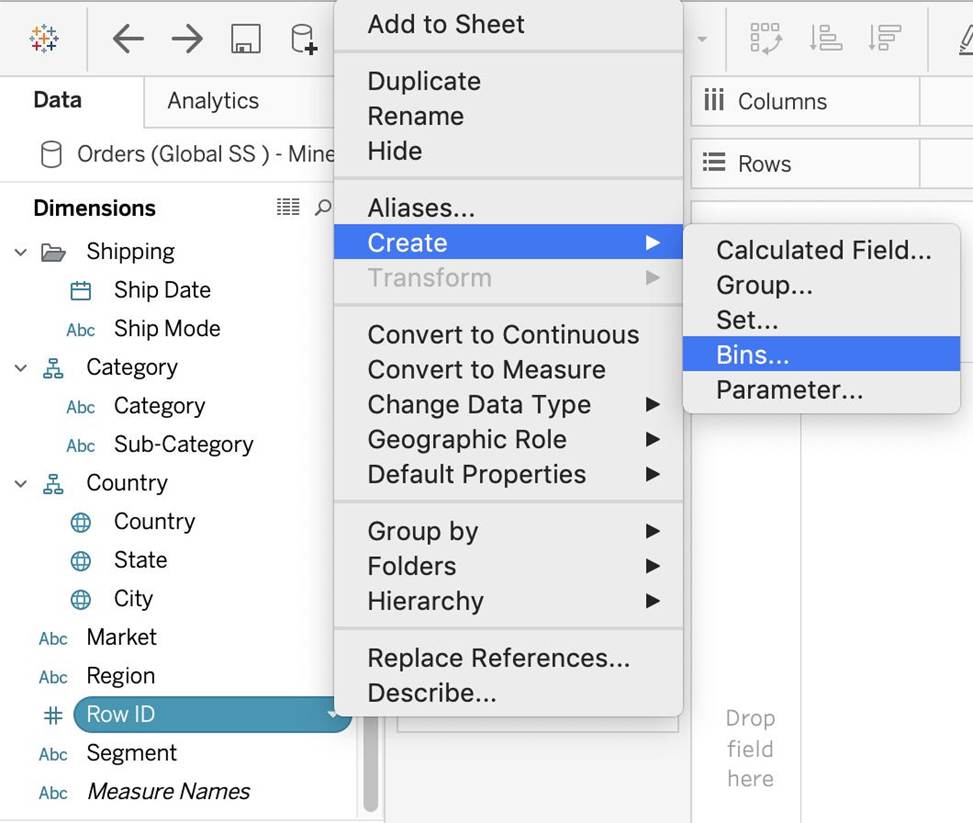
We can clearly create bins from dimensions too – they just have to be numeric 🙂
For more information, please refer to: https://help.tableau.com/current/pro/desktop/en-us/calculations_bins.htm
You have a workbook that contains one data source and you need to combine data from another database.
What should you do first?
- A . Create an extract.
- B . Add a new connection.
- C . Add a new data source from the data source canvas.
- D . Edit the existing connection.
B
Explanation:
To combine data from another database with an existing data source in Tableau, the first step is to add a new connection. This will allow you to access the additional database and either blend or join the data from the two sources depending on your analysis needs.
Which two types of fields appear blue? Choose two.
- A . Continuous measures
- B . Discrete measures
- C . Continuous dimensions
- D . Discrete dimensions
BD
Explanation:
Discrete measures and discrete dimensions appear blue in Tableau. Discrete fields are those that have a finite number of distinct values, such as names, categories, or dates. Discrete fields are usually used to create headers or labels in the view. Blue fields indicate that the field is discrete. Continuous measures and continuous dimensions appear green in Tableau. Continuous fields are those that have an infinite range of possible values, such as numbers or ratios. Continuous fields are usually used to create axes or color gradients in the view. Green fields indicate that the field is continuous1
What will the following function return?
LEFT("Tableau", 3)
- A . An error
- B . Tab
- C . eau
- D . ble
B
Explanation:
The following is the official documentation for the String function LEFT:
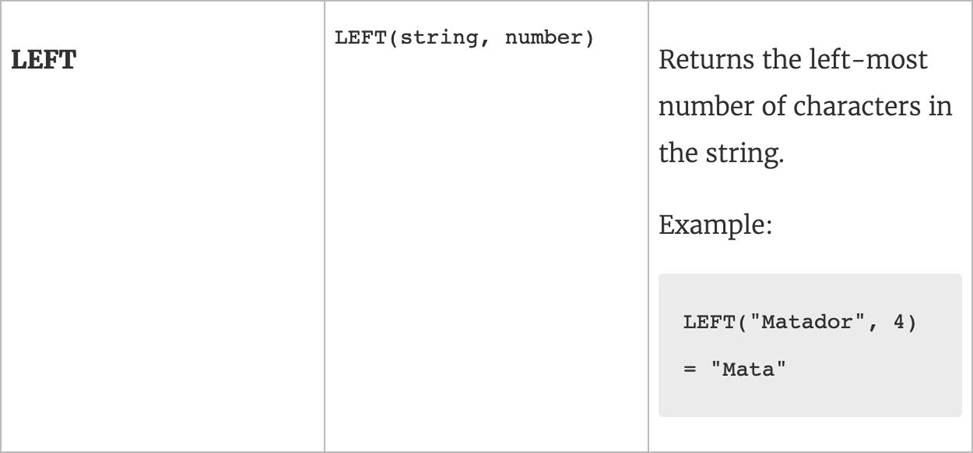
Reference: https://help.tableau.com/current/pro/desktop/en-us/functions_functions_string.htm
When there are both negative and positive values for a field, the default range of values will use two color ranges. This is known as a ______________ palette.
- A . reversed
- B . stepped
- C . diverging
- D . converging
C
Explanation:
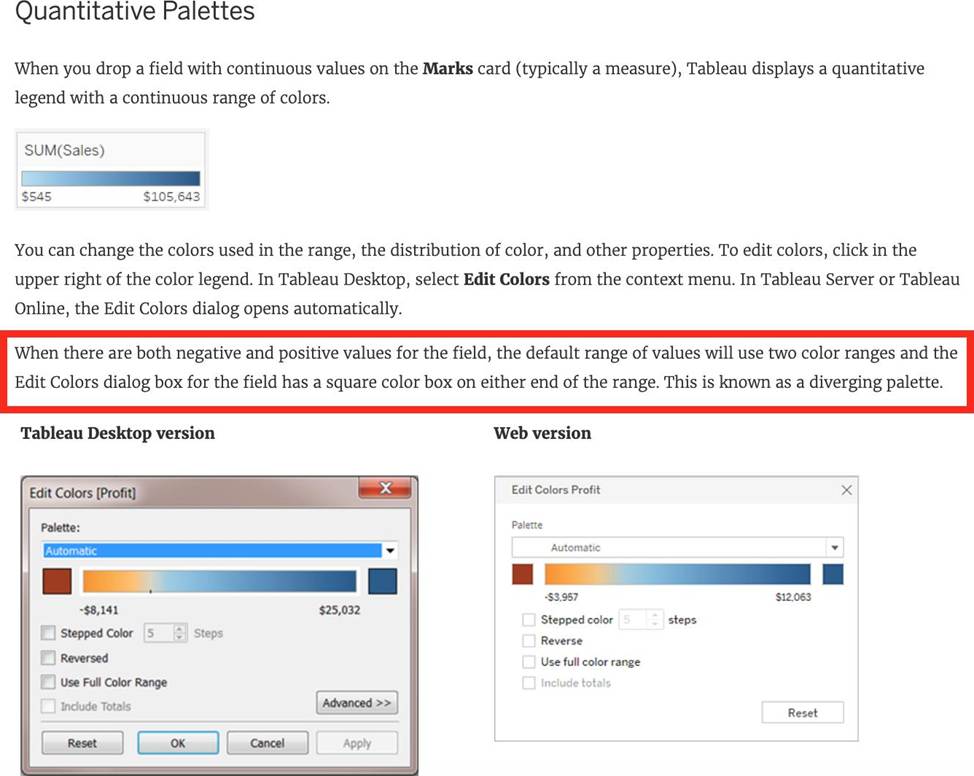
Reference: https://help.tableau.com/current/pro/desktop/en-us/viewparts_marks_markproperties_color.htm
_____________ contains the visualisations, info needed to build the visualisations, and a copy of the data source.
- A . Tableau Data Extract (.tde)
- B . Tableau Packaged Workbook (.twbx)
- C . Tableau Bookmark (.tbm)
- D . Tableau Workbook (.twb)
B
Explanation:
TWBX is all in one. It contains viz, info needed to build the viz, and a copy of the data source. It doesn’t contain extracts of the data but can contain both live and data extracts.
Best if want to eliminate the barrier of data access.
Create a .twbx with file-based data sources
1) Select File > Save As.
2) Specify a file name for the packaged workbook in the Save As dialog box.
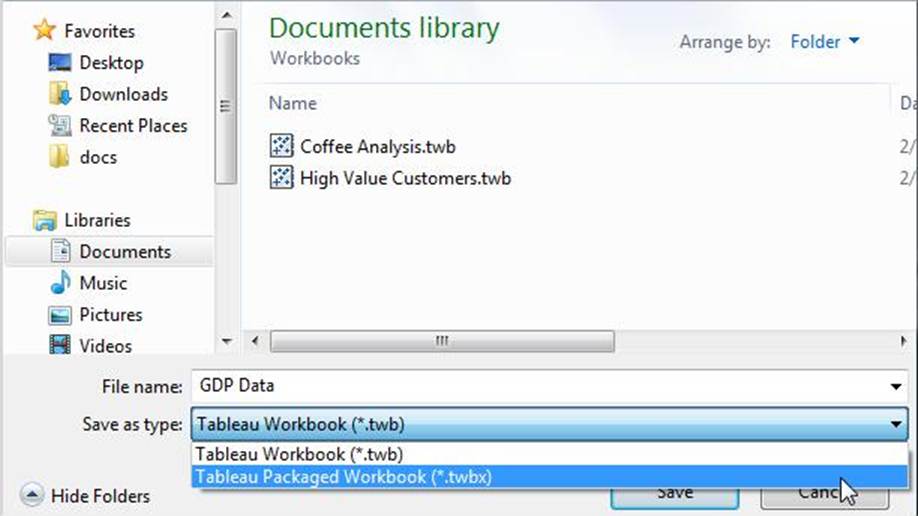
3)Select Tableau Packaged Workbooks on the Save as type drop-down list.
4) Click Save.
5) The default location is the Workbooks folder of the Tableau repository. However, you can save packaged workbooks to any directory you choose.
The following files are included in packaged workbooks: –> Background images
–> Custom geocoding –> Custom shapes –> Local cube files
–> Microsoft Access files
–> Microsoft Excel files
–> Tableau extract files (.hyper or .tde)
–> Text files (.csv, .txt, etc.)
Reference: https://help.tableau.com/current/pro/desktop/en-us/environ_filesandfolders.htm