Tableau TDS-C01 Practice Exams
Last updated on Oct 23,2026- Exam Code: TDS-C01
- Exam Name: Tableau Desktop Specialist
- Certification Provider: Tableau
- Latest update: Oct 23,2026
Which of the following are valid options to define the scope of a reference line? Choose 3.
- A . Pane
- B . Table
- C . Section
- D . Window
- E . cell
- F . Axis
ABE
Explanation:
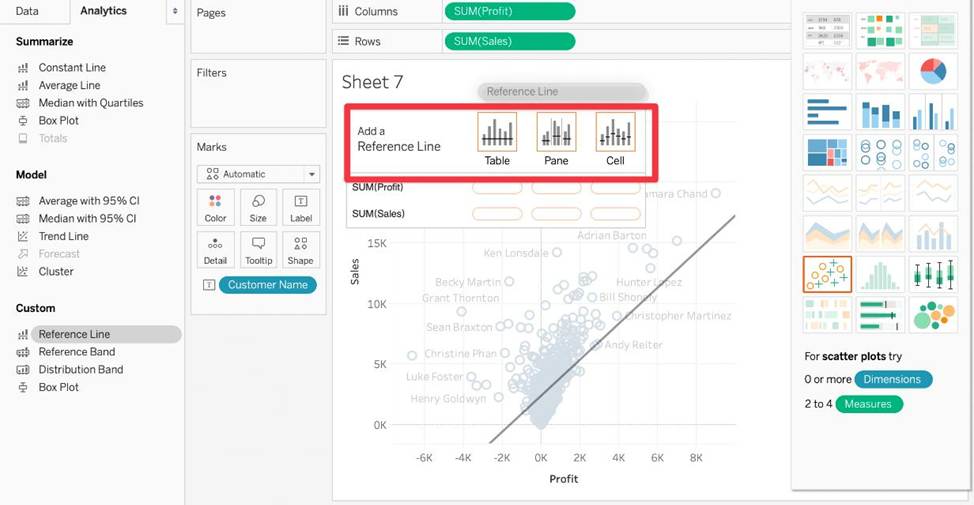
When we create a reference line, we get the following 3 options for the scope:
Reference: https://help.tableau.com/current/pro/desktop/en-us/reference_lines.htm
If you have a dashboard and are displaying its filter, how can you rearrange it?
- A . By clicking on the 2 lines on top and dragging the filter.
- B . By clicking on the dropdown and dragging the filter
- C . By clicking on the filter title and dragging it.
- D . By clicking anywhere inside the filter and dragging it.
A
Explanation:
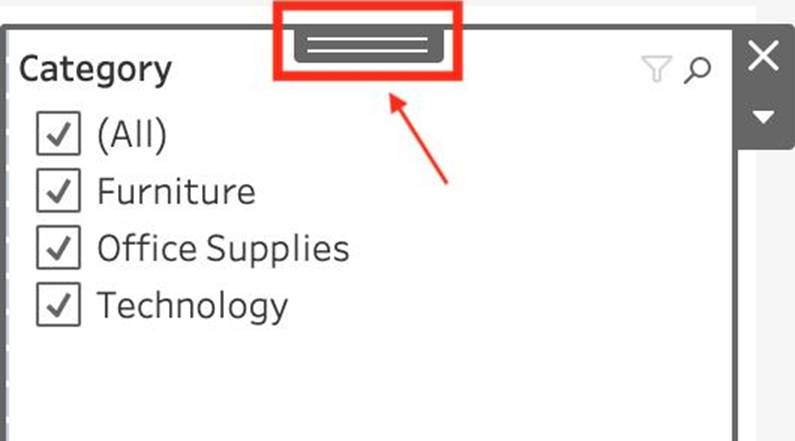
You can drag the filter by clicking on the 2 lines on top, and then dragging the filter as shown:
Using the dataset provided, create a crosstab showing the Profit of each Region per Year, then add grand totals to the view.
What was the total Profit for Canada in 2012 and the total Profit for Canada for 2011 through 2014, respectively?
- A . 5,129 and 88,872
- B . 52,678 and 311,404
- C . 1,807 and 34,571
- D . 4,888 and 17,817
D
Explanation:
To reach the correct answer, follow these steps:
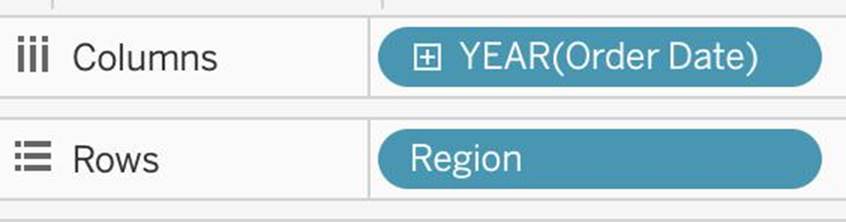
1) Drag Order Date (Discrete Year) to the Column shelf, and Region to the Row Shelf as shown:
2) Drag Profit to Text in the Marks Shelf as shown:
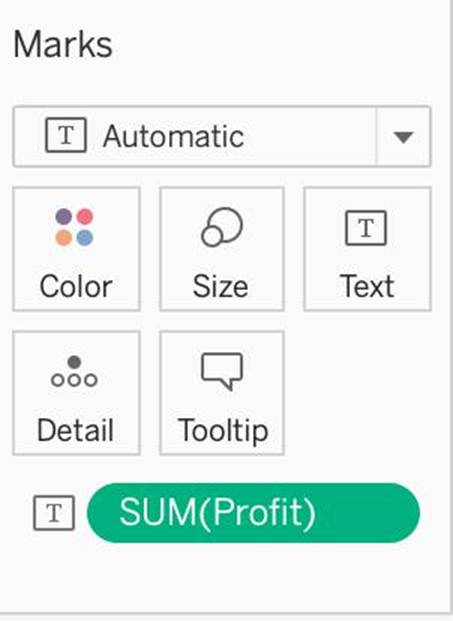
3) Click on Analysis as shown -> Totals -> SELECT ROW GRAND TOTALS
The following will be the final view:
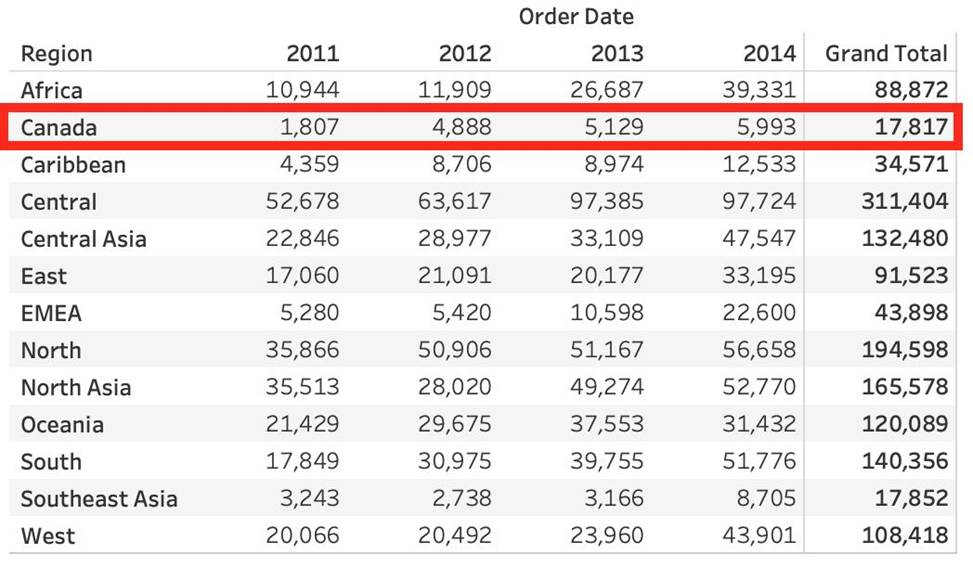
You could also Filter by Region to only Focus on Canada, but that’s your choice:
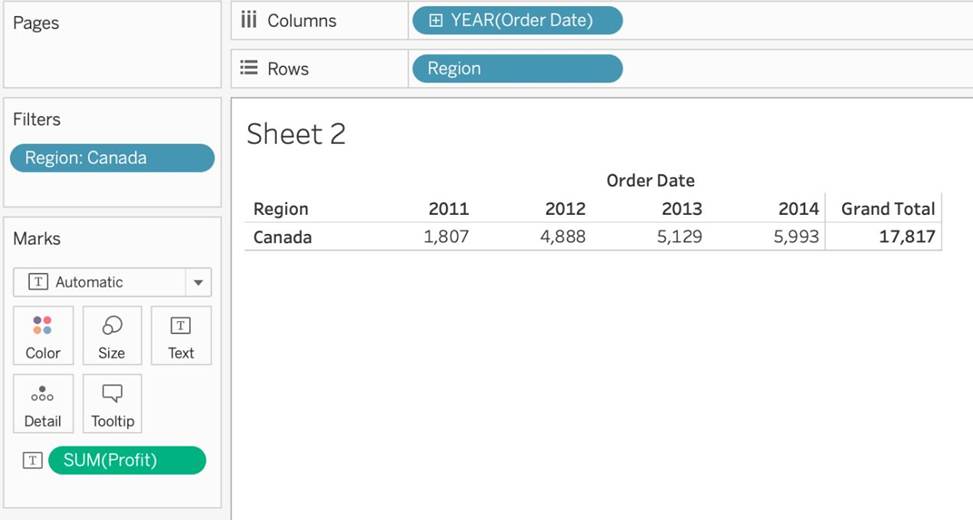
THEREFORE,
2012 = 4,888
2011 -> 2014 = 17,817
True or False: When relating tables, the fields that define the relationships must have the same data type.
- A . True
- B . False
A
Explanation:
According to the official documentation, the following are the requirements for using relationships:
1) When relating tables, the fields that define the relationships must have the same data type. Changing the data type in the Data Source page does not change this requirement. Tableau will still use the data type in the underlying database for queries.
2) You can’t define relationships based on geographic fields.
3) Circular relationships aren’t supported in the data model.
4) You can’t edit relationships in a published data source.
5) You can’t define relationships between published data sources.
6) Your workbook must use an embedded data source for you to be able to edit relationships and performance options in the Data Source page in Tableau Online or Tableau Server.
Reference: https://help.tableau.com/current/online/en-us/datasource_relationships_learnmorepage.htm
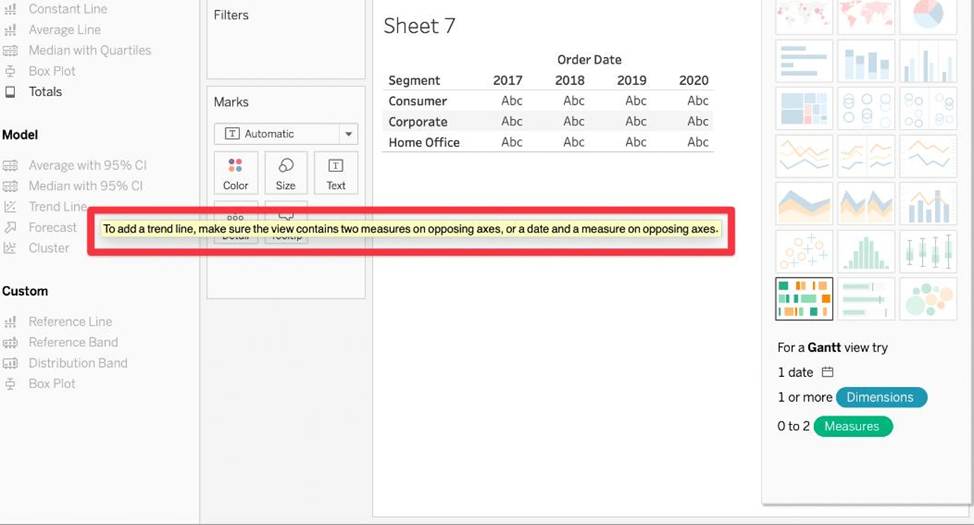
Which of the following are required to create a trend line?
- A . 2 measures on opposing axes, or a date and a measure on opposing axes.
- B . 1 measure, or a date and a dimension on opposing axes.
- C . 1 measure only
- D . 2 dimensions, or a date and a dimension on opposing axes.
A
Explanation:
To create a trend line, we need:
Reference: https://help.tableau.com/current/pro/desktop/en-us/trendlines_add.htm
In which of the following scenarios would having a live connection be more beneficial than using an extract?
- A . Analyzing real time stock prices
- B . Analyzing real time data from production systems
- C . Analyzing historical housing prices
- D . Analyzing and tracking real time flight updates
- E . Analyzing a subset of a dataset having 1 billion rows
ABD
Explanation:
Extracts would be more beneficial for analyzing historical prices where we won’t be making use of any real time data being streamed. Same is the case for enormous datasets having billions of rows (extracts will be more efficient in analyzing subsets of such large data).
As for live stock prices, flight updates, real time updates from production or mission critical systems – having a live connection is the most logical choice, since we need access to the most fresh and recent data possible at all times!
The option to create bins is available for which type of field?
- A . Boolean
- B . String
- C . Date
- D . Numeric
D
Explanation:
The option to create bins in Tableau is available for numeric fields. Bins allow you to group a series of numeric values into larger segments, which can simplify analysis and help in creating histograms or other visualizations that show the distribution of data. For example, you can create bins to group ages into categories like 0-10, 11-20, etc.
How would you calculate GDP per capita in Tableau?
- A . SUM([GDP]/[POPULATION])
- B . SUM([Population]/[GDP]])
- C . SUM([GDP]*[POPULATION])
- D . SUM([GDP]) / SUM([Population])
D
Explanation:
GDP / Population = GDP Per Capita

Here Sum is a function, / and + are operators. On the bottom there are comments.
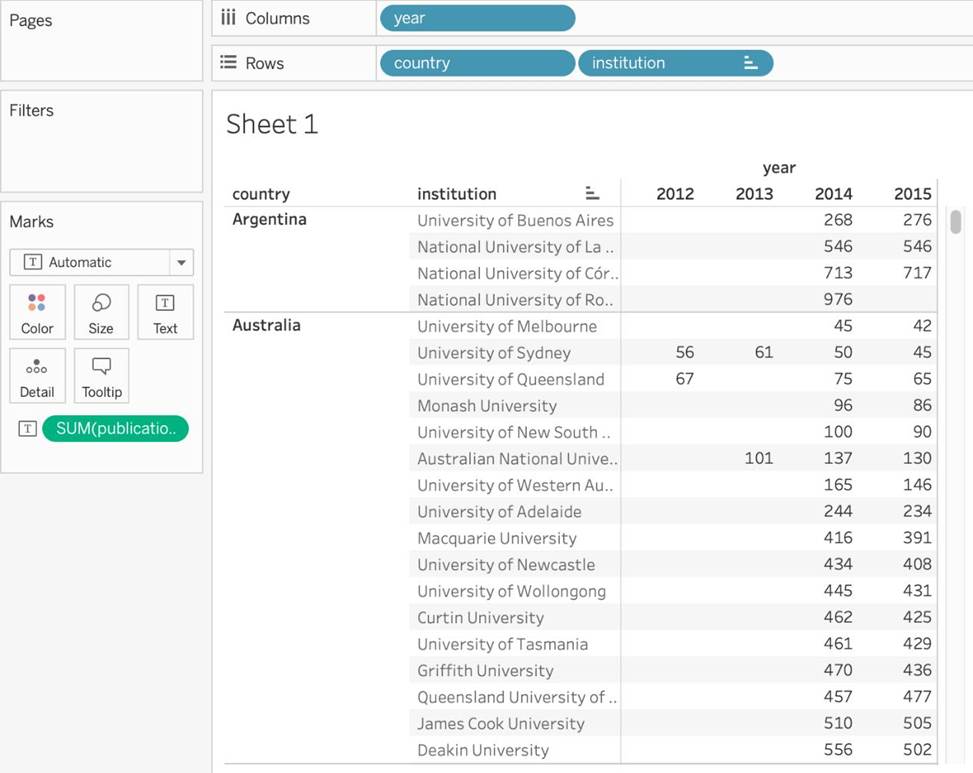
Using the cwurData table, create a cross-tab showing the number of Publications per Country broken down by Institution, and filtered by Country to only show United Kingdown (UK).
For the University of Manchester, what percent of the total publications were contributed in 2014?
- A . 28.415%
- B . 23.497%
- C . 25.683%
- D . 22.404%
D
Explanation:
Phew! Tricky one for sure. This question tests multiple concepts and will help you revise them. We’ll be using filters, as well as quick table calculations (percent of total) for this one.
1) Firstly, let’s drag Country and Institution to the Rows shelf, and year (discrete) to the Columns shelf. Then, drag Publications to the Text Icon in the Marks Shelf.
The following is our view:
If you use a percent difference Quick Table Calculation, what value will be the first data value?
- A . null
- B . -1
- C . 0000
- D . 0
A
Explanation:
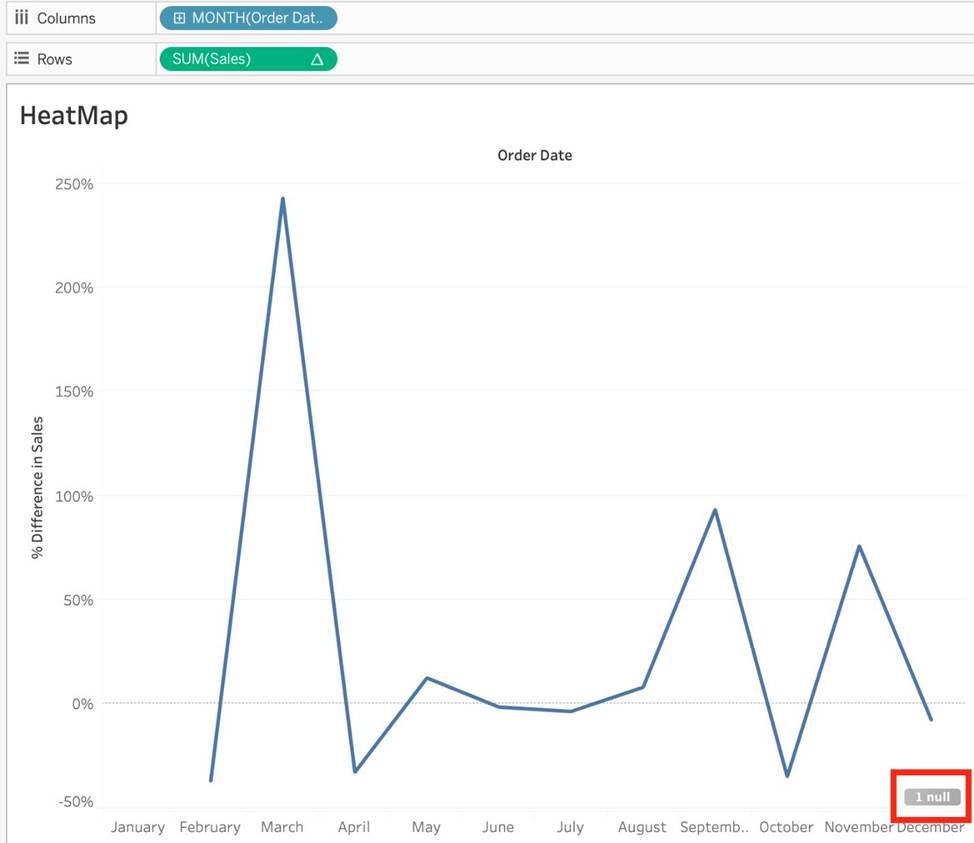
When using a Percent difference, Tableau calculates what the percent change has occured as compared to the last data value. BUT, for the first data value, there is no previous value to compare it to. Hence, it appears as NULL.