
Tableau TDS-C01 Practice Exams
Last updated on Oct 23,2026- Exam Code: TDS-C01
- Exam Name: Tableau Desktop Specialist
- Certification Provider: Tableau
- Latest update: Oct 23,2026
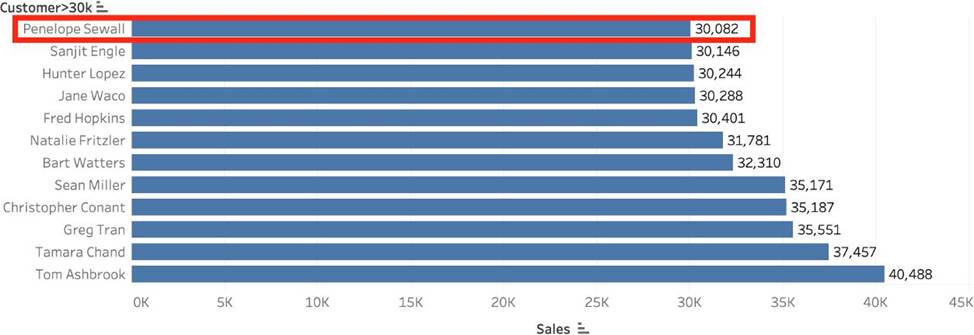
Create a Set containing Customer Names whose Sales are GREATER than 30,000.
Which customer had the LEAST sales in this set?
- A . Tom Ashbrook
- B . Sanjit Engle
- C . Penelope Sewall
- D . Tamara Chand
C
Explanation:
As the question mentions, we need to create a SET with the following conditions -> Choose only those customers whose Sales > 30,000
1) Right click on customer name –> Create –> Set
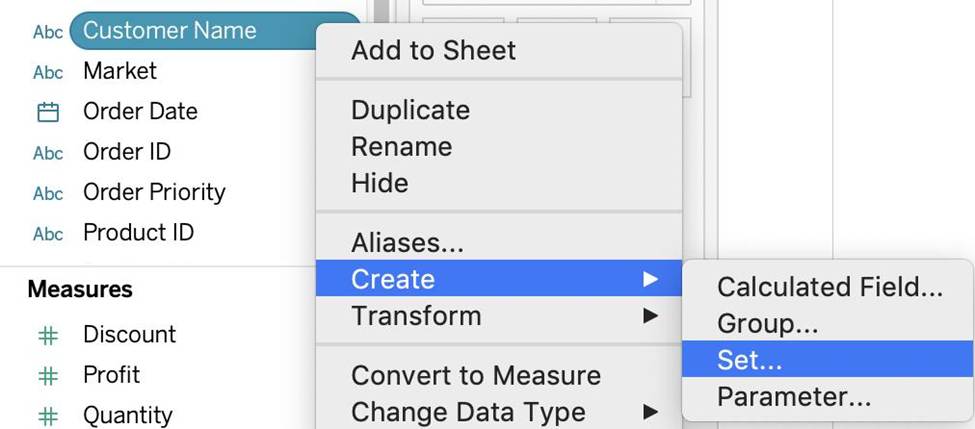
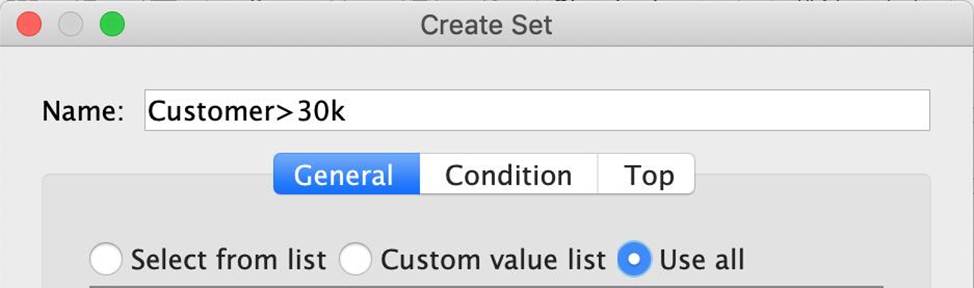
2) Let’s Name the Set – Customer>30k (you can name it anything you want :)) Select USE ALL, and then move to the CONDITION TAB:
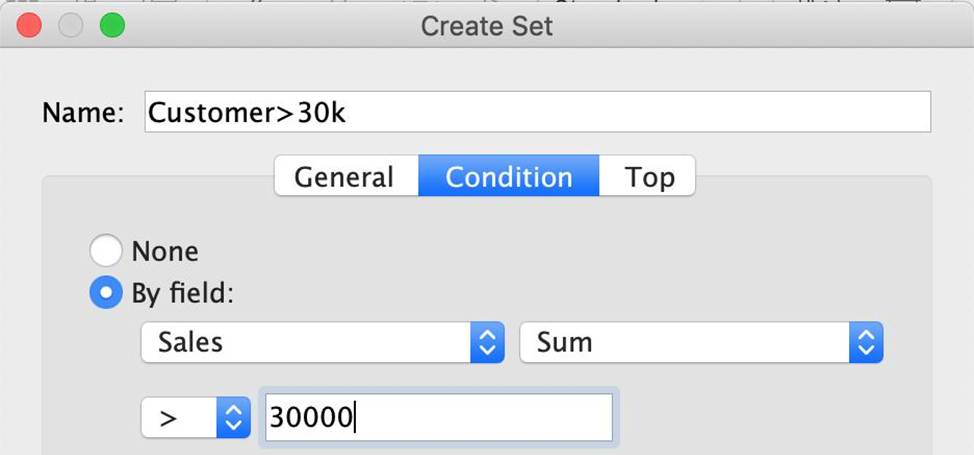
3) In the Condition Tab, Choose BY FIELD -> Select Sales -> Sum -> Greater than 30000, and click OK
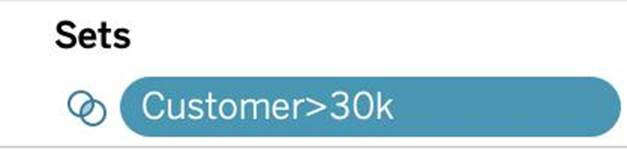
4) You should now have a new Set in the Data Pane as follows:
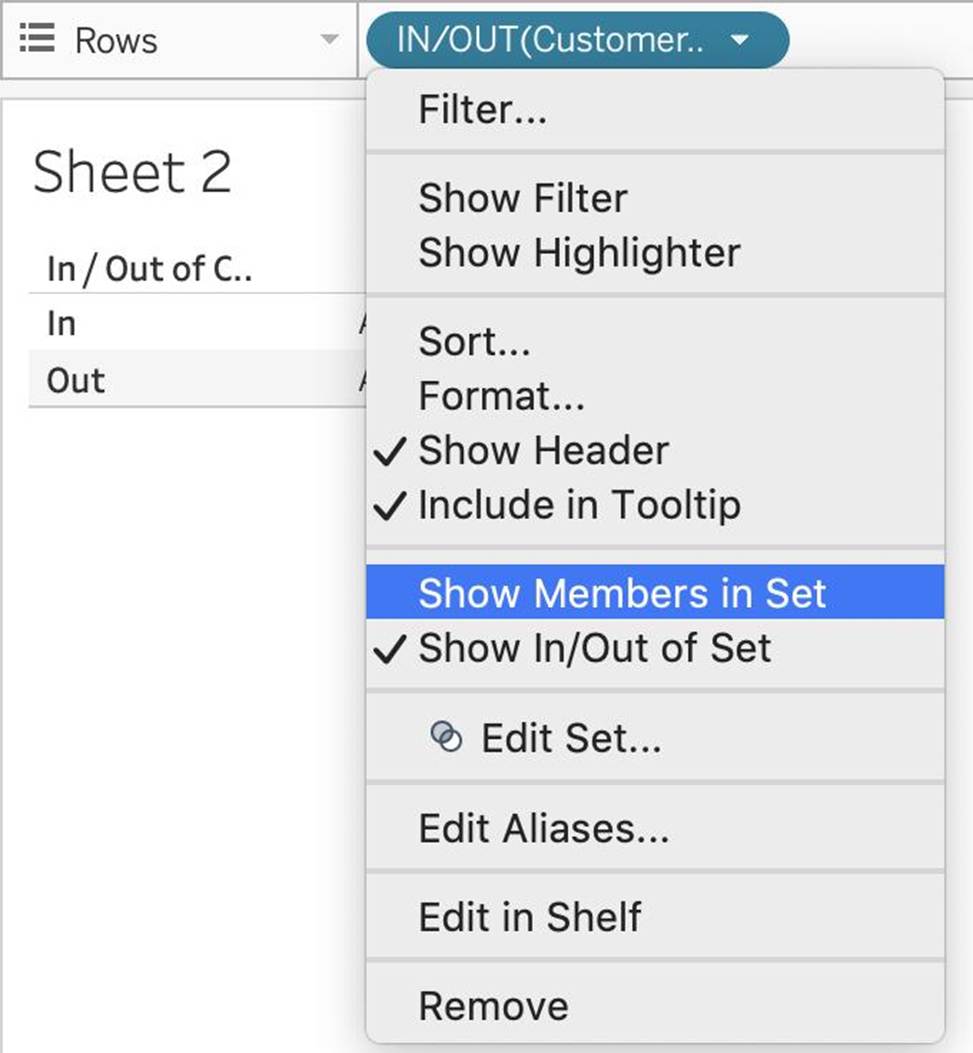
5) Drag this set to the rows shelf, and click on SHOW MEMBERS IN SET. Now drag Sales to the Column Shelf.
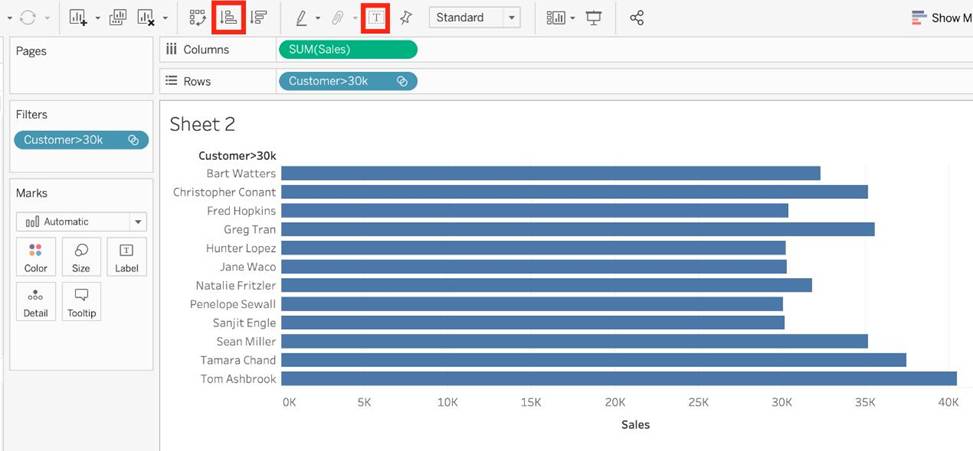
6) Click on the Show Mark Labels, and Sort ascending icons as shown:
7) Voila! We have our answer:
Which of the following can you add a reference line to?
- A . Groups
- B . Calculated Fields
- C . Measures
- D . Dimensions
B, C
Explanation:
You can add reference lines, bands, distributions, or (in Tableau Desktop but not on the web) box plots to any continuous axis in the view.
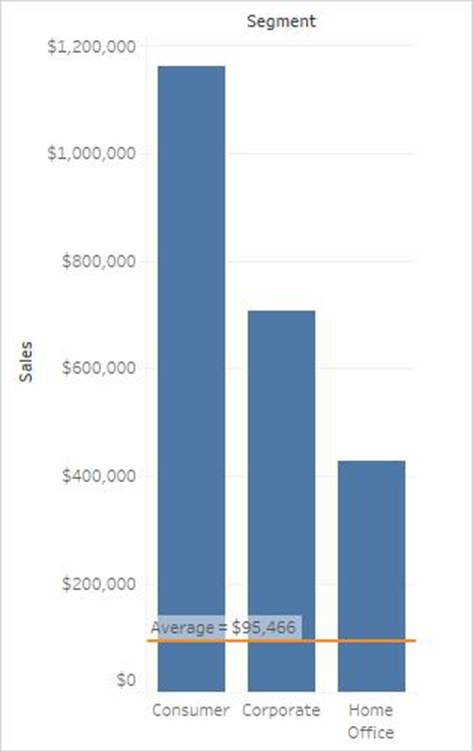
Reference Lines – You can add a reference line at a constant or computed value on the axis. Computed values can be based on a specified field. You can also include confidence intervals with a reference line.
Reference: https://help.tableau.com/current/pro/desktop/en-us/reference_lines.htm
When working with Excel, text file data, JSON file, .pdf file data, you can use _________________ to union files across folders, and worksheets across workbooks. Search is scoped to the selected connection.
- A . Regex Search
- B . Union Search
- C . Pattern Search
- D . Wildcard Search
D
Explanation:
You can use Wildcard Search to set up search criteria to automatically include tables in your union. Use the wildcard character, which is an asterisk (*), to match a sequence or pattern of characters in the Excel workbook and worksheet names, Google Sheets workbook and worksheet names, text file names, JSON file names, .pdf file names, and database table names.
When working with Excel, text file data, JSON file, .pdf file data, you can also use this method to union files across folders, and worksheets across workbooks. Search is scoped to the selected connection. The connection and the tables available in a connection are shown on the left pane of the Data source page.
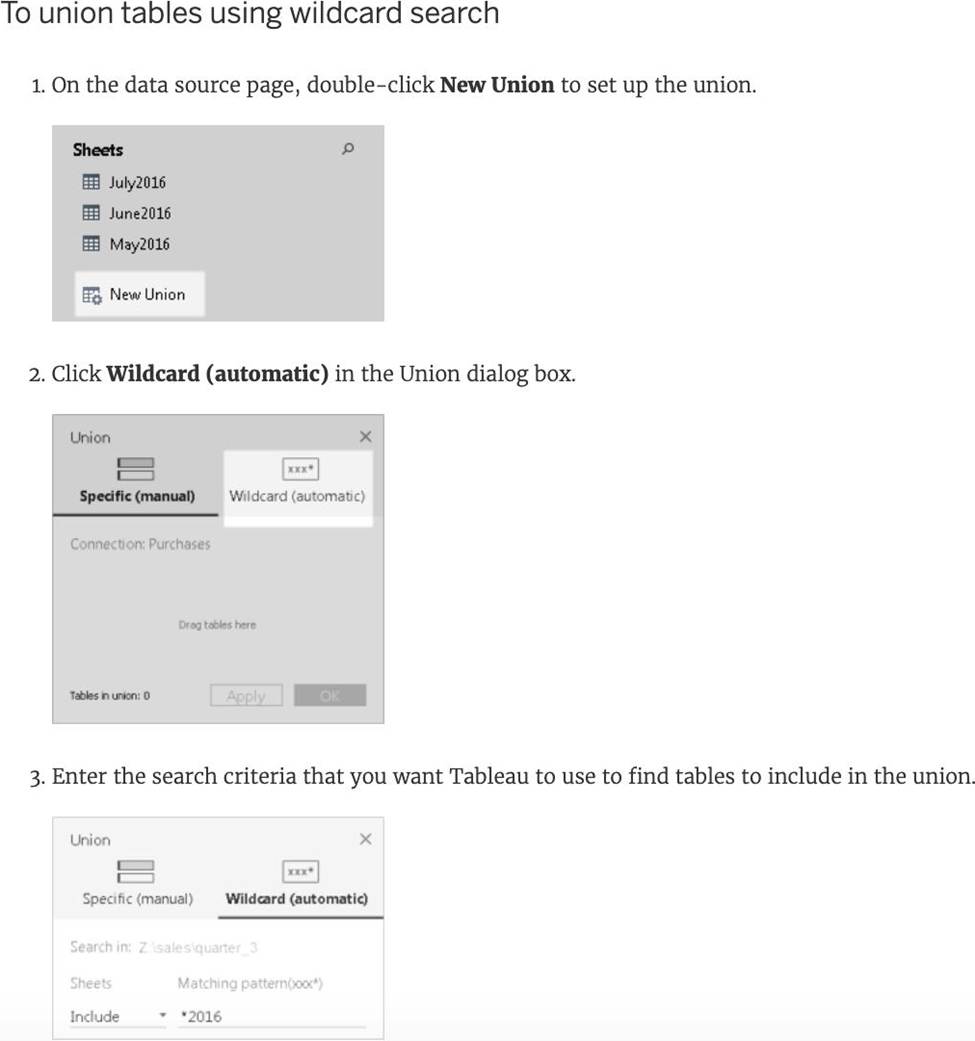
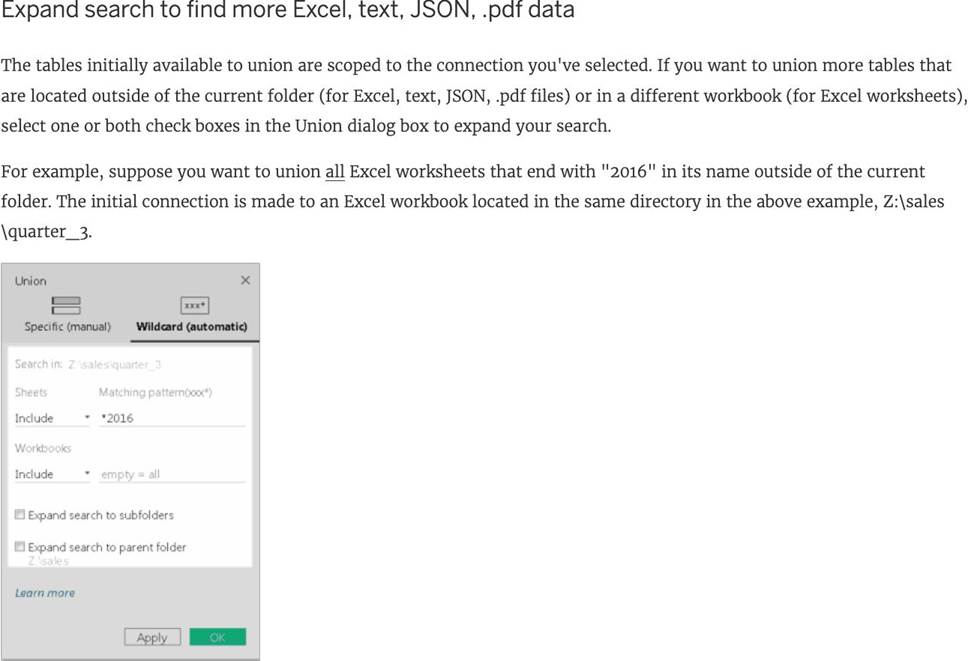
Reference: https://help.tableau.com/current/pro/desktop/en-us/union.htm
True or False: Context Filters are executed after Data Source filters
- A . True
- B . False
A
Explanation:
THIS IS A VERY IMPORTANT QUESTION
To answer this question, you need to understand Tableau’s Order of Operations. See below and remember this always:
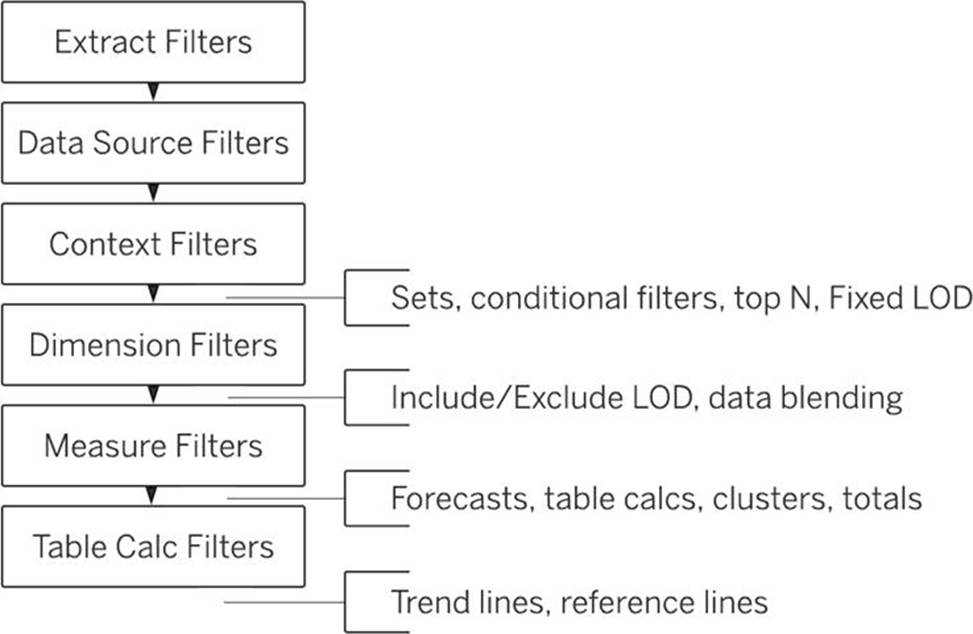
Reference: https://help.tableau.com/current/pro/desktop/en-us/order_of_operations.htm
When using the manage metadata option, we can create custom names for columns where _____________ is the original name of the column whereas _____________ is the custom name we created in Tableau.
- A . Remote Field Name, Field Name
- B . Local Name, Actual Name
- C . Column Name, Actual Name
- D . Local Field, Global Field
A
Explanation:
Using the Sample superstore as a reference, click on the manage metadata icon as follows:
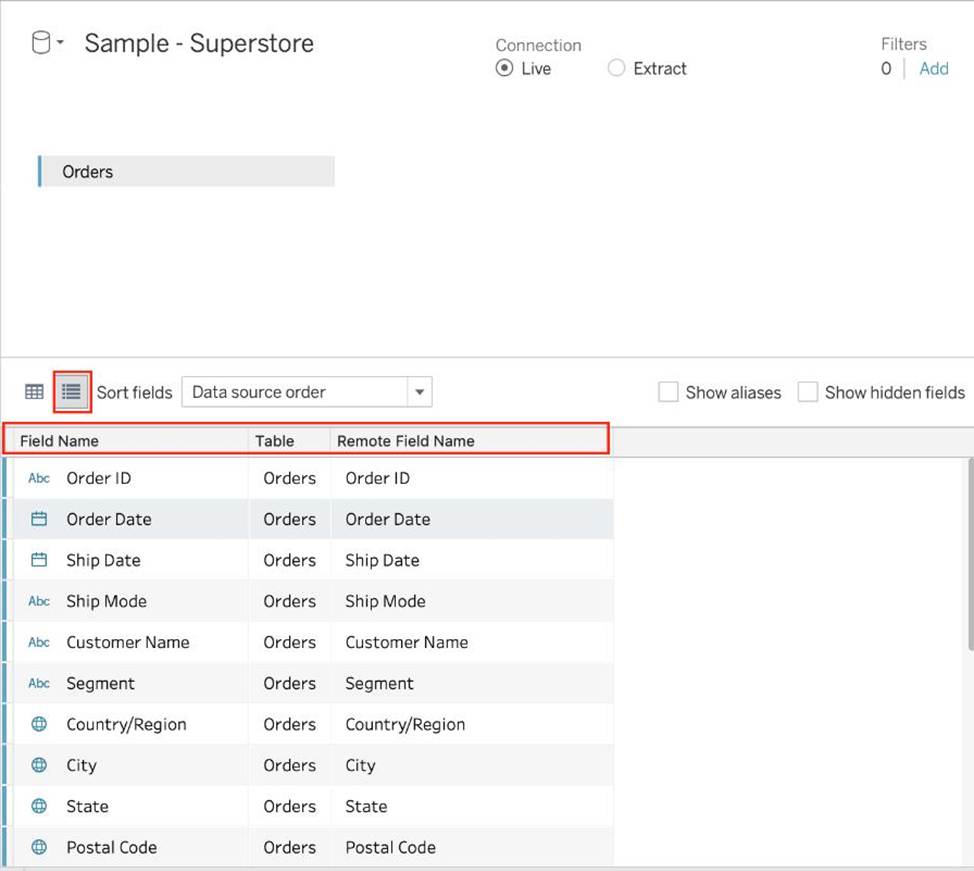
We can rename a particular column name to make it easier to remember and use in Tableau. Let’s change Order ID to oID as shown:
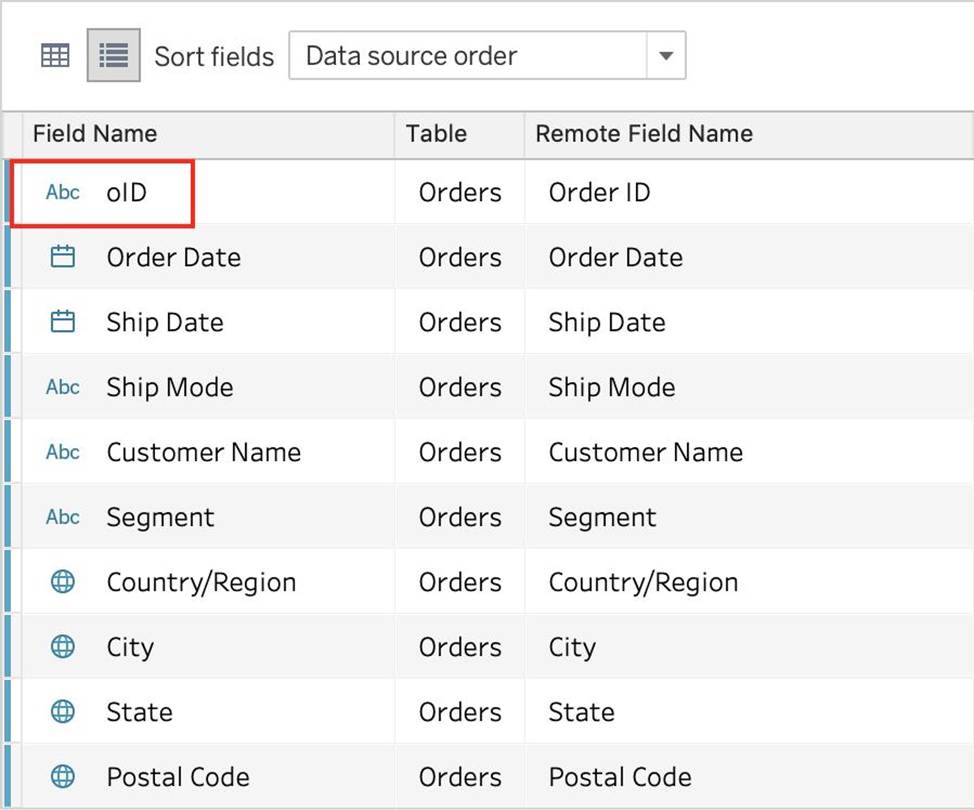
Now, we’ll see oID when using this data source in Tableau. This WILL NOT affect the original data source. The remote field name let’s us see what the name of the column is in the ORIGINAL Data source.
Reference: https://help.tableau.com/current/pro/desktop/en-us/environment_datasource_page.htm#Metadata
When using a Blend, what is the color of tick-mark on the primary and secondary data sources respectively?
- A . Red, Blue
- B . Orange, Blue
- C . Blue, Red
- D . Blue, Orange
D
Explanation:
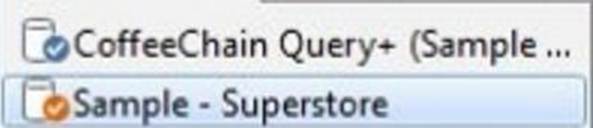
When using a Blend, the primary data source appears with a BLUE tick-mark and the secondary data source appears with a ORANGE tick-mark.
See below:
Reference: https://www.tutorialspoint.com/tableau/tableau_data_blending.htm
Which two functionalities can you provide to consumers by adding a parameter to a visualization? Choose two.
- A . Change fields in the visualization.
- B . Download the underlying data as a CSV file.
- C . Change the results of calculations in the visualization.
- D . Create a new field in the data source.
A, C
Explanation:
In Tableau, parameters are dynamic values that can replace a constant in calculations, filters, and reference lines. If you have a parameter controlling a calculation, changing the parameter value can change the results of that calculation, thus impacting the visualization. Parameters can also be used to switch between different fields in the visualization; for example, allowing users to choose which measure or dimension to display.
True or False: Trend lines can only be used with numeric or date fields.
- A . True
- B . False
Tableau auto-generates ____________ dimension(s) and _____________ measure(s) for us
- A . 1,4
- B . 2,2
- C . 2,3
- D . 1,2
A
Explanation:
Tableau auto-generates:
1 Dimension – Measure Names
4 Measures – Latitude, Longitude, Number of records, Measure Values
Starting with Tableau 2020.2, every table in a data source has a Count field, in the form of NameofTable(Count). The table count field is an automatically generated, calculated field.
(THIS IS NOT PRESENT IN VERSION 2020.1 ON WHICH THE EXAM IS CURRENTLY BASED)
Reference: https://help.tableau.com/current/pro/desktop/en-us/datafields_understanddatawindow.htm
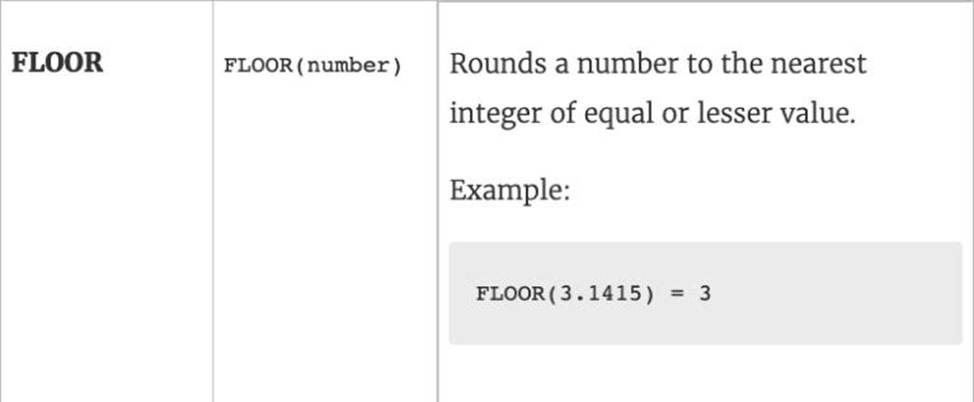
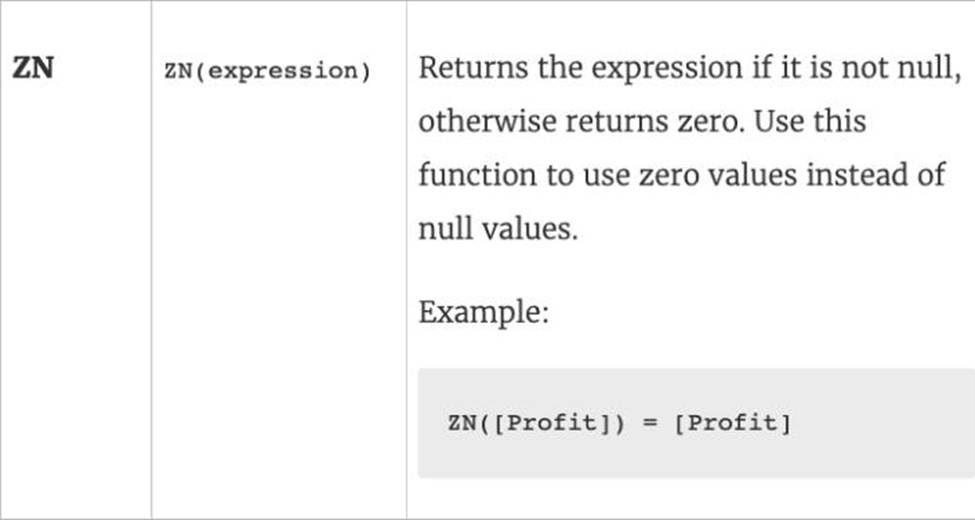
Which of the following returns the Absolute Value of a given number?
- A . ABS(Number)
- B . CEILING(Number)
- C . FLOOR(Number)
- D . ZN(Number)
A
Explanation:
From the official Tableau website:
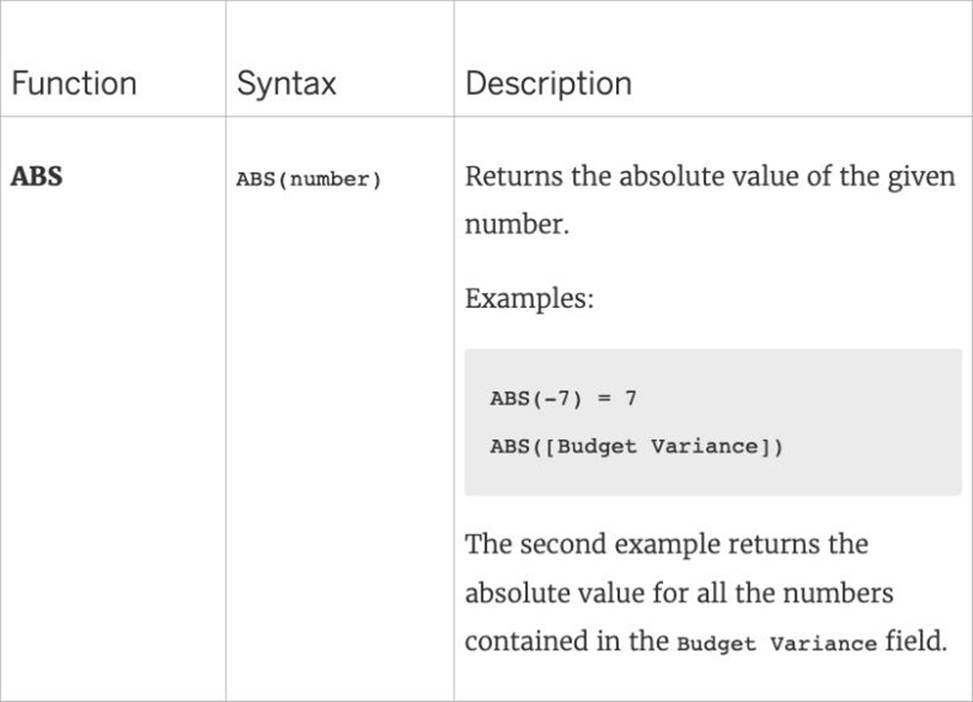
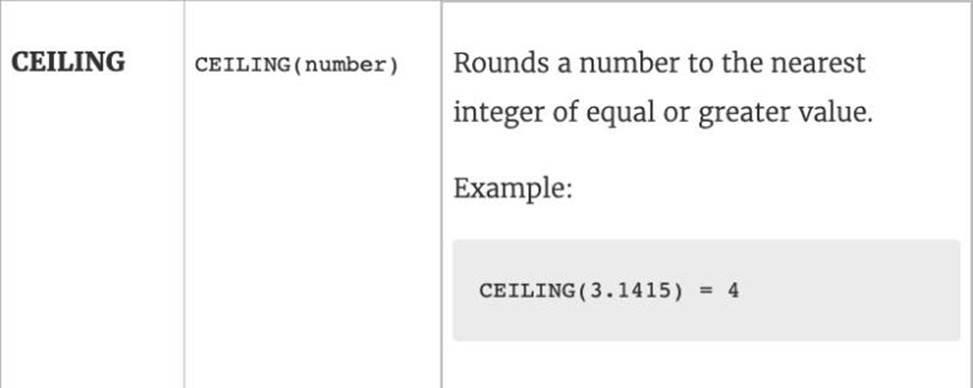
Reference: https://help.tableau.com/current/pro/desktop/en-us/functions_functions_number.htm