
Tableau TDS-C01 Practice Exams
Last updated on Oct 23,2026- Exam Code: TDS-C01
- Exam Name: Tableau Desktop Specialist
- Certification Provider: Tableau
- Latest update: Oct 23,2026
A ________________ is a single zip file that contains a workbook along with any supporting local file
data and background images. This format is the best way to package your work for sharing with others who don’t have access to the original data.
- A . .twbx file
- B . .tbm file
- C . .twb file
- D . .tde file
A
Explanation:
According to the official Tableau documentation:
Tableau packaged workbooks have the .twbx file extension. A packaged workbook is a single zip file that contains a workbook along with any supporting local file data and background images. This format is the best way to package your work for sharing with others who don’t have access to the original data. For more information, see Packaged Workbooks.
Reference: https://help.tableau.com/current/pro/desktop/en-us/environ_filesandfolders.htm
You have a data set that builds a union between two tables. You need to extract the data set.
What should you use to extract the data set?
- A . physical tables that use a single table extract
- B . physical tables that use multiple table extracts
- C . logical tables that use a single table extract
- D . logical tables that use multiple table extracts
B
Explanation:
When dealing with a union of two tables in Tableau, using logical tables with a single table extract is the most appropriate approach. Logical tables allow for the integration of data from multiple tables in a way that is seamless and efficient for analysis. By using a single table extract, Tableau consolidates the data from the union into one extract, optimizing performance and enabling faster data processing. This approach is particularly beneficial when working with large datasets or complex unions.
_________________ is useful when you need to change how the data source is configured on a sheet-by-sheet basis, and when you want to combine databases that don’t allow relationships or joins
- A . Union
- B . Data Joining
- C . Data segregation
- D . Data Blending
D
Explanation:
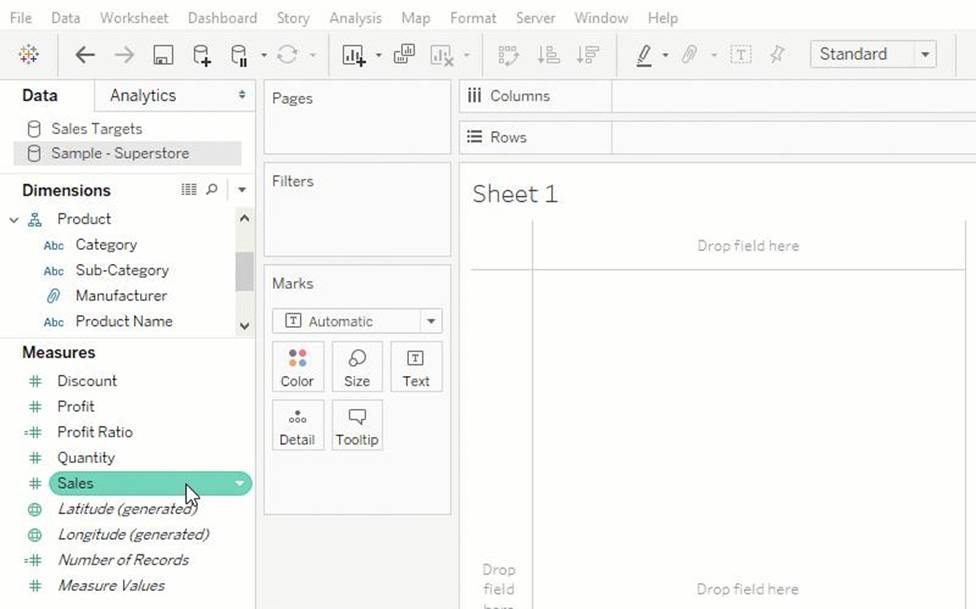
Data blending is performed on a sheet-by-sheet basis and is established when a field from a second data source is used in the view. To create a blend in a workbook already connected to at least two data sources, bring a field from one data source to the sheet―it becomes the primary data source. Switch to the other data source and use a field on the same sheet―it becomes a secondary data source. An orange linking icon will appear in the data pane, indicating which field(s) are being used to blend the data sources.
According to the official Tableau Documentation:
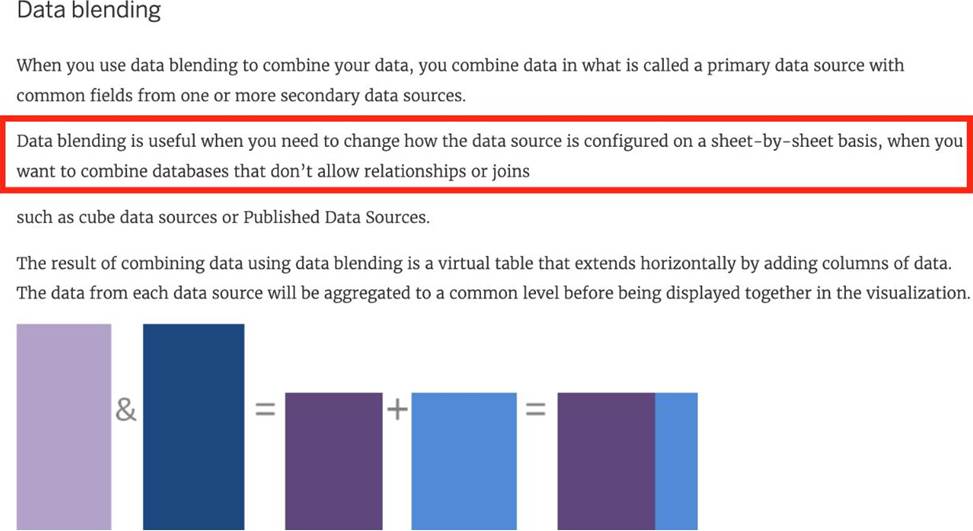
To read more about Data Blending, click on THIS link.
Which of the following is true about ‘Incremental refresh’ when creating Extracts in Tableau?
- A . It only adds rows that are new since the previous refresh.
- B . There is no difference, both are the same when using extracts. They are
different when using live connections. - C . It replaces all of the contents in the extract
- D . They can only be used with large datasets
A
Explanation:
Extracts are saved subsets of data that you can use to improve performance or to take advantage of Tableau functionality not available or supported in your original data. When you create an extract of your data, you can reduce the total amount of data by using filters and configuring other limits. After you create an extract, you can refresh it with data from the original data.
When refreshing the data, you have the option to either do a full refresh, which replaces all of the contents in the extract, or you can do an incremental refresh, which only adds rows that are new since the previous refresh.
Reference: https://help.tableau.com/current/pro/desktop/en-us/extracting_data.htm
What are three geographic roles that you can assign to a field? Choose three.
- A . Address
- B . Time zone
- C . City
- D . Country
- E . Airport
CDE
Explanation:
According to the Tableau Desktop Specialist Exam Guide, city, country, and airport are three geographic roles that you can assign to a field. Address and time zone are not geographic roles in Tableau.
Which of these is NOT a type of Quick Filter available in Tableau?
- A . Wildcard Match
- B . Multiple Values (dropdown)
- C . Regex Match
- D . Single Value (slider)
C
Explanation:
Upon clicking on a filter, we see the following options:
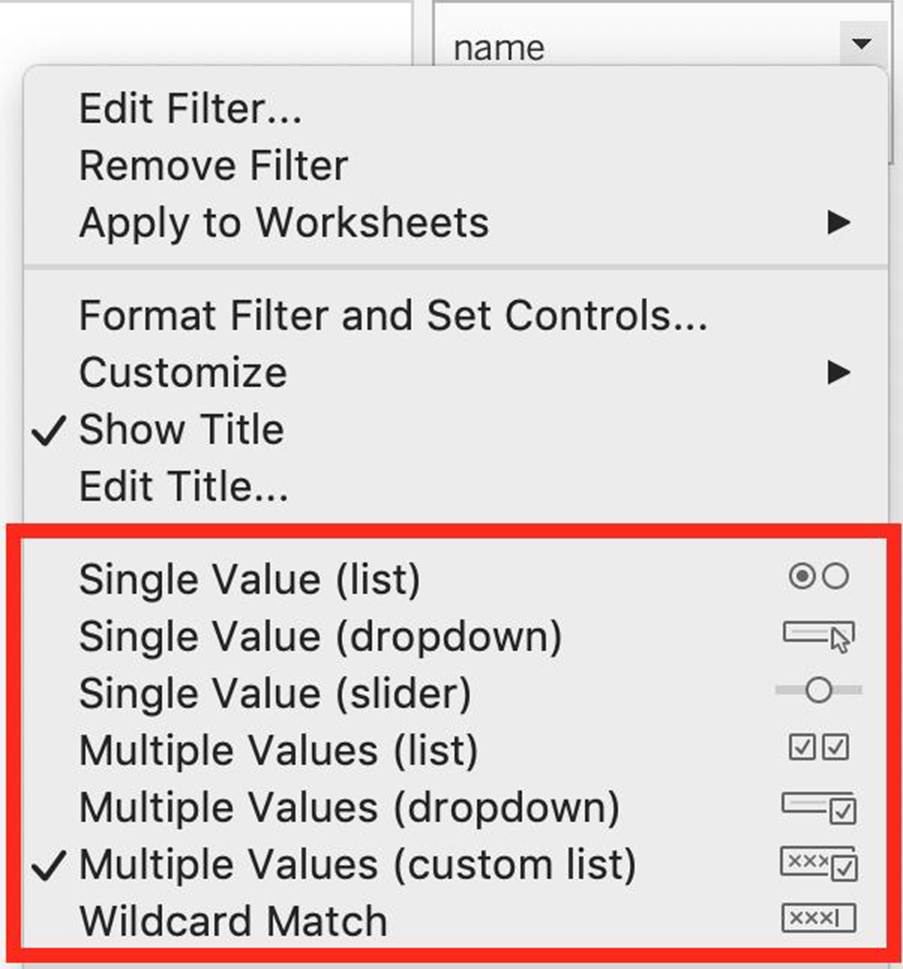
Clearly, Regex Match is not one of these options!
Which two filter modes can you use with continuous filters? Choose two.
- A . Multiple Values
- B . Special
- C . Range of Values
- D . Single Values
B, C
Explanation:
According to the Tableau Help, there are two filter modes for continuous filters: Range of Values and Single Value. The help also states that “Range of Values lets you specify a minimum and maximum value for the filter using sliders or input fields” and “Single Value lets you select one value on a slider for the filter” (page 1).
Which Sub-Category had the least Profit in the Office Supplies category?
- A . Fasteners
- B . Labels
- C . Envelopes
- D . Binders
A
Explanation:
To reach the correct answer, follow the steps below:
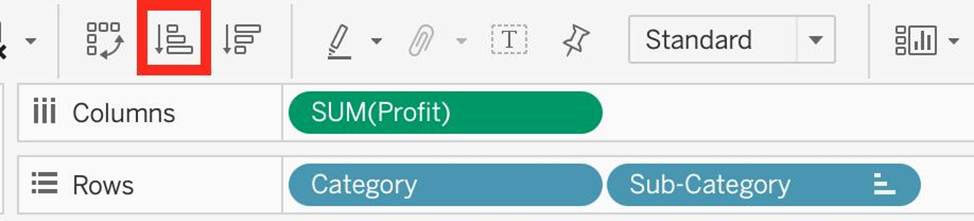
1) Drag Category, and sub-category to the row shelf. Drag Profit to the Column shelf
2) Click the Sort-ascending icon as shown above, to sort the profits from least to greatest as shown: Click the ‘Show mark labels icon’
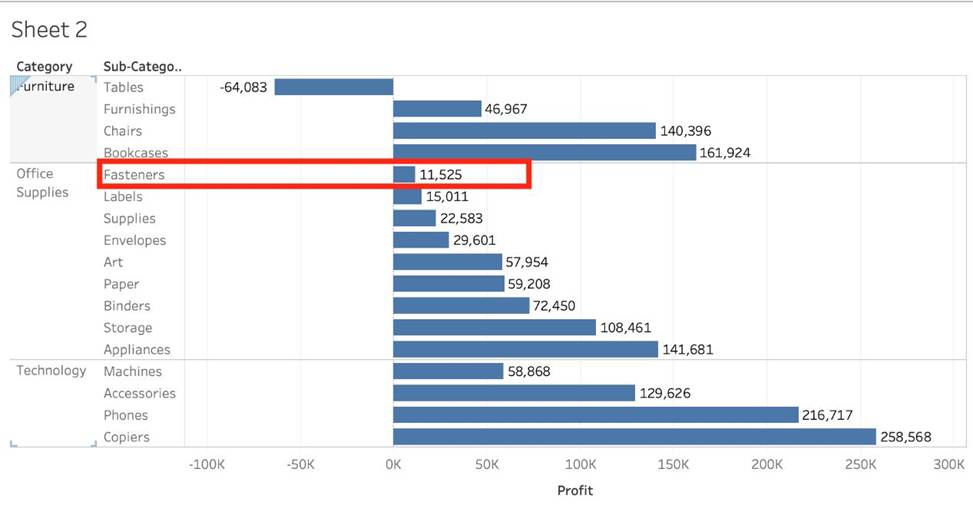
As we can see, Fasteners has the least Profit in the Office Supplies Category, and hence is our correct answer!
_____________ is a snapshot of the data that Tableau stores locally. Good for very large datasets of which we only need few fields.
- A . Tableau Packaged Workbook (.twbx)
- B . Tableau Workbook (.twb)
- C . Tableau Data Extract (.tde)
- D . Tableau Data Source (.tds)
C
Explanation:
Tableau Data Extract (TDE) is a snapshot of the data that Tableau stores locally. Good for very large datasets of which we only need few fields. Performance is optimised because it queries its own database engine instead of the local data source.
When you create an extract of your data, you can reduce the total amount of data by using filters and configuring other limits. After you create an extract, you can refresh it with data from the original data. When refreshing the data, you have the option to either do a full refresh, which replaces all of the contents in the extract, or you can do an incremental refresh, which only adds rows that are new since the previous refresh.
Extracts are advantageous for several reasons:
1) Supports large data sets: You can create extracts that contain billions of rows of data.
2) Fast to create: If you’re working with large data sets, creating and working with extracts can be faster than working with the original data.
3) Help improve performance: When you interact with views that use extract data sources, you generally experience better performance than when interacting with views based on connections to the original data.
4) Support additional functionality: Extracts allow you to take advantage of Tableau functionality that’s not available or supported by the original data, such as the ability to compute Count Distinct.
5) Provide offline access to your data: Extracts allow you to save and work with the data locally when the original data is not available. For example, when you are traveling.
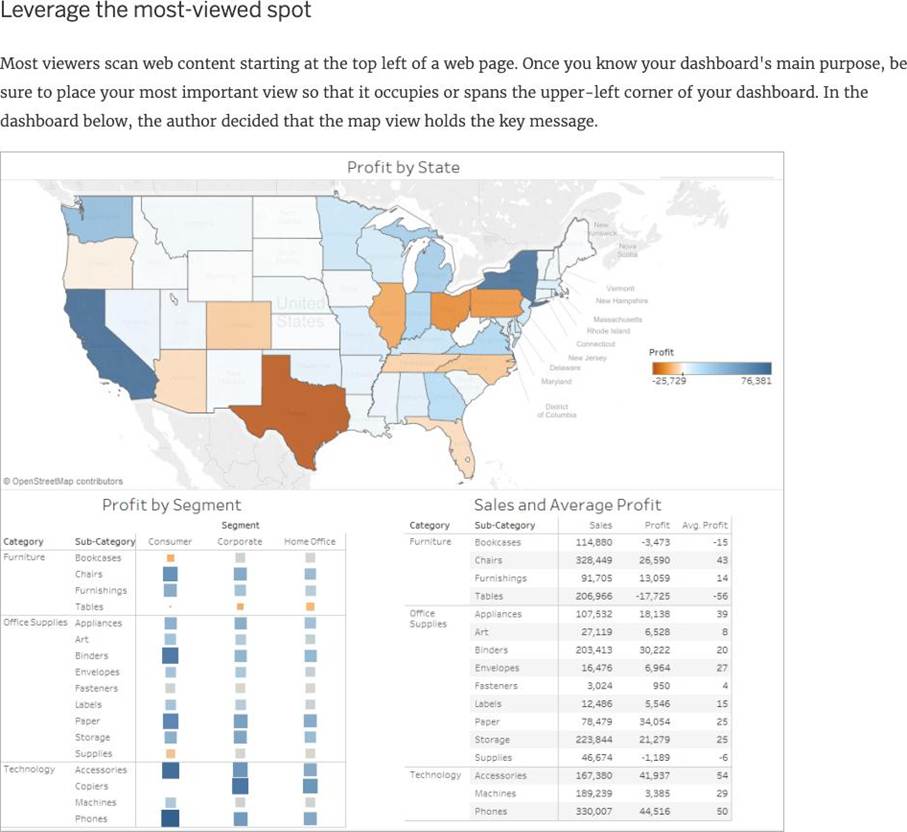
Most viewers scan content starting at the _____________ of a page.
- A . top left
- B . center
- C . bottom left
- D . bottom right
- E . top right
A
Explanation:
According to Tableau’s official documentation:
Reference: https://help.tableau.com/current/pro/desktop/en-us/dashboards_best_practices.htm