
Tableau TDS-C01 Practice Exams
Last updated on Oct 22,2026- Exam Code: TDS-C01
- Exam Name: Tableau Desktop Specialist
- Certification Provider: Tableau
- Latest update: Oct 22,2026
Using the Time Series table, create a chart that shows the percent difference in Average Inventory on Hand for each Assortment by year and quarter.
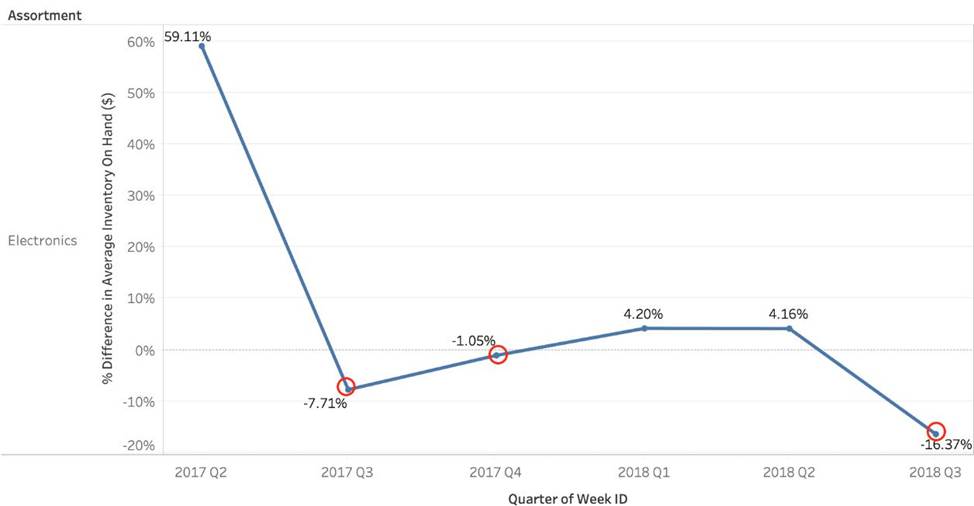
How many quarters did the Electronics Assortment show a negative percent difference in the Average Inventory On Hand?
- A . 1
- B . 2
- C . 3
- D . 4
C
Explanation:
If you chose 2, then you were very close but probably didn’t plot the actual Percent Difference on your view. (One of the marks is just over the line).
✑ Firstly, Drop the Week ID onto the column shelf, and convert it to continuous since we need both Year and Quarter as mentioned in the question.

2) Next, Drop assortment to filters shelf so that we can focus on Electronics!
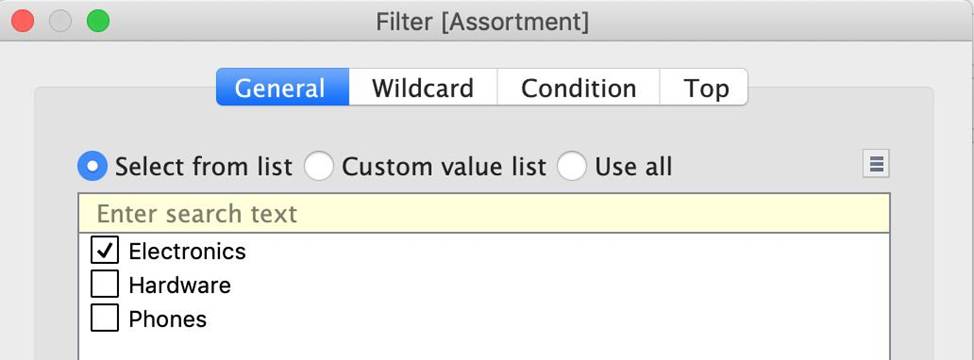
3) This should be your view now. Click on the Show Mark Labels icon as shown: The final view is as follows, with 3 points below 0 ( i.e negative )
Which of the following calculations DO NOT need a quick table calculation?
- A . Variance
- B . Rank
- C . Moving Average
- D . Standard Deviation
AD
Explanation:
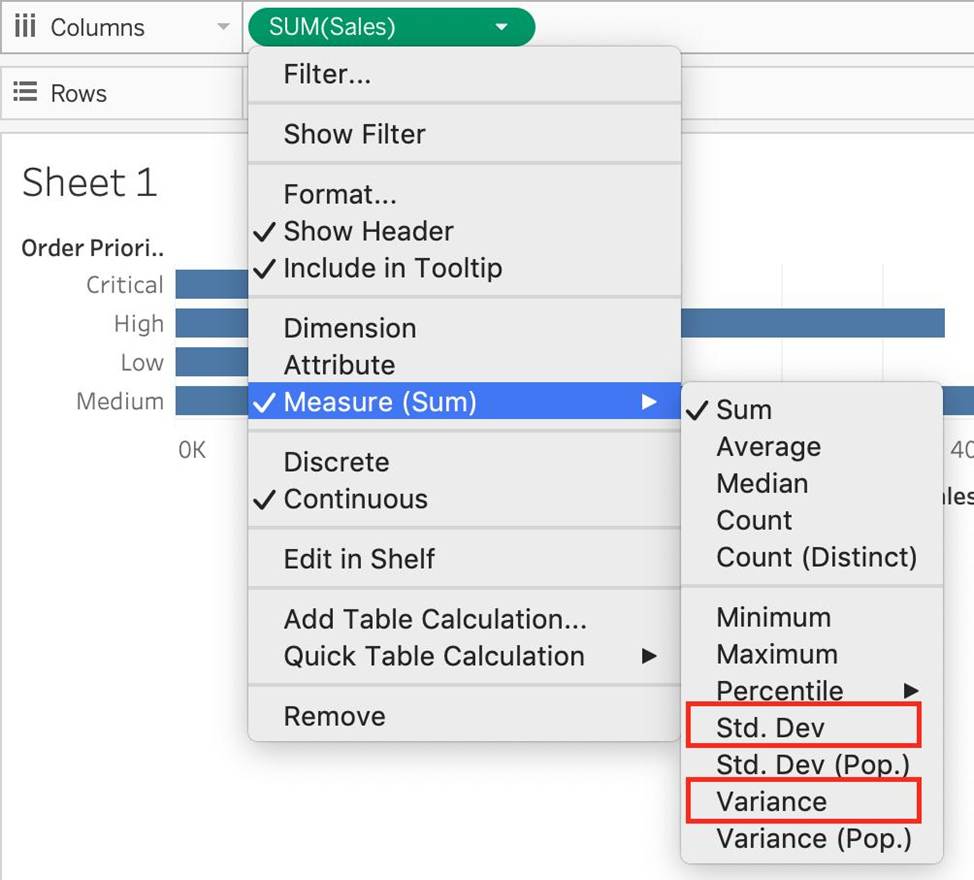
For Standard Deviation and Variance, we don’t need to use quick table calculations, since they are available by default.
See below:
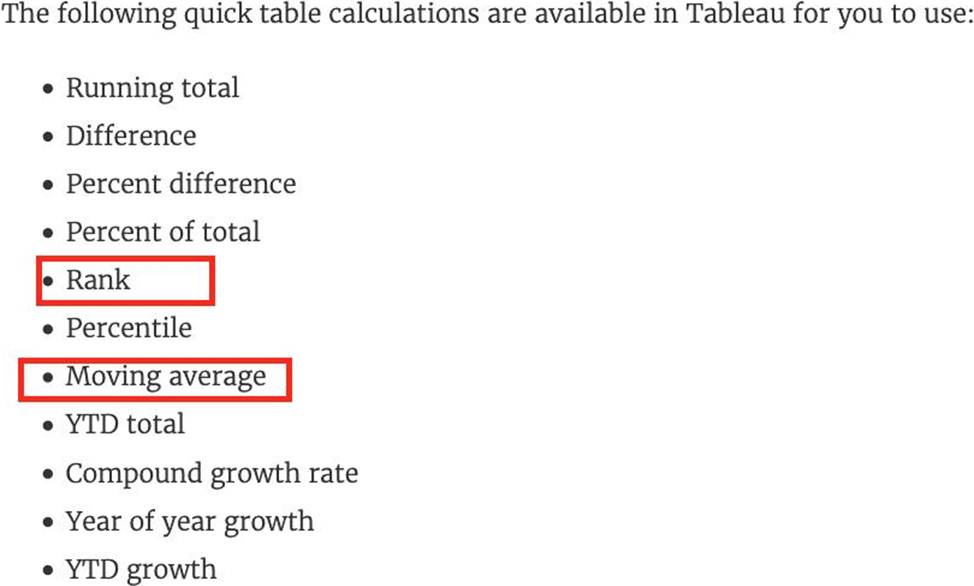
However, as seen in the types of quick table calculations available in Tableau, Rank and Moving Average belong to only this category.
What allows you to drill up or down in the level of detail (LOD)?
- A . Bins
- B . Groups
- C . Hierarchies
- D . Sets
C
Explanation:
Hierarchies in Tableau allow users to drill up and down to explore data at different levels of detail. By setting up a hierarchy, users can navigate through levels of the hierarchy to analyze data at each level, from the highest summary down to the finest detail.
Which of the following charts types always includes bars sorted in descending order?
- A . Pareto Chart
- B . Pie Chart
- C . Gantt Chart
- D . Stacked Bar Chart
A
Explanation:
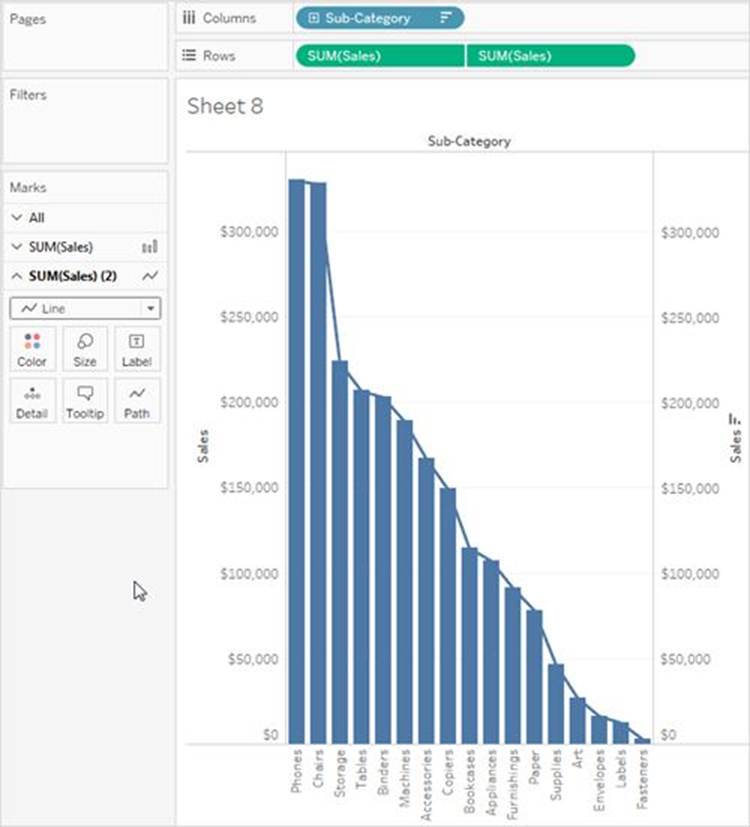
A Pareto chart is a type of chart that contains both bars and a line graph, where individual values are represented in descending order by bars, and the ascending cumulative total is represented by the line.
On the primary axis, bars are used to show the raw quantities for each dimension member, sorted in descending order.
On the secondary axis, a line graph is used to show the cumulative total in percent format.
Reference: https://help.tableau.com/current/pro/desktop/en-us/pareto.htm
Which of the following charts types always includes bars sorted in descending order?
- A . Pareto Chart
- B . Pie Chart
- C . Gantt Chart
- D . Stacked Bar Chart
A
Explanation:
A Pareto chart is a type of chart that contains both bars and a line graph, where individual values are represented in descending order by bars, and the ascending cumulative total is represented by the line.
On the primary axis, bars are used to show the raw quantities for each dimension member, sorted in descending order.
On the secondary axis, a line graph is used to show the cumulative total in percent format.
Reference: https://help.tableau.com/current/pro/desktop/en-us/pareto.htm
When you drop a continuous field on Color, Tableau displays a quantitative legend with a ___________ range of colors.
- A . Discrete
- B . Fading
- C . Continuous
- D . Mixed
C
Explanation:
When you drop a discrete field on Color in the Marks card, Tableau displays a categorical palette and assigns a color to each value of the field.
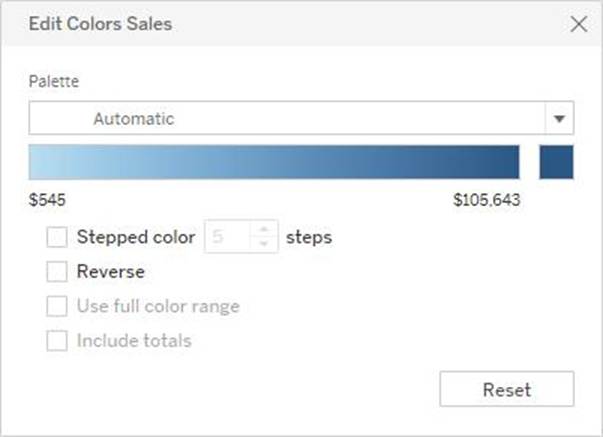
When you drop a continuous field on Color, Tableau displays a quantitative legend with a continuous range of colors.
Web version:
Desktop Version:
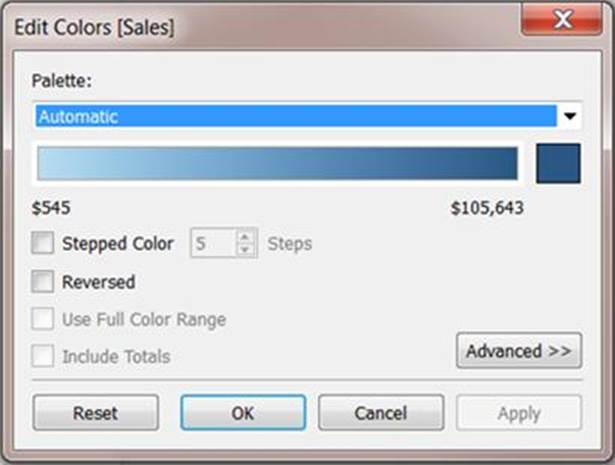
For more information about color palettes, see Color Palettes and Effects.
Which type of chart can you create without using a dimension?
- A . Stacked bar
- B . Highlight table
- C . Bar
- D . Treemap
C
Explanation:
Bar charts in Tableau do not require a dimension to be created. You can create a bar chart using only a measure; this will produce a single bar that represents the aggregate of the measure values, such as the sum or average of sales.
Given a map, which of the following fields can be placed in Size,Shape,Detail,Color
- A . Profit, State, Number of Records, Sales
- B . Region, Country, Profit, State
- C . Longitude, Country, State, Sales
- D . Sales, State, Country, Profit
D
Explanation:
Since Sales is a measure, it can easily be depicted via size.
To drill down and change the level of detail, Country is the correct choice since it will contain STATE.
We can then depict the various states by different shapes such as circle, square etc.
Finally, the Profit can be depicted via a color! Eg – Red for poor and green for excellent profits!
Reference: https://www.tableau.com/learn/tutorials/on-demand/aggregation-granularity-and-ratio-calculations
Which of the following points are True about Viz Animations?
- A . Sequential animations take more time but make complex changes clearer by presenting them step-by-step
- B . They can be turned on for certain worksheets only
- C . Animations work well with maps, polygons, and density marks in web browsers
- D . It is possible to turn them on for the entire workbook at once
ABD
Explanation:
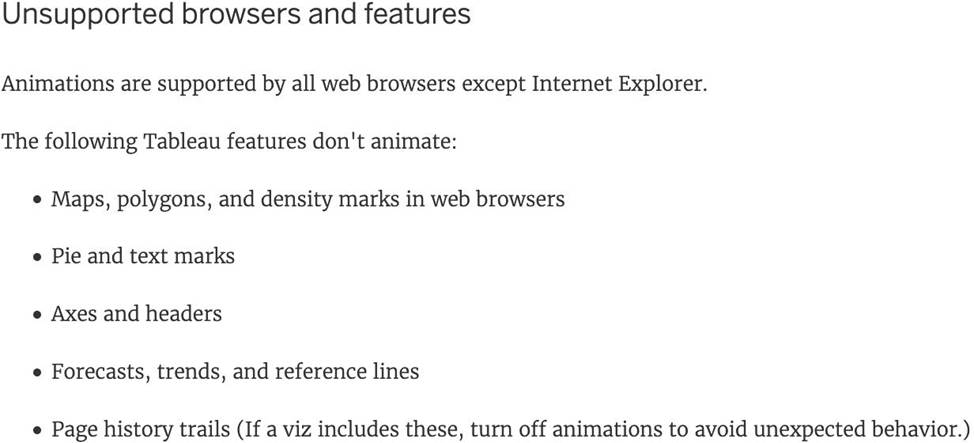
All of the given options are true except – Animations work well with maps, polygons, and density marks in web browsers.
From the official documentation:
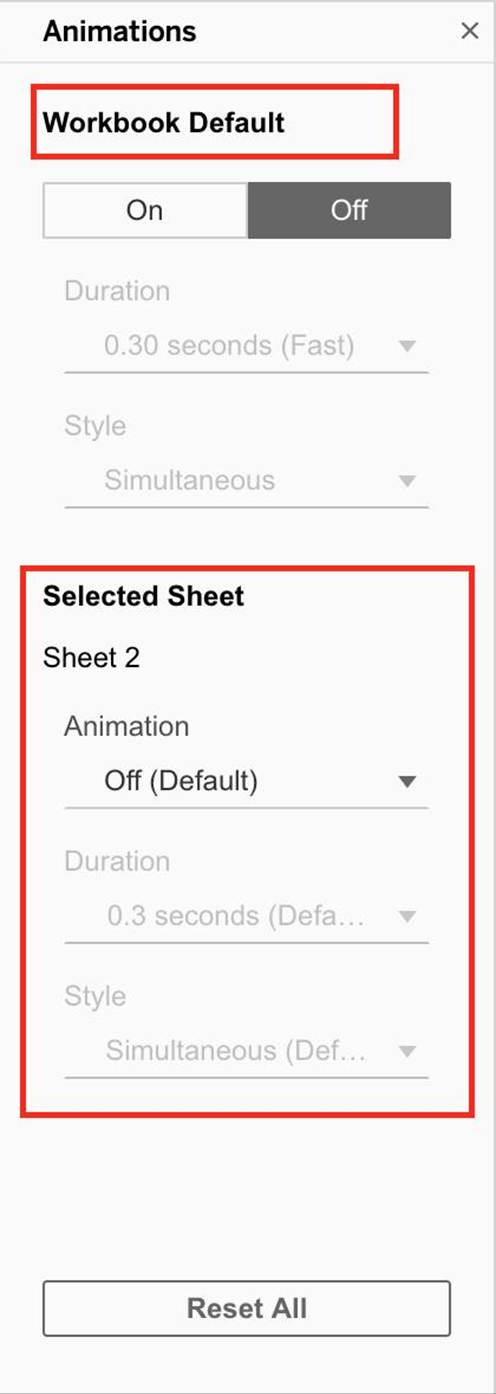
As seen above, we can either turn the animations for the entire workbook (upper red box), or only for the current sheet (lower red box)
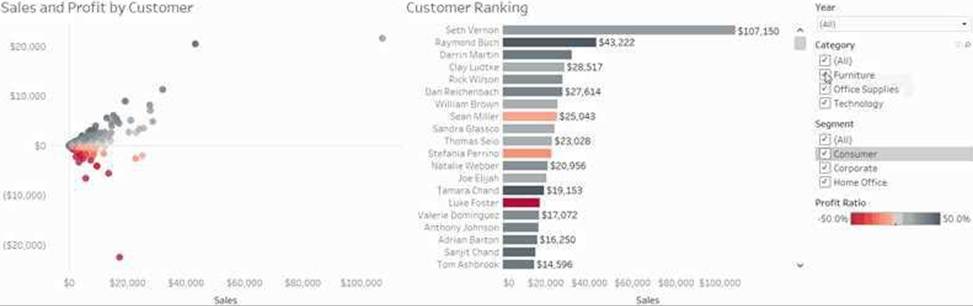
1) Simultaneous animations
The default simultaneous animations are faster and work well when showing value changes in simpler charts and dashboards.
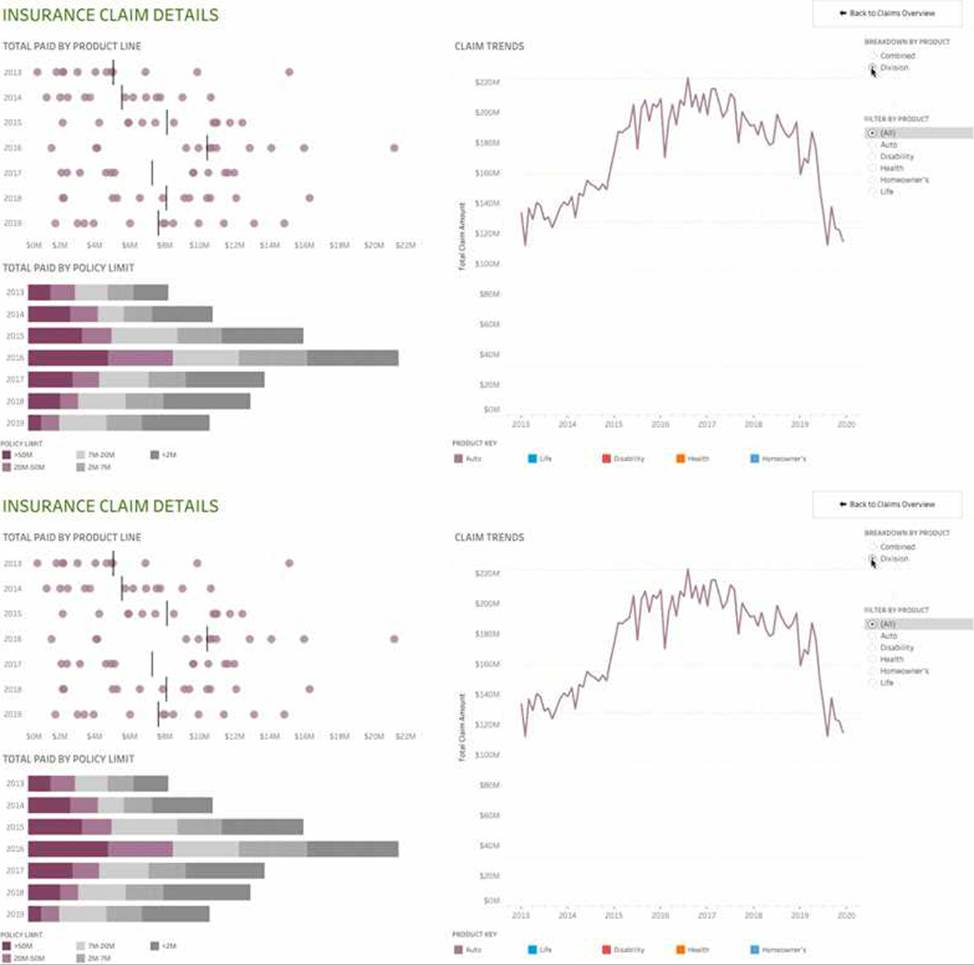
2) Sequential animations
Sequential animations take more time but make complex changes clearer by presenting them step-by-step.
Reference: https://help.tableau.com/current/pro/desktop/en-us/formatting_animations.htm
Which action describes the process for changing a measure so that it automatically aggregates an average instead of a sum?
- A . Right-click the field in the Data pane and select Default Properties to change it.
- B . Add the field to the view, right-click the axis, and select Format to change it.
- C . Right-click the field in the Data pane and select Change Data Type to change it.
- D . Right-click and drag the field into the view to change it.
A
Explanation:
To change a measure so that it automatically aggregates as an average instead of a sum, you should right-click the field in the Data pane and select Default Properties. In the Default Properties menu, you can set the default aggregation for the measure, such as setting it to calculate an average by default when added to a view.