
HP HPE0-S59 Practice Exams
Last updated on Oct 21,2026- Exam Code: HPE0-S59
- Exam Name: HPE Compute Solutions
- Certification Provider: HP
- Latest update: Oct 21,2026
HOTSPOT
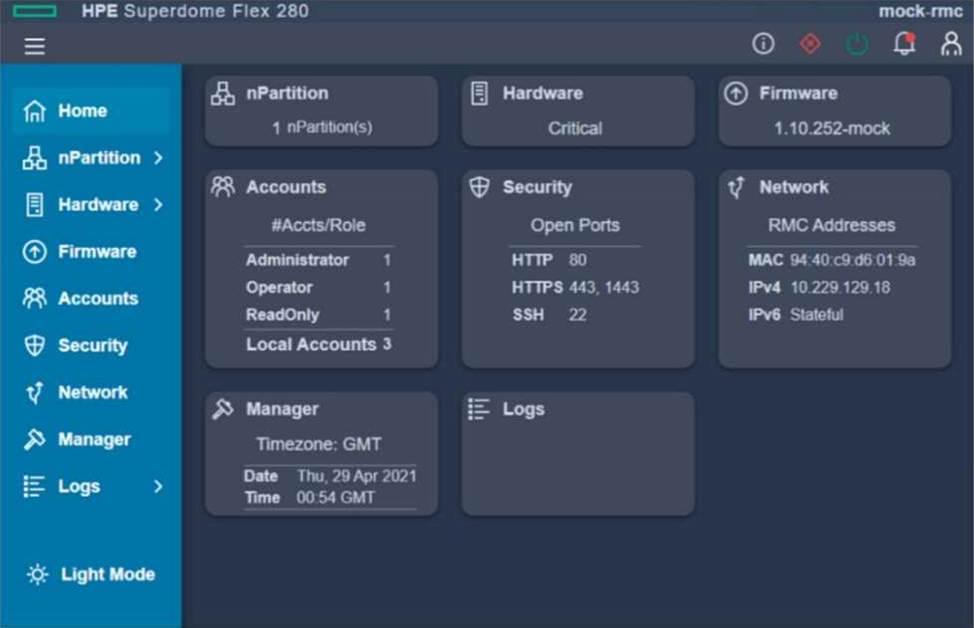
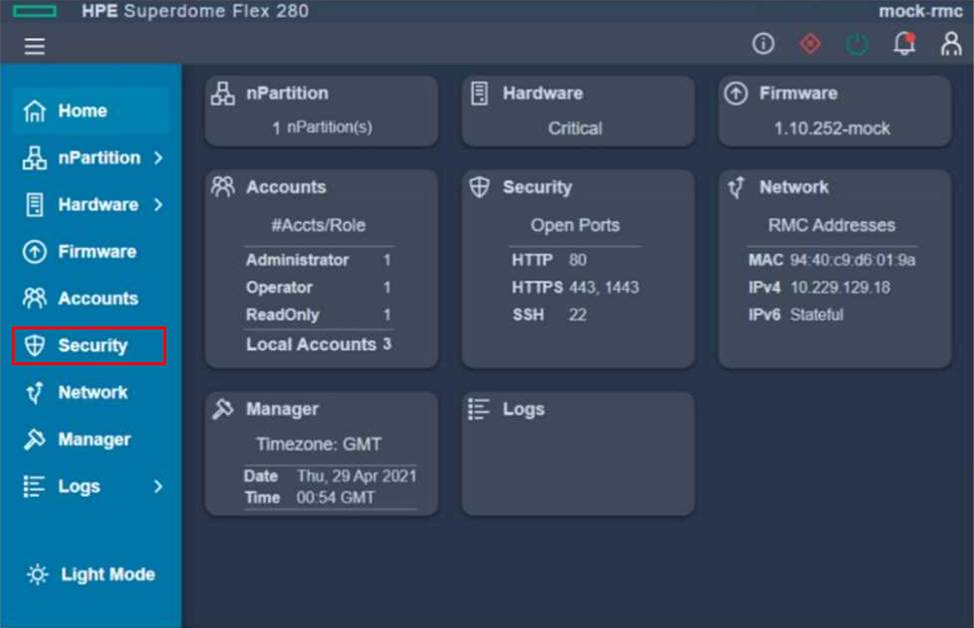
After deploying an HPE Superdome Flex 280, you need to check the network protocol status and SSL certificate.
Click the appropriate section In the HPE Superdome Flex 280 management interface that will allow you to complete this task.
Explanation:
To check the network protocol status and SSL certificate in the HPE Superdome Flex 280 management interface, you should click on the "Security" section on the left-hand menu. This section typically provides access to details about protocols like HTTPS, SSL certificates, and port configurations.
Your customer wants to compare HPE Superdome Flex with HPE Superdome Flex 280.
Which statement about these two systems is true?
- A . Only HPE Superdome Rex 280 can be managed using HPE OneView
- B . Only HPE Superdome Flex supports HPE Persistent Memory
- C . Only HPE Superdome Flex 280 can support multiple nPars
- D . Only HPE Superdome Flex supports 32 sockets and 48TB of memory
D
Explanation:
The HPE Superdome Flex system supports configurations of up to 32 sockets and 48TB of memory, making it suitable for extremely large-scale and demanding workloads. In contrast, the HPE Superdome Flex 280 has a lower maximum configuration limit, making it more suited for smaller-scale deployments compared to the full Superdome Flex.
Reference: HPE Superdome Flex and Flex 280 QuickSpecs
Your customer has the following HPE Synergy setup:
– 15 HPE Synergy 12000 frames with 50Gb connectivity to each server port
– 2 HPE Composer 2 modules
– 15 HPE D3940 Storage Modules, one per frame
– 2 HPE 12Gb SAS switches per frame Which statement about this setup is true?
- A . The customer must create at least five logical enclosures for this setup.
- B . To manage 15 frames, additional HPE Composers are required.
- C . The customer can install up to 12 HPE Synergy 480 compute nodes per frame.
- D . If properly cabled, any compute node can access any HPE D3490 storage module
A
Explanation:
With 15 HPE Synergy 12000 frames, the customer must create multiple logical enclosures to manage the setup efficiently. HPE Synergy typically supports up to five frames per logical enclosure, meaning that at least five logical enclosures would be necessary to manage all 15 frames. This ensures proper organization, management, and scalability of the resources.
Reference: HPE Synergy Configuration and Planning Guide
Which statement about the HPE OneView Update Readiness Checker is true?
- A . It can be used to verify compatibility of a given Synergy Service Pack with a specific version of HPE OneView.
- B . It can be used to evaluate the health of an HPE OneView appliance before proceeding with an appliance update.
- C . It can be used to examine the firmware version installed on compute nodes and compliance with HPE OneView version.
- D . It can be used to determine whether the latest milestone HPE OneView edition is currently installed.
Which statement about a new HPE SimpliVity deployment is true?
- A . New HPE SimpliVity deployments give customer flexible choice of hypervisor
- B . All new HPE SimpliVity models are based on AMD CPUs
- C . All new HPE SimpliVity models support deduplication and compression
- D . New HPE SimpliVity deployments are licensed per node not per physical socket
A
Explanation:
All new HPE SimpliVity models are designed with integrated deduplication, compression, and optimization capabilities. These features are fundamental to the HPE SimpliVity architecture, providing enhanced storage efficiency and performance. Deduplication and compression reduce the amount of data stored and transmitted, which improves the overall efficiency of data management in the hyper-converged infrastructure.
Reference: HPE SimpliVity Data Virtualization Platform
Which statement about the SY480 Gen10 Plus Compute Module is true?
- A . It cannot be mixed with Gen9 compute modules in the same frame.
- B . It supports 8 memory channels and memory DIMMs of up to 256GB.
- C . It only supports NVDIMM Persistent Memory.
- D . It supports "3rd Gen AMO EPYC Server Processors with 64 cores.
A
Explanation:
The HPE Synergy 480 Gen10 Plus Compute Module supports 8 memory channels and can accommodate memory DIMMs of up to 256GB. This capability ensures high memory bandwidth and large memory capacity, which are essential for demanding workloads and applications.
Reference: HPE Synergy 480 Gen10 Plus QuickSpecs
Your customer reports that they cannot deploy HPE Synergy compute nodes using HPE OneView for VMware vCenter Server (HPE OV4VC).
What should you check during troubleshooting process?
- A . If HPE OneView credentials are added in vCenter Server
- B . If an compute nodes are added to the vCenter Server
- C . If the HPE Oneview instance Is integrated with HPE OV4VC.
- D . If vCenter Server is licensed in the HPE Oneview interface
C
Explanation:
When troubleshooting the deployment of HPE Synergy compute nodes using HPE OneView for VMware vCenter Server (HPE OV4VC), it’s essential to verify that HPE OneView credentials are correctly added in the vCenter Server. Proper integration and authentication are necessary for HPE OV4VC to communicate and manage the compute nodes effectively.
Reference: HPE OneView for VMware vCenter Server User Guide
Which statement about a new HPE SimpliVity deployment is true?
- A . New HPE SimpliVity deployments gives customer flexible choice of hypervisor
- B . A new HPE SimpliVity node can be a member of multiple dusters
- C . AM new HPE SimpliVity models are software optimized
- D . All new HPE SimpliVity models are based on mid CPUs
A
Explanation:
New HPE SimpliVity deployments offer customers the flexibility to choose between different hypervisors, such as VMware vSphere and Microsoft Hyper-V. This flexibility allows customers to select the hypervisor that best fits their existing infrastructure and operational preferences.
Reference: HPE SimpliVity Hypervisor Support Guide
DRAG DROP
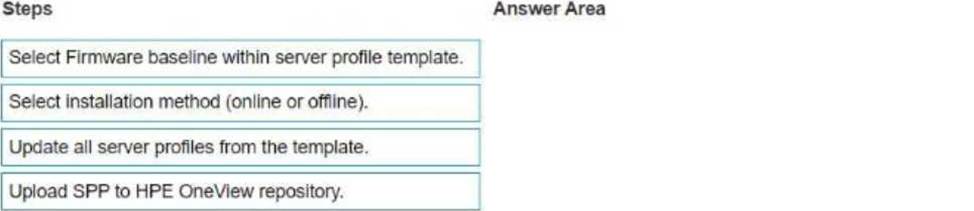
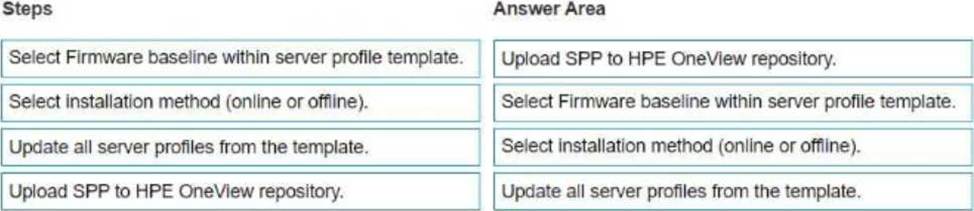
Your customer wants to update the firmware for 36 HPE Synergy 480 Gen 10 compute modules with a server profile assigned from a server profile template.
Put the steps required to achieve this goal on the left into their correct order on the right.
Explanation:
To update the firmware for the HPE Synergy 480 Gen 10 compute modules with a server profile assigned from a server profile template, the steps should be performed in the following order:
Upload SPP to HPE OneView repository.
(First, the Service Pack for ProLiant (SPP) containing the firmware updates must be uploaded to the HPE OneView repository.)
Select Firmware baseline within server profile template.
(Next, you need to select the desired firmware baseline in the server profile template.)
Select installation method (online or offline).
(Choose whether the firmware updates will be installed online or offline.)
Update all server profiles from the template.
(Finally, update all server profiles from the modified template to apply the firmware updates to the compute modules.)
Your customer plans to manage HPE Primera using HPE Oneview
Which storage management tasks can be completed using HPE OneView for this environment?
- A . CPG management
- B . Volume provisioning
- C . Cache management
- D . Replication setup
B
Explanation:
HPE OneView allows for several storage management tasks when managing HPE Primera, including volume provisioning. This task involves creating and managing storage volumes that can be allocated to compute nodes and applications within the environment. HPE OneView streamlines this process, providing a centralized management interface.
Reference: HPE OneView and HPE Primera Integration Guide