
Cisco 300-410 Practice Exams
Last updated on Nov 16,2026- Exam Code: 300-410
- Exam Name: Implementing Cisco Enterprise Advanced Routing and Services (ENARSI)
- Certification Provider: Cisco
- Latest update: Nov 16,2026
Refer to the exhibit.
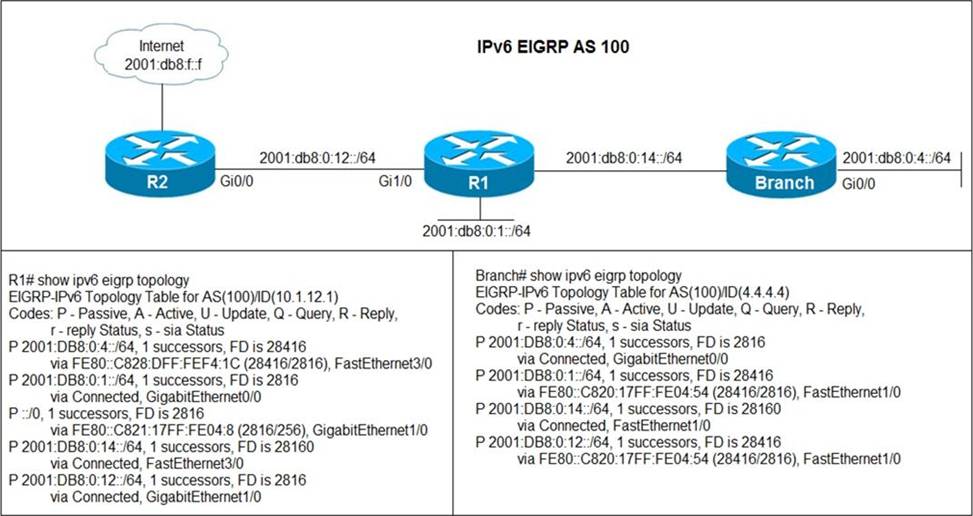
Users in the branch network of 2001:db8:0:4::/64 report that they cannot access the Internet.
Which command is issued in IPv6 router EIGRP 100 configuration mode to solve this issue?
- A . Issue the eigrp stub command on R1
- B . Issue the no neighbor stub command on R2.
- C . Issue the eigrp command on R2.
- D . Issue the no eigrp stub command on R1.
SIMULATION
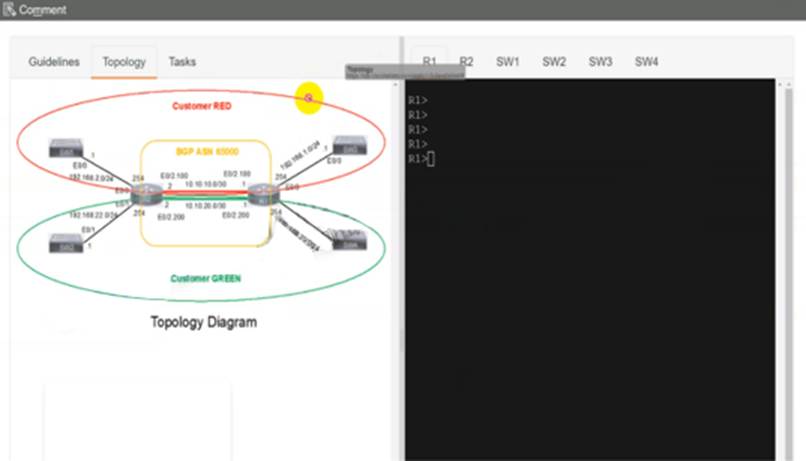
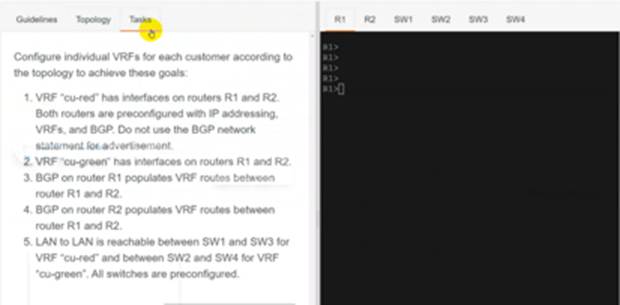
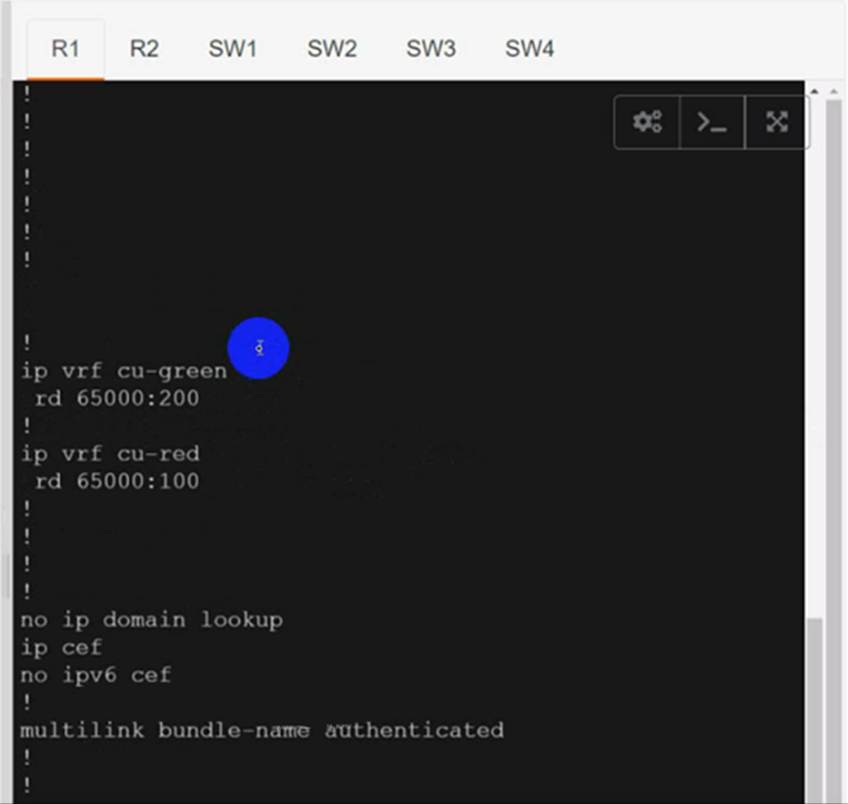
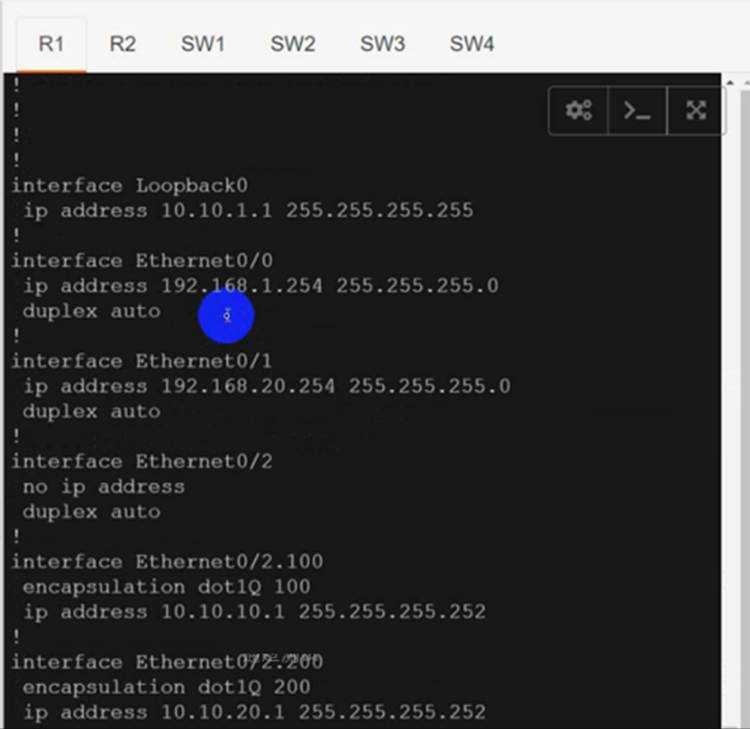
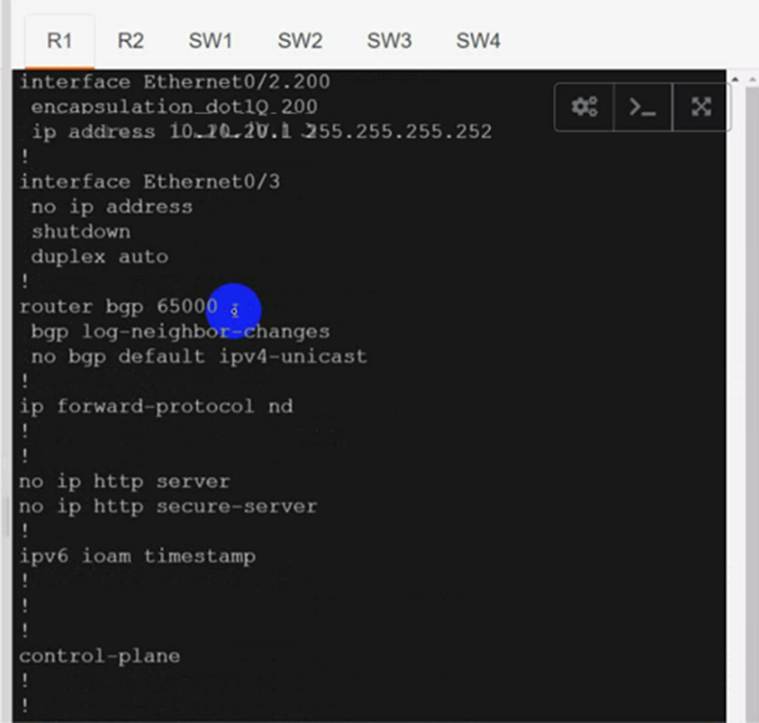
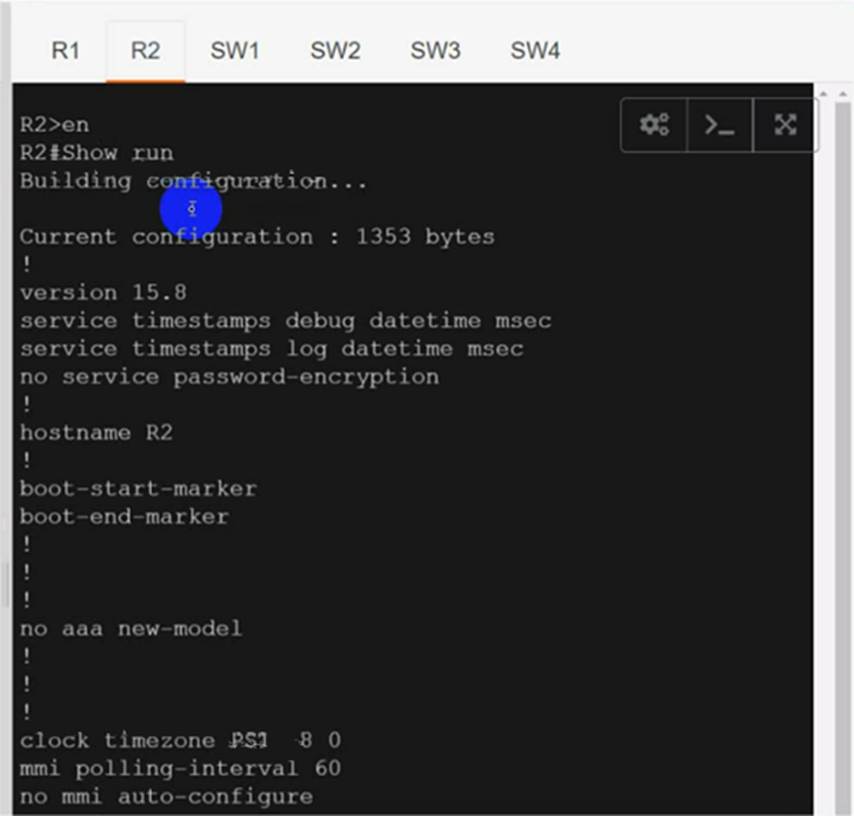
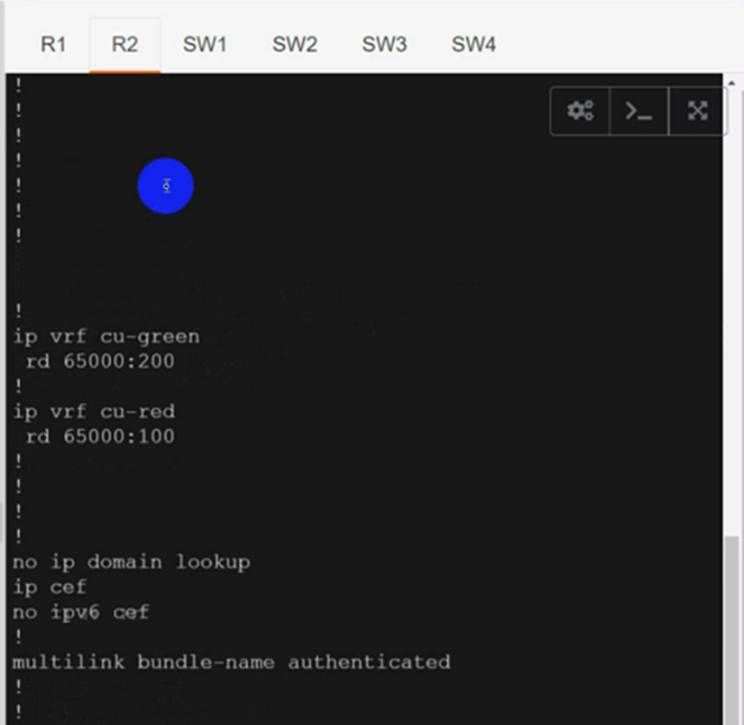
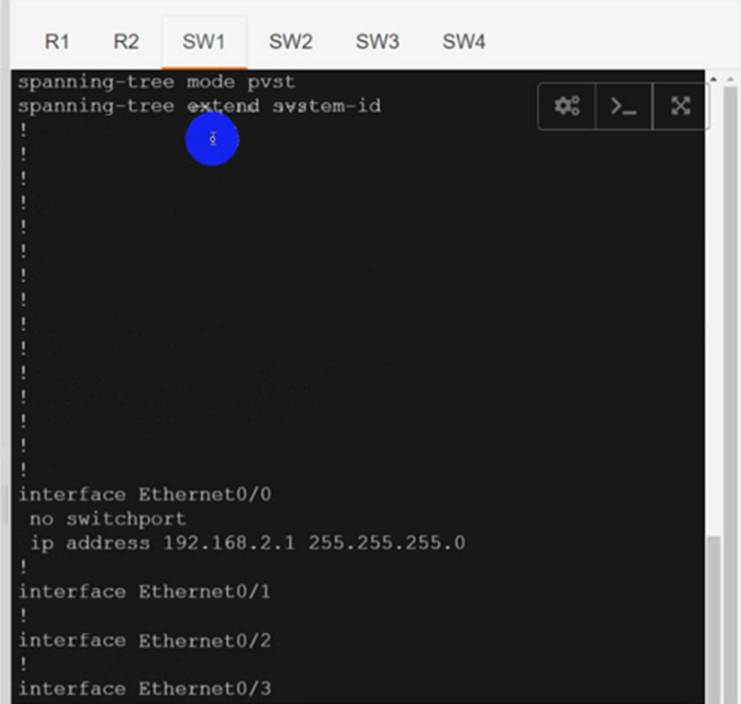
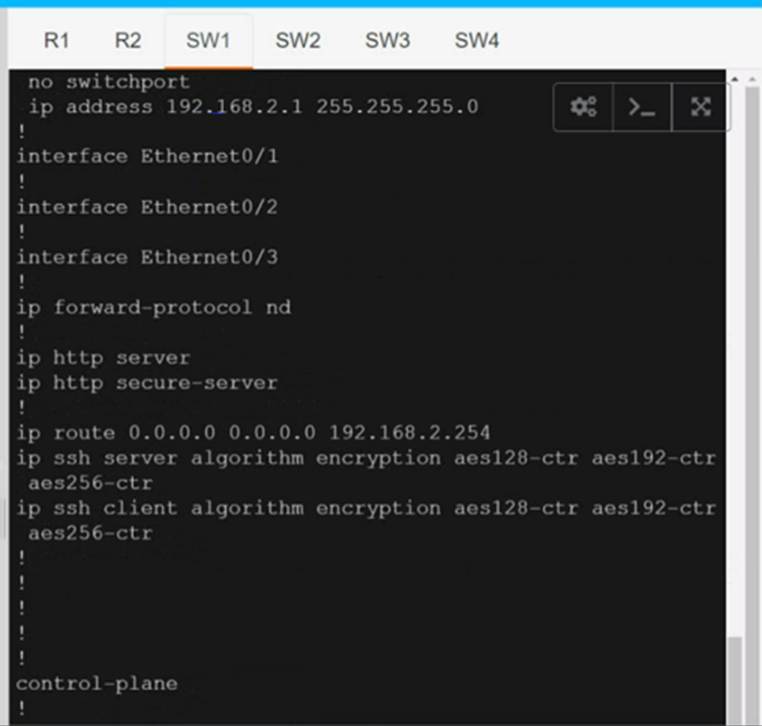
Configure individual VRFs for each customer according to the topology to achieve these goals :
R1
R2
SW1
SW2
SW3
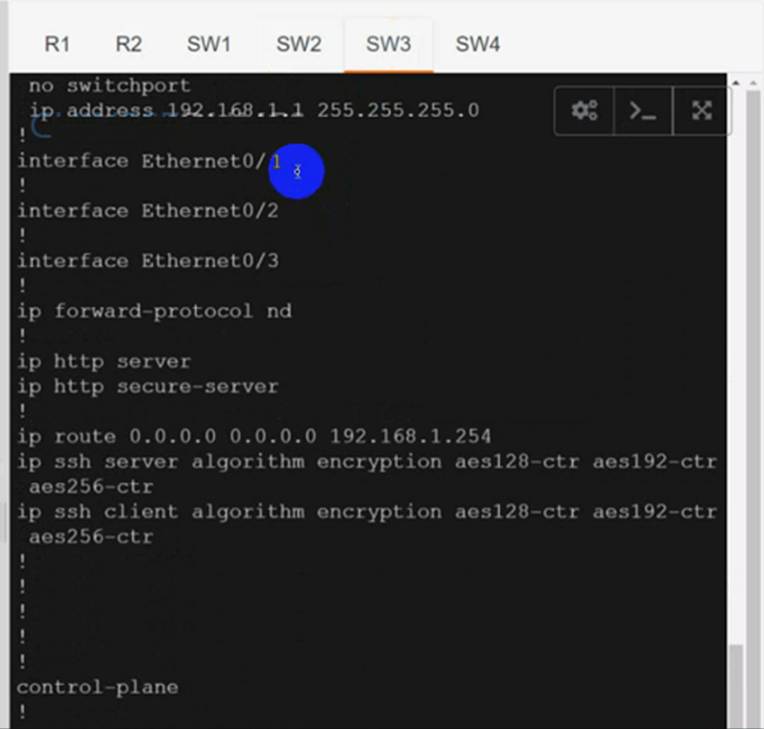
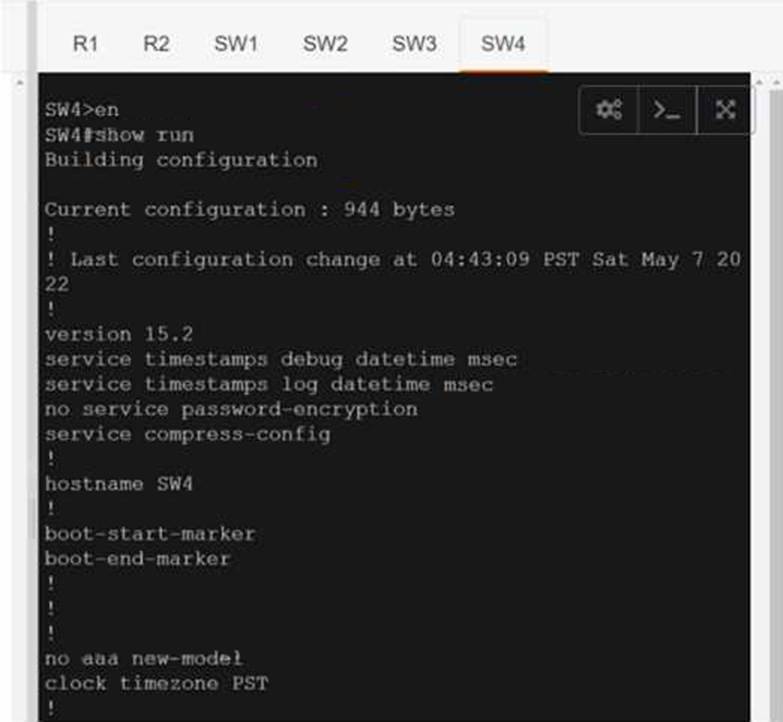
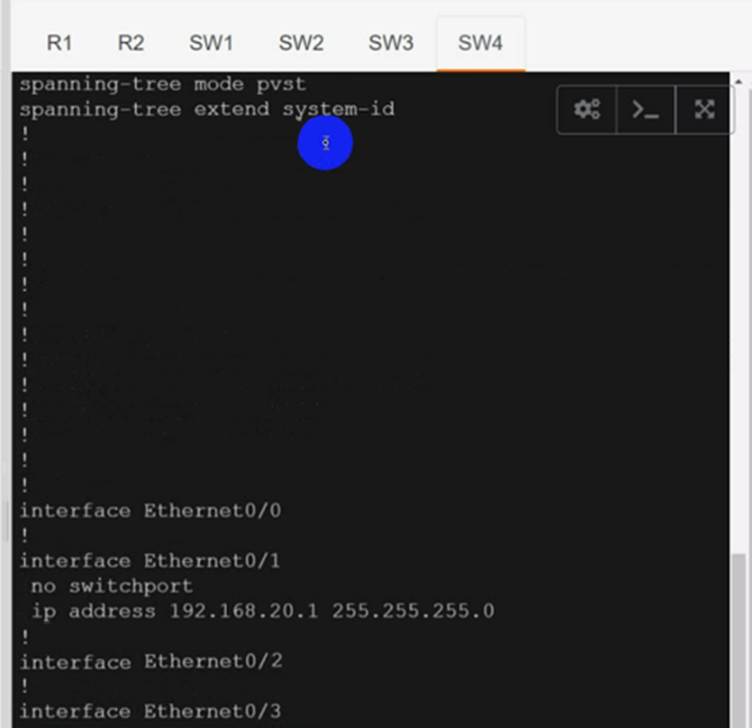
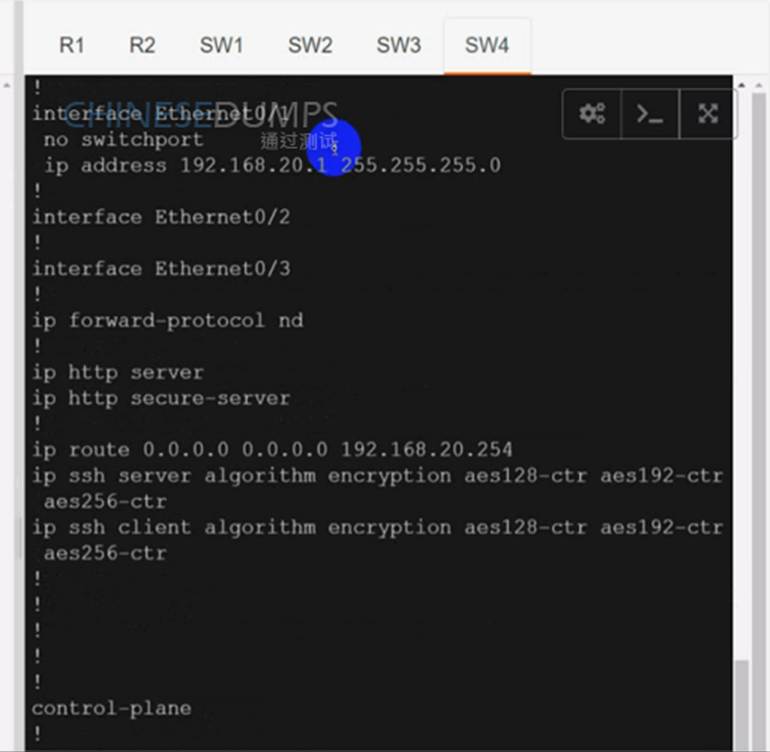
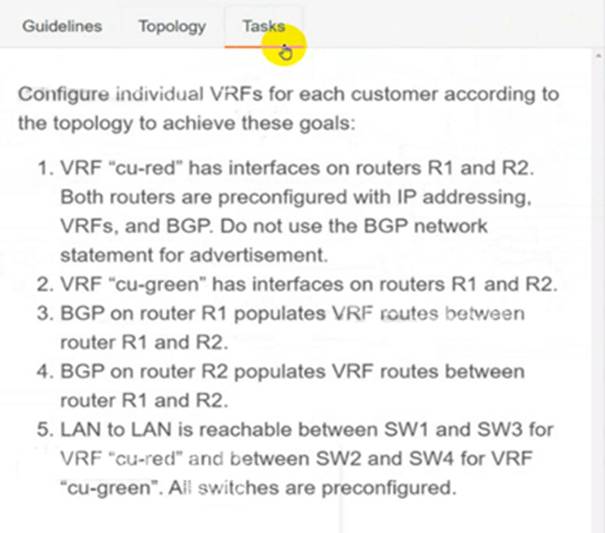
1) Use cu-red under interfaces facing SW1 & SW3:
On R1:
interface Ethernet0/0
ip vrf forwarding cu-red
ip address 192.168.1.254 255.255.255.0
Check reachability to SW1:
R1#ping vrf cu-red 192.168.1.1
Type escape sequence to abort.
Sending 5, 100-byte ICMP Echos to 192.168.2.1, timeout is 2 seconds:
!!!!!
Success rate is 100 percent (5/5), round-trip min/avg/max = 1/1/1 ms
On R2:
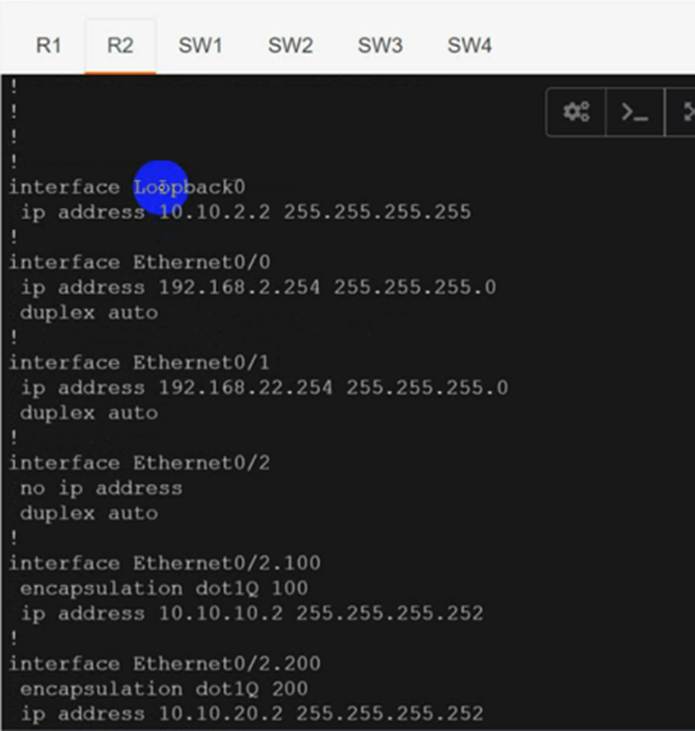
interface Ethernet0/0
ip vrf forwarding cu-red
ip address 192.168.2.254 255.255.255.0
Check reachability to SW3:
R2#ping vrf cu-red 192.168.2.1
Type escape sequence to abort.
Sending 5, 100-byte ICMP Echos to 192.168.1.1, timeout is 2 seconds:
!!!!!
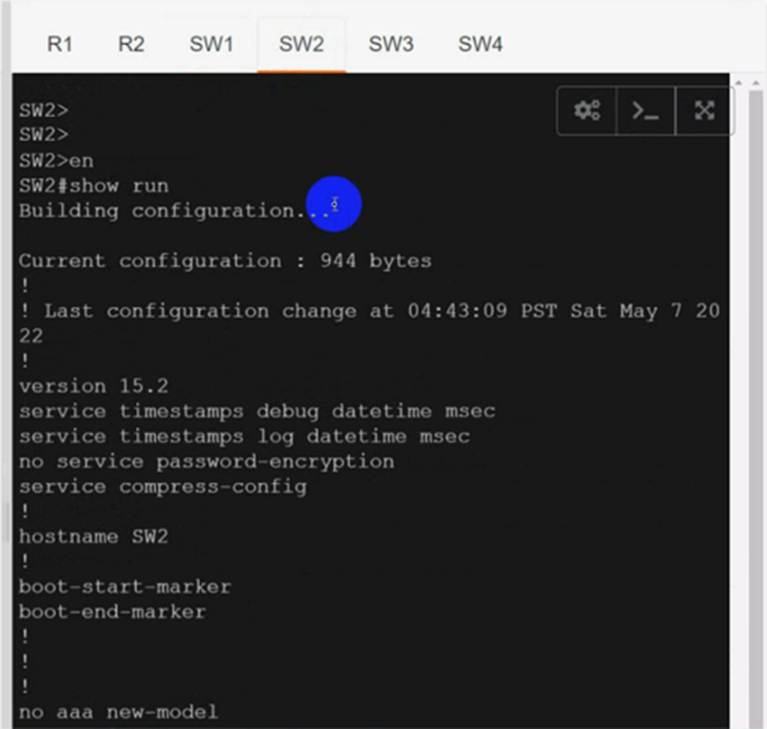
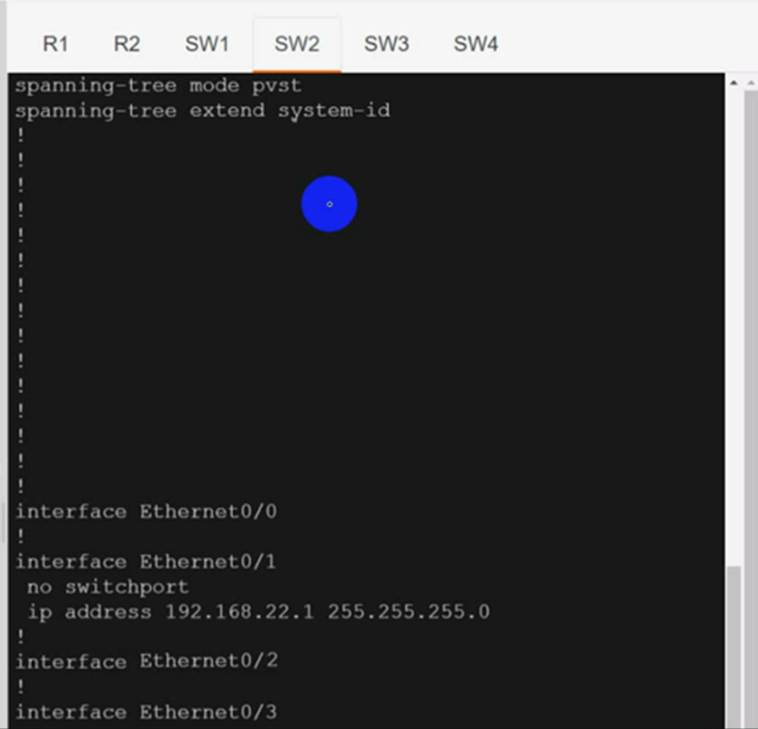
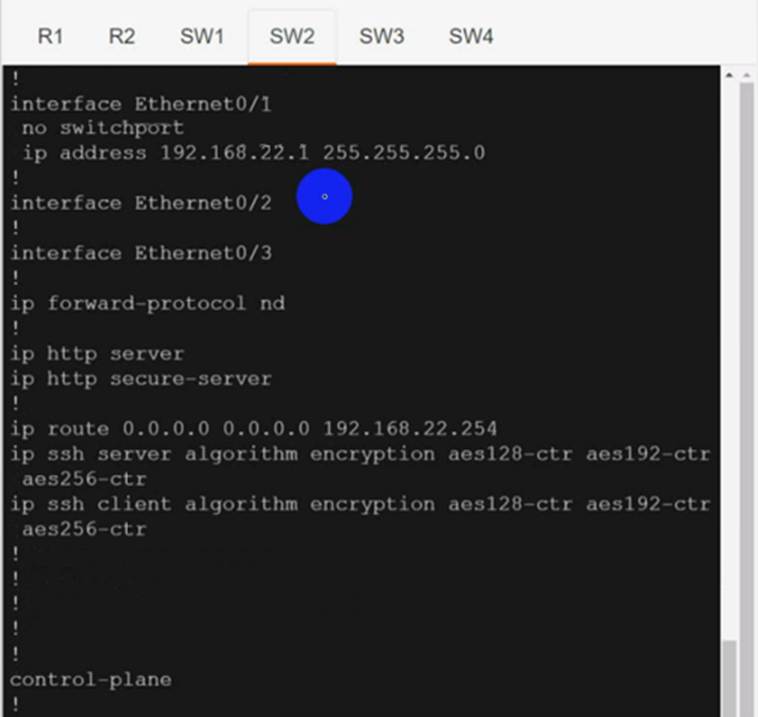
2) Use vrf cu-green for SW2 & SW4:
On R1:
interface Ethernet0/1
ip vrf forwarding cu-green
ip address 192.168.20.254 255.255.255.0
Test reachability to SW2:
R1#ping vrf cu-green 192.168.20.1
Type escape sequence to abort.
Sending 5, 100-byte ICMP Echos to 192.168.22.1, timeout is 2 seconds:
!!!!!
Success rate is 100 percent (5/5), round-trip min/avg/max = 1/1/1 ms
On R2:
interface Ethernet0/1
ip vrf forwarding cu-green
ip address 192.168.22.254 255.255.255.0
Test reachability to SW4:
R2#ping vrf cu-green 192.168.22.1
Type escape sequence to abort.
Sending 5, 100-byte ICMP Echos to 192.168.20.1, timeout is 2 seconds:
!!!!!
Success rate is 100 percent (5/5), round-trip min/avg/max = 1/1/1 ms
3) On R1:
interface Ethernet0/2.100
mpls ip
!
interface Ethernet0/2.200
mpls ip
!
Configure BGP:
router bgp 65000
neighbor 10.10.10.2 remote-as 65000
neighbor 10.10.20.2 remote-as 65000
!
address-family vpnv4
neighbor 10.10.10.2 activate
neighbor 10.10.20.2 activate
exit-address-family
!
address-family ipv4 vrf cu-green
redistribute connected
exit-address-family
!
address-family ipv4 vrf cu-red
redistribute connected
exit-address-family
!
R1(config)#ip vrf cu-red
R1(config-vrf)#route-target both 65000:100
!
R1(config)#ip vrf cu-green
R1(config-vrf)#route-target both 65000:200
4) On R2:
interface Ethernet0/2.100
mpls ip
!
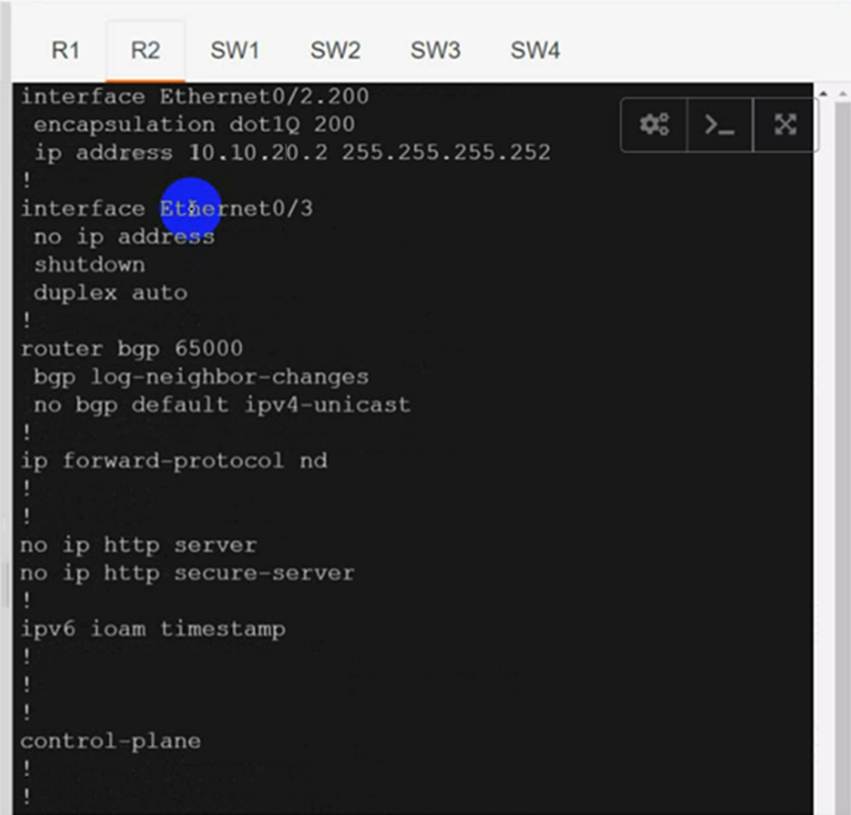
interface Ethernet0/2.200
mpls ip
!
router bgp 65000
neighbor 10.10.10.1 remote-as 65000
neighbor 10.10.20.1 remote-as 65000
!
address-family vpnv4
neighbor 10.10.10.1 activate
neighbor 10.10.20.1 activate
exit-address-family
!
address-family ipv4 vrf cu-green
redistribute connected
exit-address-family
!
address-family ipv4 vrf cu-red
redistribute connected
exit-address-family
R2(config)#ip vrf cu-red
R2(config-vrf)#route-target both 65000:100
!
R2(config)#ip vrf cu-green
R2(config-vrf)#route-target both 65000:200
5) Verification:
From SW1 to SW3:
SW1#ping 192.168.1.1
Type escape sequence to abort.
Sending 5, 100-byte ICMP Echos to 192.168.1.1, timeout is 2 seconds:
!!!!!
Success rate is 100 percent (5/5), round-trip min/avg/max = 1/1/1 ms
But can’t Reach SW2 or SW4 in VRF cu-green:
SW1#ping 192.168.22.1
Type escape sequence to abort.
Sending 5, 100-byte ICMP Echos to 192.168.22.1, timeout is 2 seconds:
U.U.U
Success rate is 0 percent (0/5)
SW1#ping 192.168.20.1
Type escape sequence to abort.
Sending 5, 100-byte ICMP Echos to 192.168.20.1, timeout is 2 seconds:
U.U.U
Success rate is 0 percent (0/5)
Same Test for SW2:
From SW2 to SW4:
SW2#ping 192.168.20.1
Type escape sequence to abort.
Sending 5, 100-byte ICMP Echos to 192.168.20.1, timeout is 2 seconds:
!!!!!
Success rate is 100 percent (5/5), round-trip min/avg/max = 1/1/1 ms
But can’t Reach SW3 or SW1 in VRF cu-red:
SW2#ping 192.168.1.1
Type escape sequence to abort.
Sending 5, 100-byte ICMP Echos to 192.168.1.1, timeout is 2 seconds:
U.U.U
Success rate is 0 percent (0/5)
SW2#ping 192.168.2.1
Type escape sequence to abort.
Sending 5, 100-byte ICMP Echos to 192.168.2.1, timeout is 2 seconds:
U.U.U
Success rate is 0 percent (0/5)
Both R1 & R2 has separate tables for VRFs cu-red and cu-green.
The network administrator configured CoPP so that all HTTP and HTTPS traffic from the administrator device located at 172.16 1.99 toward the router CPU is limited to 500 kbps. Any traffic that exceeds this limit must be dropped.
access-list 100 permit ip host 172.16.1.99 any
!
class-map CM-ADMIN
match access-group 100
!
policy-map PM-COPP
class CM-ADMIN
police 500000 conform-action transmit
!
interface E0/0
service-policy input PM-COPP
CoPP failed to capture the desired traffic and the CPU load is getting higher.
Which two configurations resolve the issue? (Choose two.)
- A . interface E0/0
no service-policy input PM-COPP
!
control-plane
service-policy input PM-COPP - B . policy-map PM-COPP
class CM-ADMIN
no police 500000 conform-action transmit
police 500 conform-action transmit
!
control-plane
service-policy input PM-COPP - C . no access-list 100
access-list 100 permit tcp host 172.16.1.99 any eq 80 - D . no access-list 100
access-list 100 permit tcp host 172.16.1.99 any eq 80
access-list 100 permit tcp host 172.16.1.99 any eq 443 - E . policy-map PM-COPP
class CM-ADMIN
no police 500000 conform-action transmit
police 500 conform-action transmit
Which label operations are performed by a label edge router?
- A . SWAP and POP
- B . SWAP and PUSH
- C . PUSH and PHP
- D . PUSH and POP
D
Explanation:
A label edge router (LER, also known as edge LSR) is a router that operates at the edge of an MPLS network and acts as the entry and exit points for the network. LERs push an MPLS label onto an incoming packet and pop it off an outgoing packet.
Reference: https://www.cisco.com/c/en/us/td/docs/switches/datacenter/sw/nx-os/mpls/configuration/guide/mpls_cg/mp_mpls_overview.pdf
Refer to the exhibit.
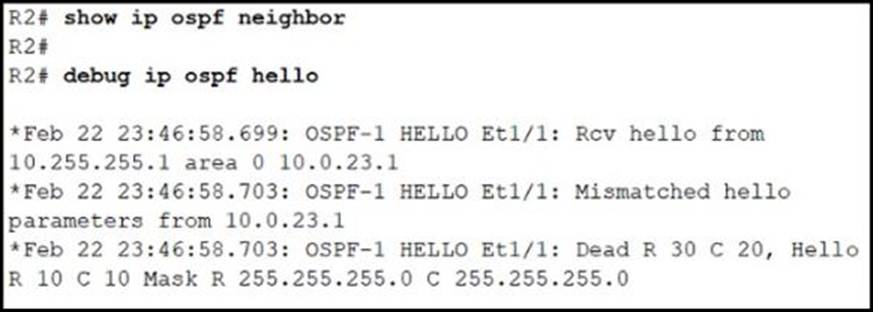
The connected routers do not show up as OSPF neighbors.
Which action resolves the issue?
- A . Change the R1 dead timer to 20.
- B . Change the R2 dead timer to 20.
- C . Change the R2 hello timer to 20.
- D . Change the R1 hello timer to 20.
Refer to the exhibit.
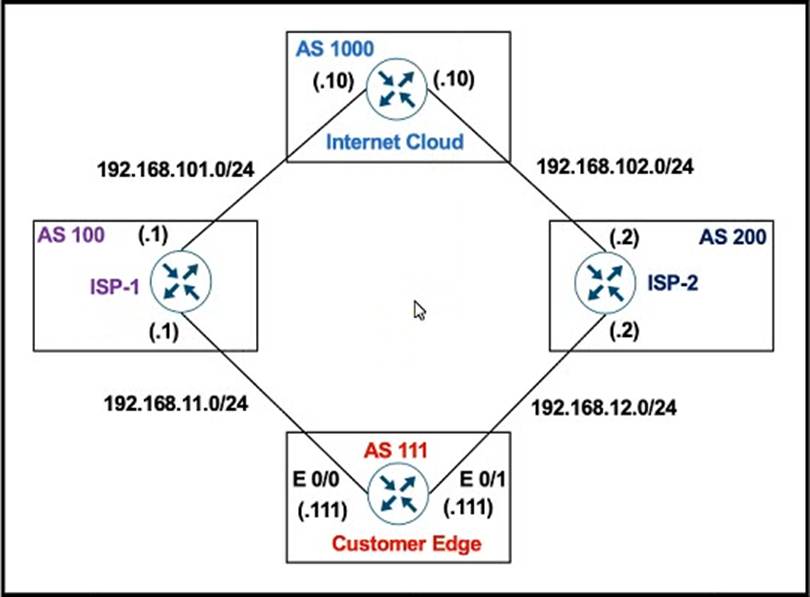
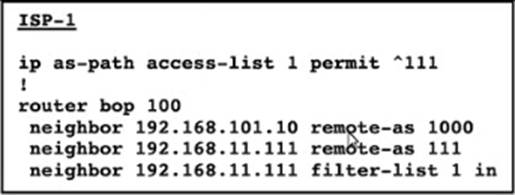
AS 111 mut not be used as a transit AS, but ISP-1 is getting ISP-2 routes from AS 111.
Which configuration stops Customer AS from being used as a transit path on ISP-1?
- A . ip as-path access-list 1 permit ^$
- B . ip as-path access-list 1 permit_111_
- C . ip as-path access-list 1 permit."
- D . ip as-path access-list 1 permit ^111$
DRAG DROP
Drag and drop the ICMPv6 neighbor discovery messages from the left onto the correct packet types on the right.
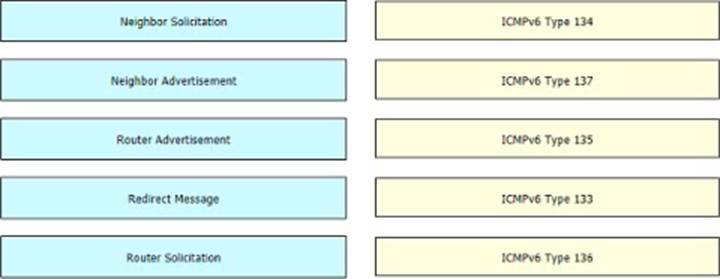
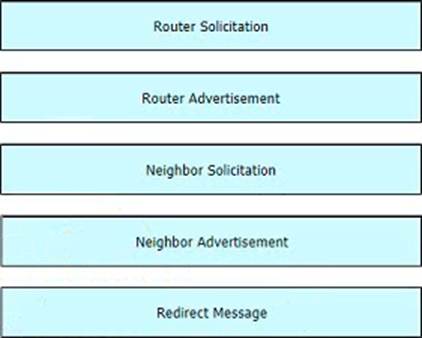
Explanation:
Table Description automatically
generated with medium confidence
Refer to the exhibit.
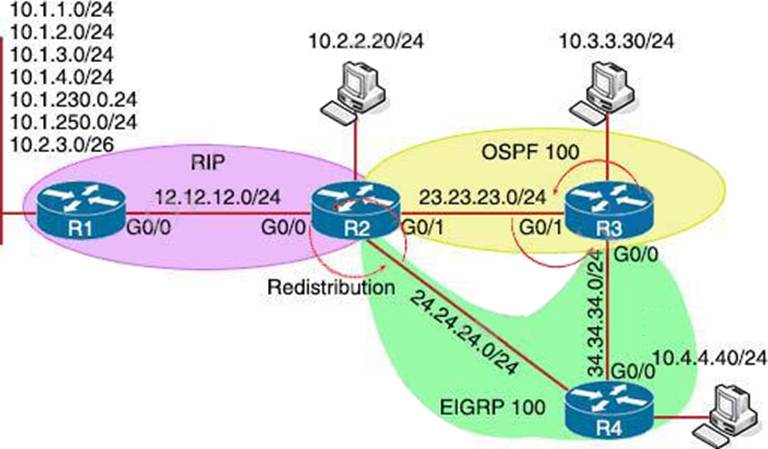
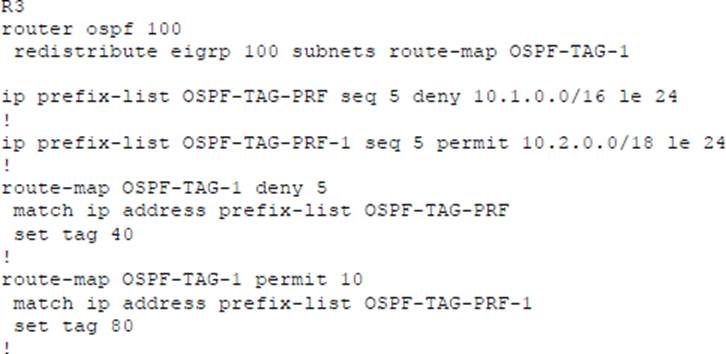
Which subnet is redistributed from EIGRP to OSPF routing protocols?
- A . 10.2.2.0/24
- B . 10.1.4.0/26
- C . 10.1.2.0/24
- D . 10.2.3.0/26
Refer to the exhibit.
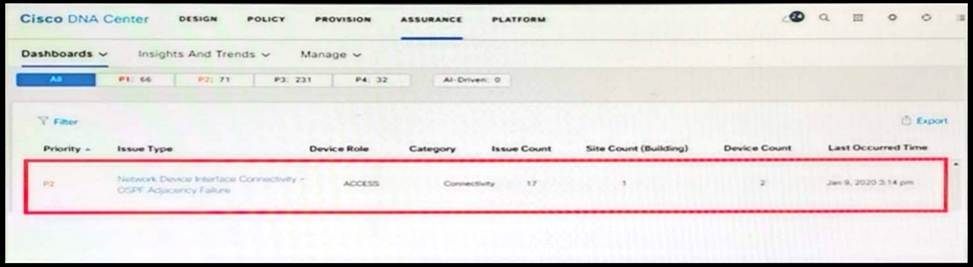
A network administrator is using the DNA Assurance Dashboard panel to troubleshoot an OSPF adjacency that failed between Edge_NYC interface GigabitEthernet1/3 with Neighbor Edge_SNJ. The administrator observes that the neighborship is stuck in exstart state.
How does the administrator fix this issue?
- A . Configure to match the OSPF interface speed and duplex settings on both routers.
- B . Configure to match the OSPF interface MTU settings on both routers.
- C . Configure to match the OSPF interface unique IP address and subnet mask on both routers.
- D . Configure to match the OSPF interface network types on both routers.
B
Explanation:
https://www.cisco.com/c/en/us/support/docs/ip/open-shortest-path-first-ospf/13684-12.html
Refer to the exhibit.
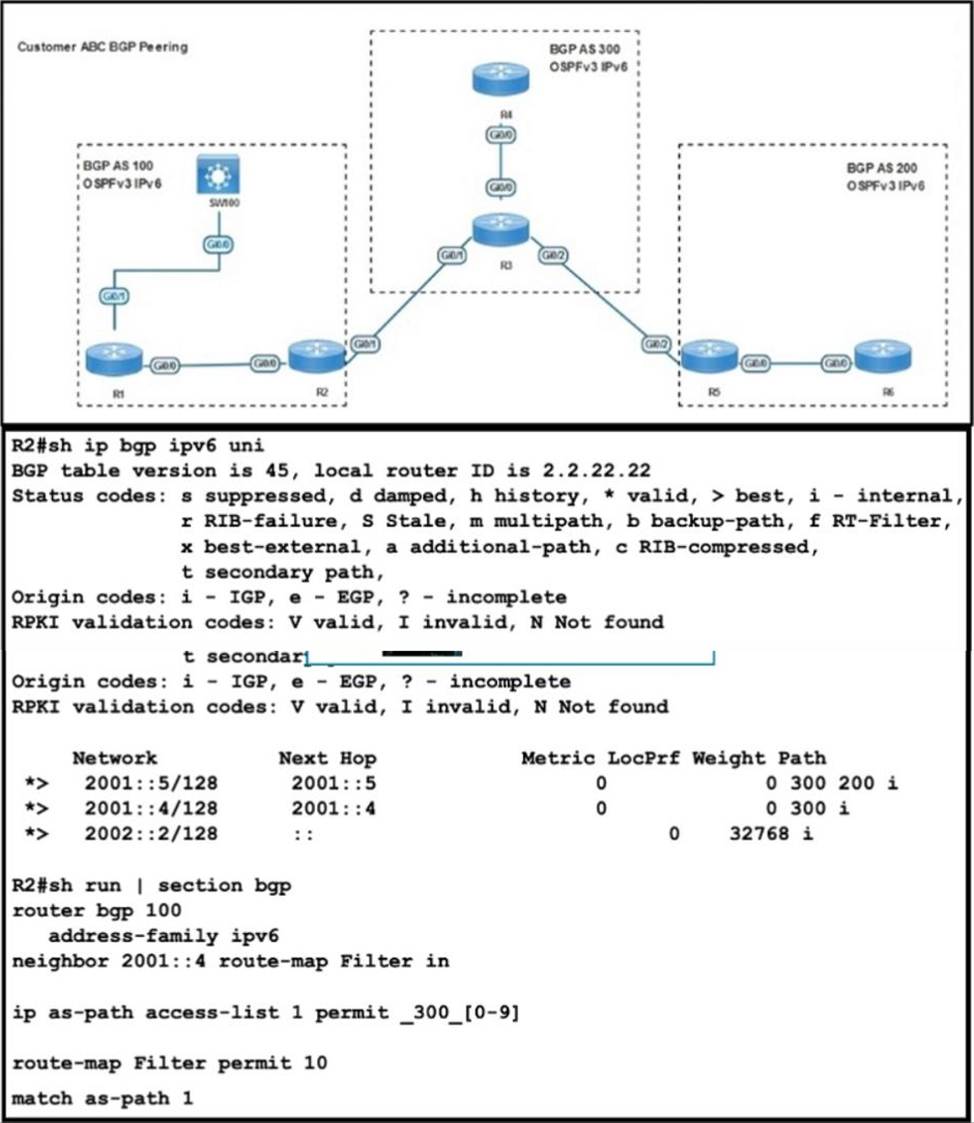
R2 has been receiving routes from R4 that originated outside AS300 A network engineer configured an AS-Path ACL to avoid adding these routes to the R2 BGP table but the routes are still present in the R2 routing table.
Which action resolves the issue?
- A . Replace as-path access-list 1 with the ip as-path access-list 1 permit A300$ command
- B . Replace as-path access-list 1 with the ip as-path access-list 1 permit ..300." command
- C . Replace as-path access-list 1 with the ip as-path access-list 1 permit A300_ command.
- D . Replace as-path access-list 1 with the ip as-path access-list 1 permit A300." command