
VMware 2V0-32.24 Practice Exams
Last updated on Oct 21,2026- Exam Code: 2V0-32.24
- Exam Name: VMware Cloud Operations 8.x Professional V2
- Certification Provider: VMware
- Latest update: Oct 21,2026
An administrator has been tasked with creating an identically configured deployment of the production vRealize Operations duster that is currently managed by vRealize Suite Lifecycle Manager (vRSLCM).
Which four steps should the administrator complete to meet this objective? (Choose four.)
- A . Create a new vRSLCM Environment using the JSON Configuration file
- B . Update the JSON file to replace any configuration details
- C . Create new locker SSL certificates and passwords for the new deployment
- D . Update the YAML file to replace any configuration details
- E . Export the configuration for the Production vRSLCM Environment
- F . Create a new vRSLCM Environment using the YAML Configuration file
- G . Create new locker SSL certificates for the new deployment
A, B, C, E
Explanation:
= To create an identically configured deployment of a production vRealize Operations cluster managed by vRealize Suite Lifecycle Manager (vRSLCM), follow these steps:
E . Export the configuration for the Production vRSLCM Environment [29]: Export the existing configuration of the production environment as a JSON file. This file contains all the necessary details for replicating the deployment.
If a company connects their data center to a VMware Cloud on AWS software-defined data center (SDDC) Instance through a virtual private network (VPN) and advertises a 0.0.0.0/0 route, what Is the expected behavior of the SDDC compute network traffic?
- A . All compute and management traffic will egress to the data center.
- B . All compute network traffic destined for the data center will egress through the VPN but all Internet traffic will egress through the cloud provider Internet gateway.
- C . All compute network traffic will egress through the cloud provider Internet gateway.
- D . All compute network traffic will egress to the data center.
D
Explanation:
When a VPN is established between the data center and the SDDC Instance, it allows the organization to create a private and secure connection between their on-premises infrastructure and their workloads running in the cloud. By advertising a 0.0.0.0/0 route, the organization is essentially routing all traffic to the VPN tunnel, which means that all traffic including traffic destined for the data center and internet traffic, will be sent through the VPN tunnel to the company’s data center.
It is important to note that this configuration depends on the company’s network architecture and security policies, and that there may be other alternatives that better fit the organization’s needs.
An administrator has been tasked to configure vRealize Operations to securely forward vRealize Operations logs to a centralized syslog server. The logs should be forwarded in their original format.
What would be the resulting Protocol and Port configuration?
- A . Port: 514 – Protocol: syslog
- B . Port: 9000 – Protocol: cfapi
- C . Port: 6514 – Protocol: syslog
- D . Port: 9543 – Protocol: cfapi
C
Explanation:
To securely forward vRealize Operations logs to a centralized syslog server while preserving their original format, you should configure the log forwarding settings to use the syslog protocol over port 6514 with SSL enabled.
Configuration Steps:
Access Log Forwarding Settings:
In the vRealize Operations Manager UI, navigate to Administration > Management > Log Forwarding.
Configure Log Forwarding:
Set the Host to the IP address or hostname of your centralized syslog server.
Set the Protocol to syslog.
Set the Port to 6514.
Enable Use SSL to ensure secure transmission.
Specify the Path to Certificate Authority File if required by your environment.
Select Logs to Forward:
Choose the log types you wish to forward under Forwarded Logs.
Save Configuration:
Click Save to apply the settings.
This configuration ensures that logs are securely transmitted in their original format to the syslog server. The use of port 6514 is standard for syslog over TLS/SSL, providing encrypted log forwarding.
An administrator is attempting to replace the SSL certificate for a vRealize Log Insight (vRLI) deployment. The administrator can only see the Content Management service in the vRealize Suite Lifecycle Manager (vRSLCM) dashboard.
Which two roles could the administrator be assigned that will enable them to complete the certificate replacement using vRSLCM? (Choose two.)
- A . Assign the LCM Cloud Admin role in vRSLCM
- B . Assign the Content Release Manager role in vRSLCM
- C . Assign the Certificate Admin role in vRLI
- D . Assign the Super Admin role in vRLI
- E . Assign the Certificate Administrator role in vRSLCM
A, E
Explanation:
To replace the SSL certificate for a vRealize Log Insight (vRLI) deployment using vRealize Suite Lifecycle Manager (vRSLCM), the administrator must have the appropriate roles assigned within vRSLCM.
The two roles that enable certificate management tasks are:
LCM Cloud Admin:
Description: This role grants administrative privileges within vRSLCM, including the ability to manage and replace SSL certificates for integrated products like vRLI. Responsibilities:
Overseeing lifecycle operations for cloud management products.
Managing configurations and performing administrative tasks within vRSLCM.
Certificate Administrator:
Description: This role specifically focuses on certificate management within vRSLCM, allowing the user to import, export, and replace SSL certificates for managed products. Responsibilities:
Handling certificate-related operations, including replacements and renewals.
Ensuring that all managed products have up-to-date and valid SSL certificates.
Without these roles, the administrator may lack the necessary permissions to access the certificate management features in vRSLCM, thereby hindering the SSL certificate replacement process for vRLI.
Reference: For detailed information on role assignments and permissions in vRSLCM, refer to VMware’s official documentation:
Change Certificate for vRealize Suite Lifecycle Manager
In vRealize Operations, a user applies a CPU License to a custom group which has existing hosts.
How will the Virtual Machines (VMs) on the existing hosts be affected?
- A . The CPU license gets converted to a CPU and VM license.
- B . The VMs running on the hosts show a ‘License is Invalid* watermark.
- C . The VMs running on the hosts are not affected.
- D . vRealize Operations prompts the user to apply a VM license key to the VMs running.
B
Explanation:
When a CPU license is applied to a custom group containing existing hosts in vRealize Operations, the VMs running on those hosts will show a "License is Invalid" watermark . This is because CPU licenses in vRealize Operations are specifically designed for licensing hosts and their CPU capacity. To license the VMs running on those hosts, you need to apply a separate VM license key.
Here’s why the other options are incorrect:
What is one way in which VMware Multi-Cloud addresses challenges with the cloud computing model?
- A . Provides savings on capital expenses and the use of a flexible payment structure where payment Is only done based on the resources used.
- B . Provides visibility and tools to manage resources, workloads and operations across clouds from a common operating environment.
- C . Eliminates worry associated with managing IT infrastructures and shifts focus to application development and other priorities using the most up-to-date technology.
- D . Increases agility that encompasses scalability, customizability, and access to the cloud service from anywhere and on any device.
B
Explanation:
https://www.vmware.com/topics/glossary/content/multi-cloud.html
VMware Multi-Cloud provides visibility and tools to manage resources, workloads and operations across clouds from a common operating environment. This eliminates the need to manage multiple cloud environments in different clouds and provides a unified view of all cloud resources and applications. This makes it easier to monitor and manage workloads across clouds, reducing complexity and increasing agility. VMware Multi-Cloud also provides powerful automation and orchestration capabilities to help streamline operations and improve efficiency. [1]
[1] https://www.vmware.com/products/vmware-multi-cloud.html
When creating a vRealize Operations content endpoint in vRealize Suite Lifecycle Manager what should an administrator configure on the vRealize Operations appliance?
- A . A configuration file with the vRealize Suite Lifecycle Manager server details
- B . A content management agent for capturing the supported types of content
- C . A new file system partition that is shared for storing content exports
- D . A local user account with the relevant permissions to allow ssh access
D
Explanation:
When creating a vRealize Operations content endpoint in vRealize Suite Lifecycle Manager, the administrator should configure a local user account with the relevant permissions to allow SSH access on the vRealize Operations appliance [34]. This allows vRSLCM to securely connect to the vRealize Operations appliance and manage its content.
The other options are not relevant or necessary for creating a content endpoint:
An administrator would like to limit the access in vRealize Log Insight for application developers to a specific group of hosts where their application is running.
What should the administrator to configure satisfy this requirement?
- A . Define a data set with required ESXi hosts and associate it with the vSphere content pack.
- B . Define a data set with required ESXi hosts and associate it with a role.
- C . Create a DRS Host group and assign the users as part of the role assignment in vRealize Log Insight.
- D . Make sure that all ESXi hosts are added to the same vSphere HA/DRS duster.
B
Explanation:
To restrict application developers’ access in vRealize Log Insight to logs from specific hosts, you can define a data set and associate it with a user role.
Steps:
Define a Data Set:
In vRealize Log Insight, navigate to the Administration section.
Create a new data set that includes the specific ESXi hosts where the application is running.
Create a Role:
Define a new role or modify an existing one to include permissions for accessing logs.
Associate Data Set with Role:
Link the previously defined data set to the role, ensuring that users assigned to this role can only access logs from the specified hosts.
Assign Role to Users:
Assign the role to the application developers, thereby restricting their access to the designated set of hosts.
This configuration ensures that developers have access only to the logs pertinent to their applications, enhancing security and data segregation within vRealize Log Insight.
A cloud administrator is notified by VMware that their VMware Cloud on AWS Instance will be updated in seven days.
Which action does the cloud administrator need to take to allow the update?
- A . Add capacity.
- B . Select a date for the upgrade.
- C . Respond to the notification.
- D . Nothing needs to be done.
C
Explanation:
VMware Cloud on AWS Instances are regularly updated to ensure they are running the latest version of the software, and the cloud administrator needs to respond to the notification to confirm they accept the update. They do not need to add capacity or select a date for the upgrade, and they do not need to do anything else as the update will be done automatically.
A cloud administrator is responsible for managing a VMware Cloud solution and would like to ensure that I/O-intensive workloads run in the most optimum way possible.
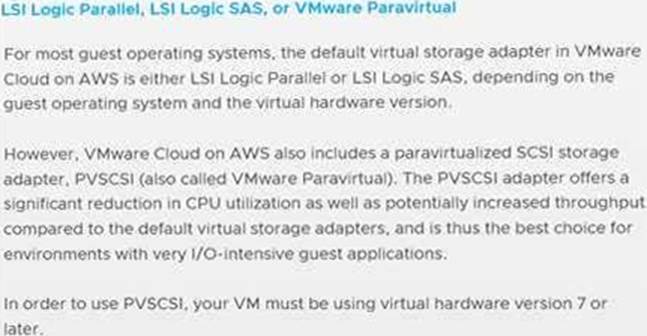
Which two steps should the administrator complete on I/O-intensive workloads to meet this requirement? (Choose two.)
- A . Ensure that the VMware hardware version is 7 or later.
- B . Enable the memory hot-add feature.
- C . Configure the LSI Logic Parallel SCSI controller.
- D . Configure the VMware Paravirtual SCSI (PVSCSI) adapter.
- E . Configure a maximum of two CPU cores per socket.
AD
Explanation:
The two steps that the cloud administrator should complete on I/O-intensive workloads to ensure the best performance possible are to configure the VMware Paravirtual SCSI (PVSCSI) adapter and to ensure that the VMware hardware version is 7 or later. The PVSCSI adapter provides improved performance and scalability compared to the LSI Logic Parallel SCSI controller. Additionally, the hardware version should be 7 or later to ensure that the virtual machine is able to take advantage of the latest features and enhancements. Enabling the memory hot-add feature and configuring a maximum of two CPU cores per socket will not improve the performance of I/O-intensive workloads. https://communities.vmware.com/t5/VMware-Education-Services/Why-does-VMware-refuse-to-educate-their-customers/td-p/2005973
Why does VMware refuse to educate their customers … – VMware …
https://communities.vmware.com/t5/VMware-Education-Services/Why-does-VMware-refuse-to-
educate-their-customers/td-p/2005973
https://www.vmware.com/pdf/techsupportguide.pdf
VMware Technical Support Guide
https://www.vmware.com/pdf/techsupportguide.pdf
https://vcdx.vmware.com/content/dam/digitalmarketing/vmware/ru/pdf/techpaper/vmware-
horizon-7-application-publishing.pdf
Publishing Applications with VMware Horizon 7 https://vcdx.vmware.com/content/dam/digitalmarketing/vmware/ru/pdf/techpaper/vmware-horizon-7-application-publishing.pdf
https://docs.vmware.com/en/VMware-Cloud-on-AWS/services/vmc-aws-performance.pdf