
Tableau TDS-C01 Practice Exams
Last updated on Oct 21,2026- Exam Code: TDS-C01
- Exam Name: Tableau Desktop Specialist
- Certification Provider: Tableau
- Latest update: Oct 21,2026
Using the Time Series table, create a cross-tab showing sales for each Assortment broken down by Year and Quarter.
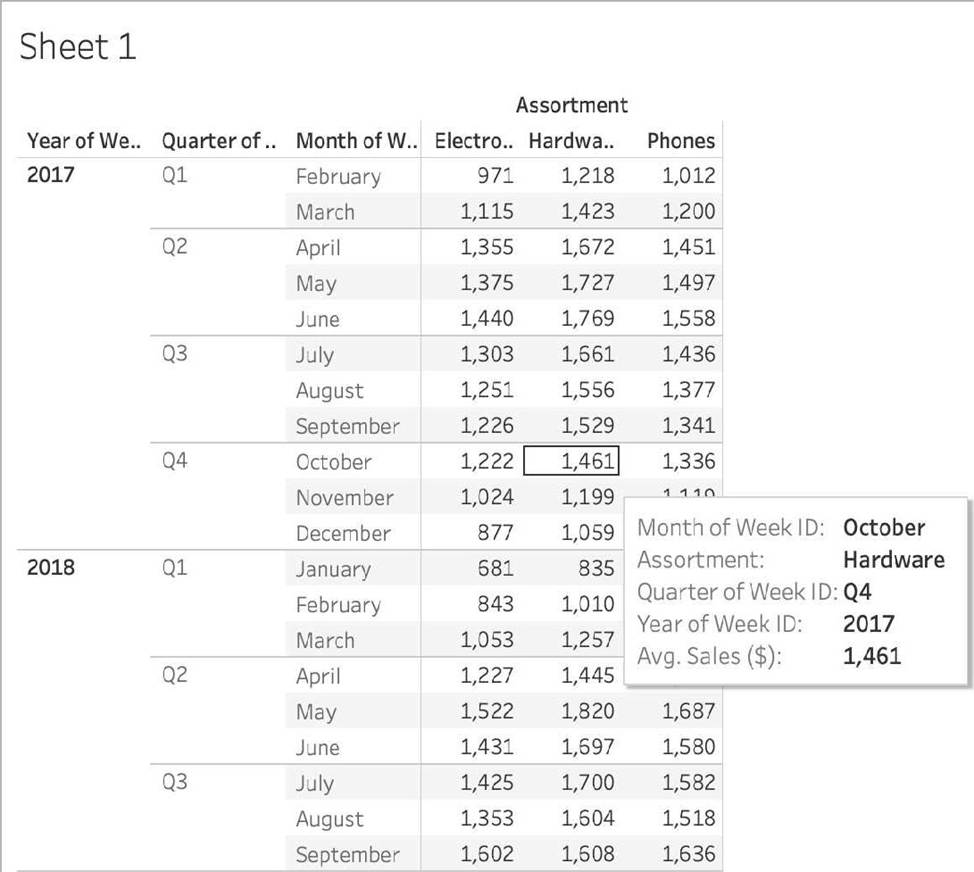
In Q4 of October 2017, what was the Average sales amount for the Hardware assortment?
- A . 111,060
- B . 1,461
- C . 112,256
- D . 1,222
C
Explanation:
If you chose 111,060 you were SO close to the correct answer but made a small mistake – you didn’t change the aggregation to AVERAGE! This is one of the common mistakes many test takers make, so keep this in mind.
To reach the correct answer, follow the steps below:
1) Draw Assortment to the Column shelf, and drag Year to the Rows Shelf. Then Drill down further on Year to accomodate Quarters and Months as well!
Although this seems enough, DON’T FORGET to change the aggregation like in the next step, which will completely change the values!
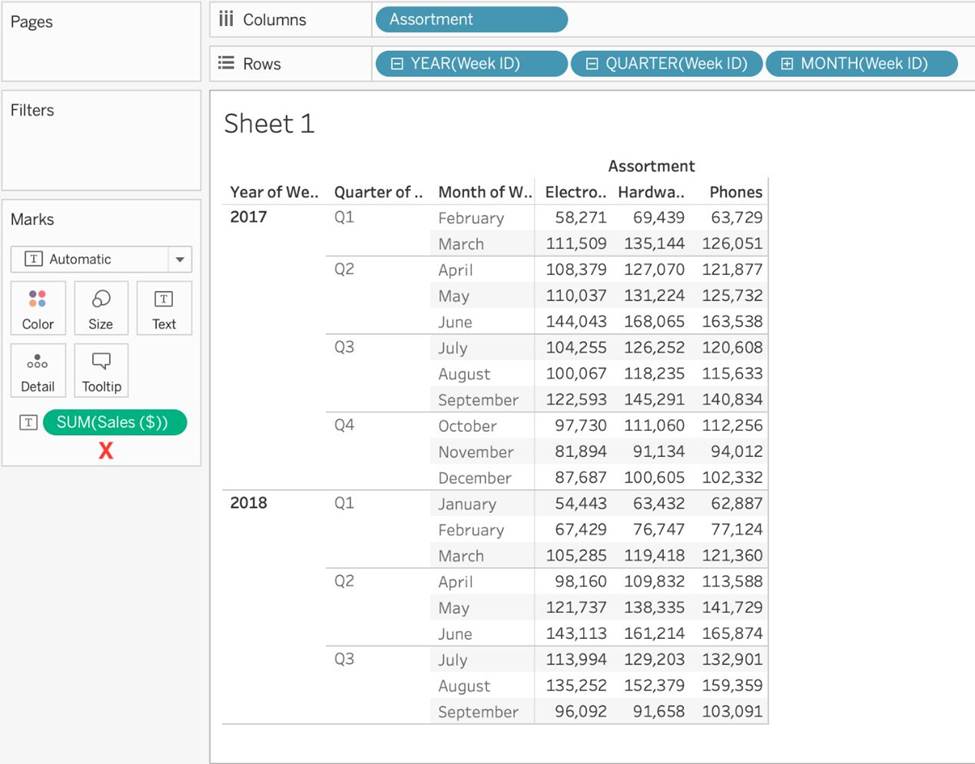
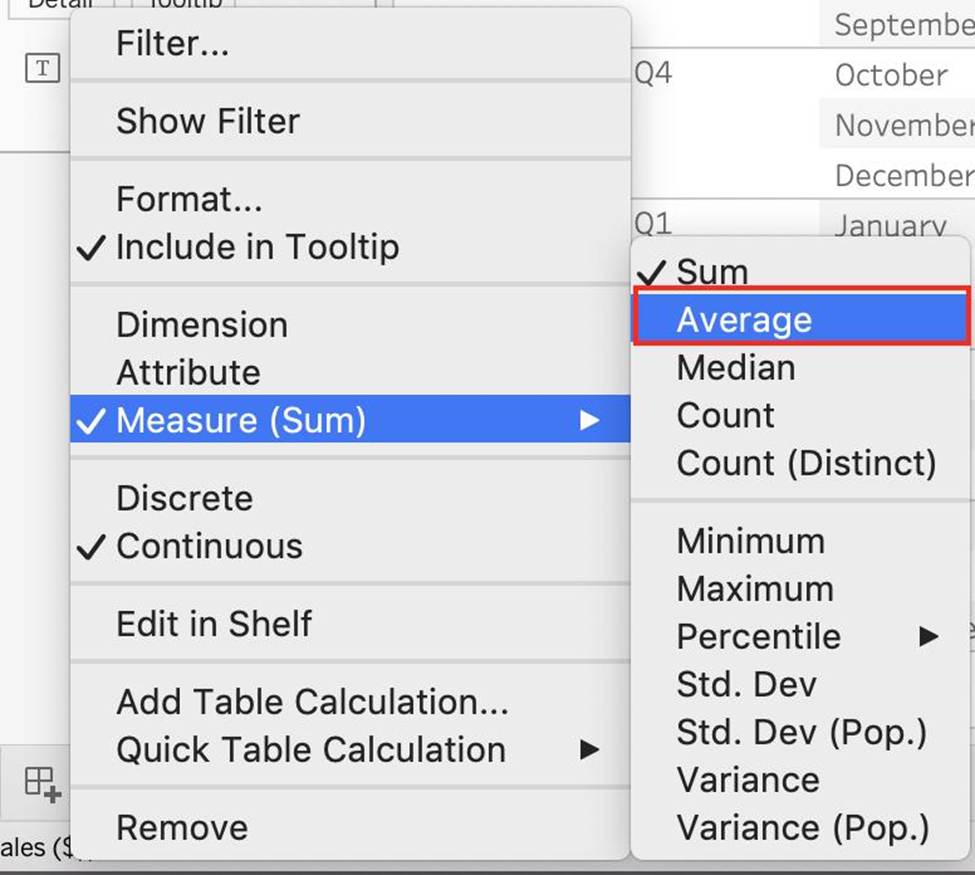
The correct answer as you can see is 1,461 – Sales for Harware Assortment in 2017 Q4, October
Which of the following charts types always includes bars sorted in descending order?
- A . Pareto Chart
- B . Pie Chart
- C . Gantt Chart
- D . Stacked Bar Chart
A
Explanation:
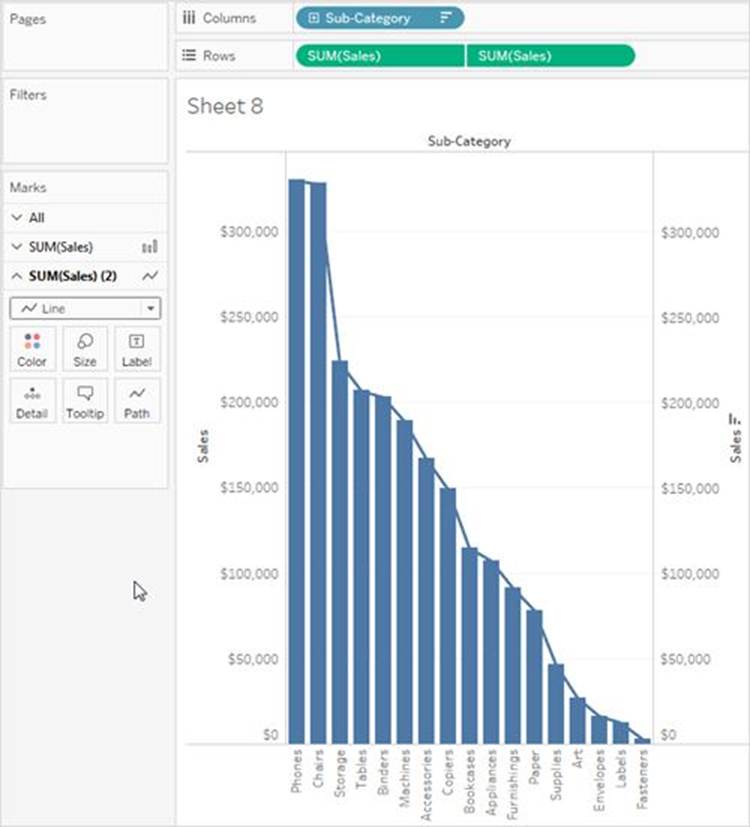
A Pareto chart is a type of chart that contains both bars and a line graph, where individual values are represented in descending order by bars, and the ascending cumulative total is represented by the line.
On the primary axis, bars are used to show the raw quantities for each dimension member, sorted in descending order.
On the secondary axis, a line graph is used to show the cumulative total in percent format.
Reference: https://help.tableau.com/current/pro/desktop/en-us/pareto.htm
Which of the following URL prefixes are permitted when creating a URL Action in Tableau?
- A . SMTP
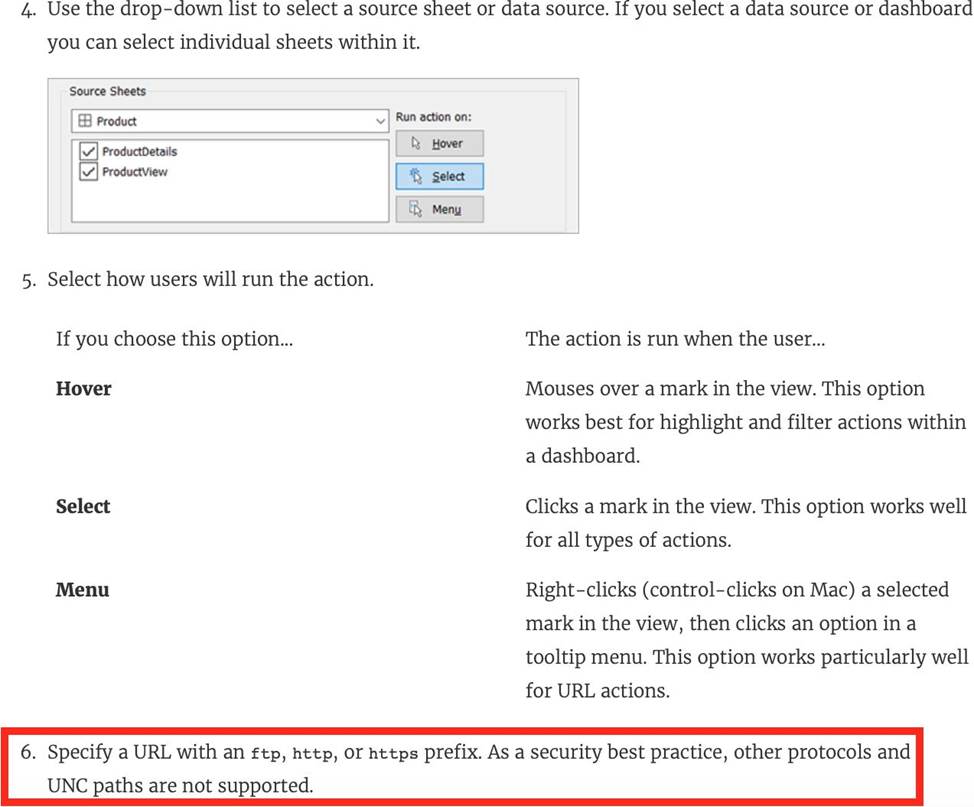
- B . FTP
- C . HTTPS
- D . HTTP
BCD
Explanation:
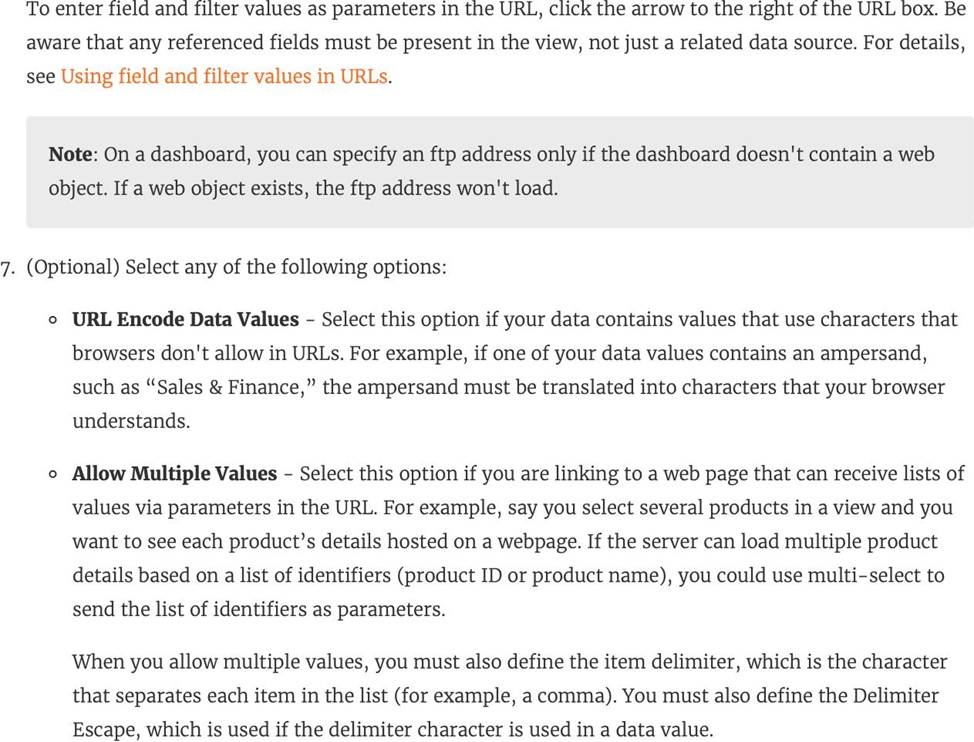
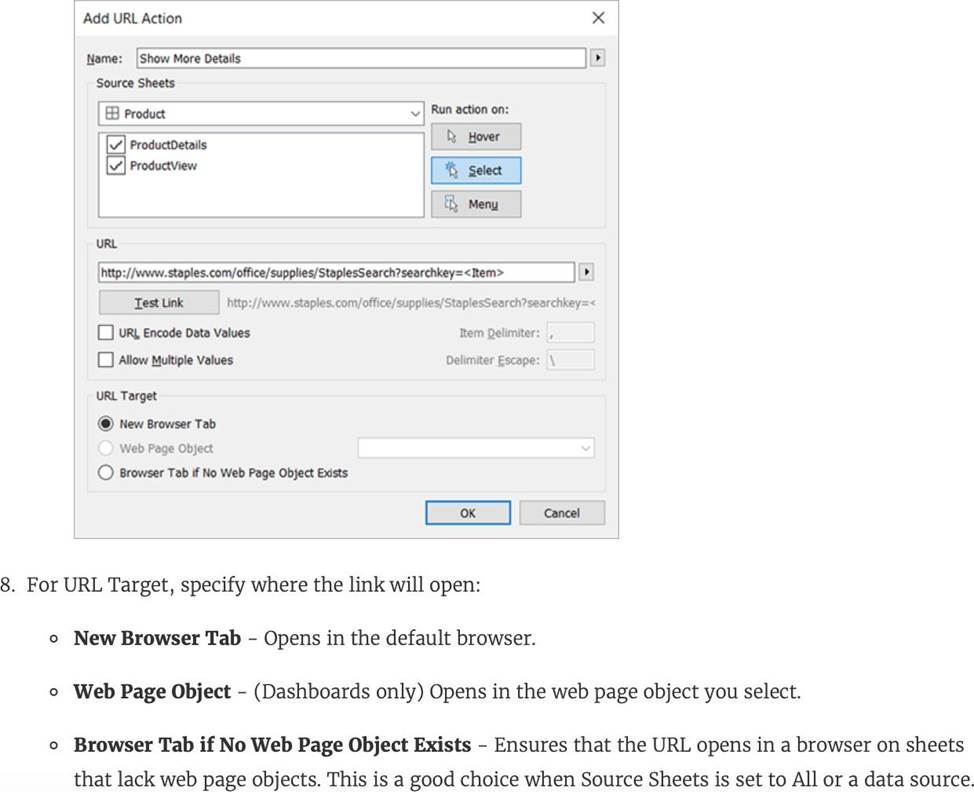
A URL action is a hyperlink that points to a web page, file, or other web-based resource outside of Tableau. You can use URL actions to create an email or link to additional information about your data. To customize links based on your data, you can automatically enter field values as parameters in URLs.
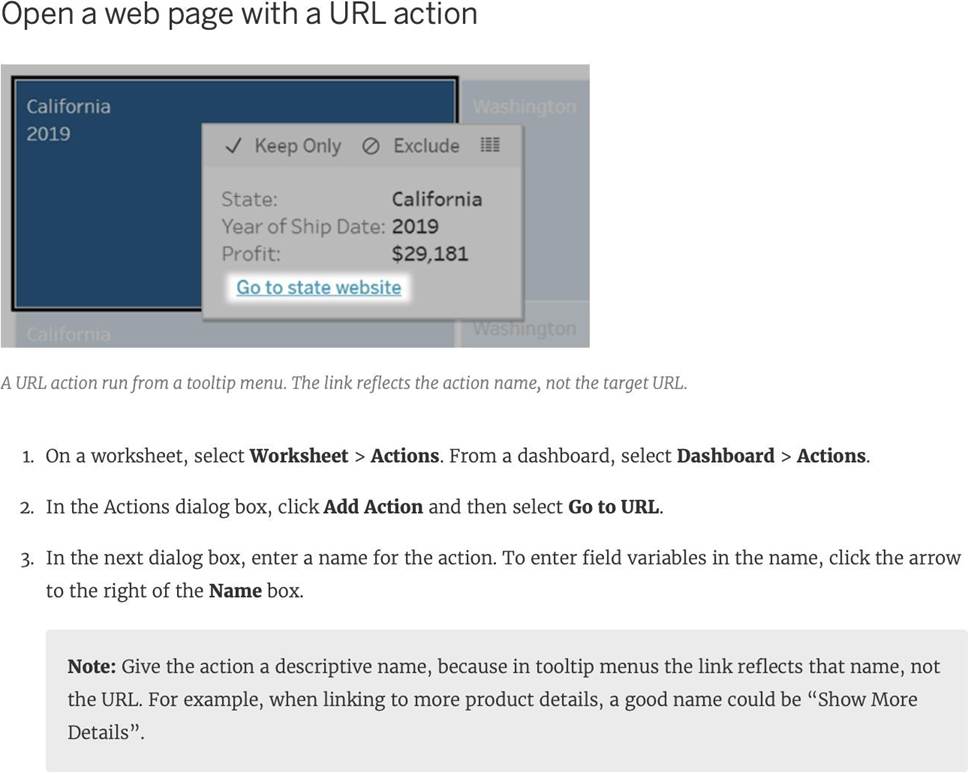
Reference: https://help.tableau.com/current/pro/desktop/en-us/actions_url.htm
The row and column shelves contain ___________________
- A . Pills
- B . Grand Totals
- C . Filters
- D . Parameters
A
Explanation:
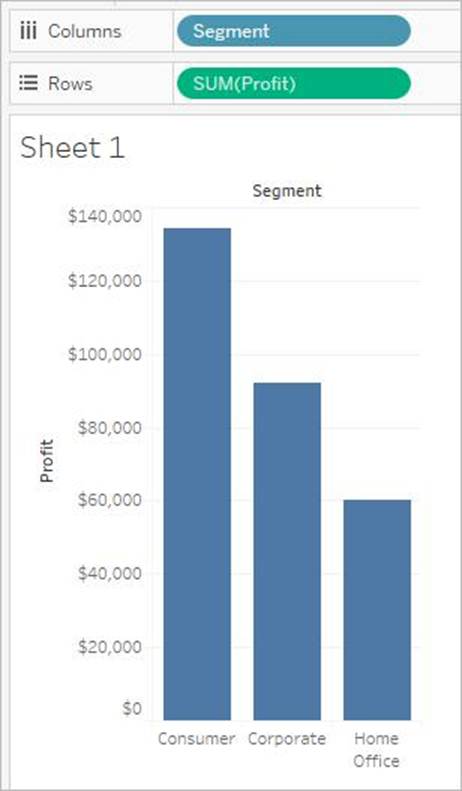
We can drag fields from the Data pane to create the structure for your visualizations.
The Columns shelf creates the columns of a table, while the Rows shelf creates the rows of a table.
You can place any number of fields on these shelves.
These FIELDS are also referred to as PILLS. See below:
Reference: https://help.tableau.com/current/pro/desktop/en-us/buildmanual_shelves.htm
When should you use a relationship instead of a join for two data sets?
- A . The data sets include similar data aggregated up to the highest level.
- B . The data sets include similar data aggregated at different levels of detail.
- C . The data sets are in two separate tables within a single spreadsheet.
- D . To use both data sets across multiple sheets in a visualization.
B
Explanation:
You should use a relationship instead of a join for two data sets when the data sets include similar data aggregated at different levels of detail. A relationship is a way of combining data from different tables based on common fields without creating a single table with all fields. A relationship allows you to query data from multiple tables as needed and preserve the level of detail of each table. A relationship is useful when you have data sets that are aggregated at different levels of detail, such as sales by region and sales by product. A relationship can match data from different levels of detail without creating null values or duplicate rows. The other options are not valid situations for using a relationship instead of a join for two data sets. The data sets include similar data aggregated up to the highest level is not correct, because a relationship is not needed when both data sets have the same level of detail. You can use either a relationship or a join in this case, depending on your preference and performance. The data sets are in two separate tables within a single spreadsheet is not correct, because a relationship is not limited by the location or format of the data sets. You can use a relationship to combine data from different sources or connections, such as databases, files, or web services. To use both data sets across multiple sheets in a visualization is not correct, because a relationship does not affect how you use data in your visualization. You can use either a relationship or a join to create multiple sheets and dashboards with your data sets.
Which of the following are True for Measure Names?
- A . It contains all the measures in your data, collected into a single field with continuous values.
- B . When you add it to a view, all of the measure names appear as row or column headers in the view.
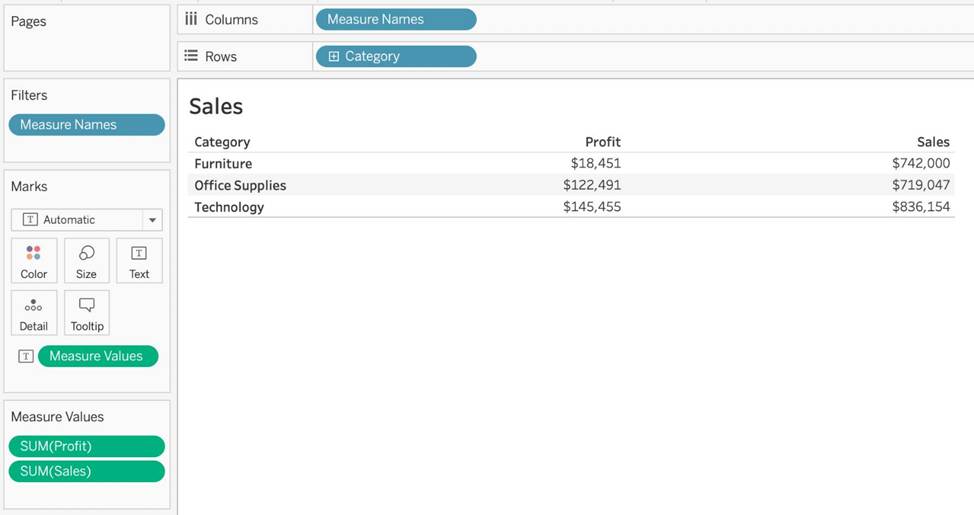
- C . When working with a text table showing Profit for each Category, when you add Sales to the text table (by dragging it and dropping it in the view), the measure names field is automatically dragged to the row and filter shelves.
- D . It contains the names of all measures in your data, collected into a single field with discrete values.
BCD
Explanation:
It contains all the measures in your data, collected into a single field with continuous values – This is the definition for ‘Measure Values’.
All others are True w.r.t. Measure Names!
The Measure Names field contains the names of all measures in your data, collected into a single field with discrete values.
Documentation: https://help.tableau.com/current/pro/desktop/en-us/datafields_understanddatawindow_meavalues.htm
If you decide you want to see all of the marks in the view at the most detailed level of granularity, you can __________________ the view.
- A . sort the measures
- B . disaggregate the measures
- C . break-down the measures
- D . aggregate the measures
- E . split the measures
B
Explanation:
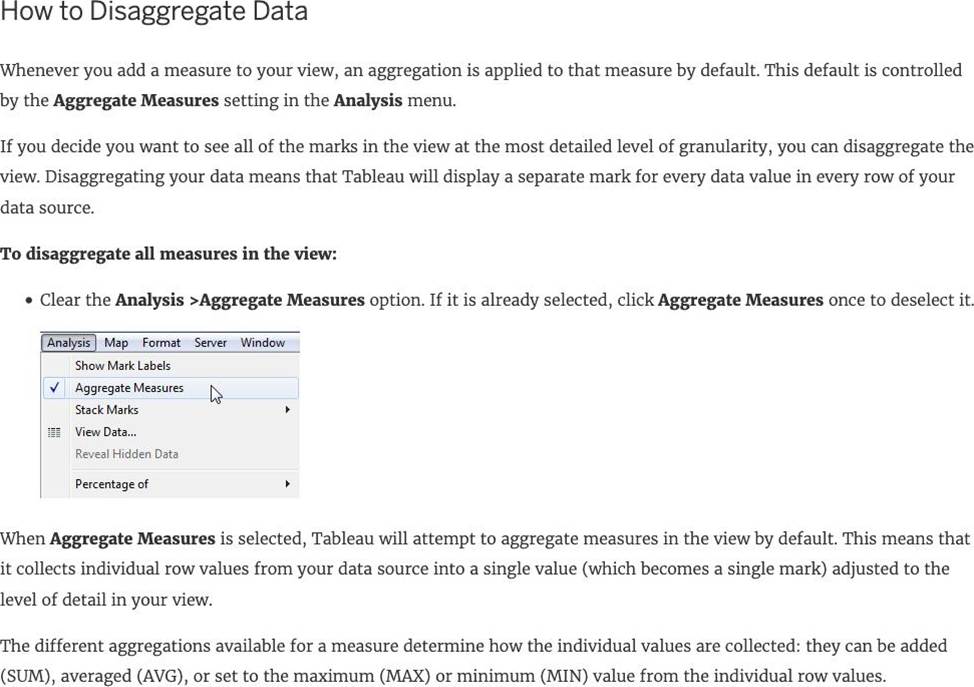
The different aggregations available for a measure determine how the individual values are collected: they can be added (SUM), averaged (AVG), or set to the maximum (MAX) or minimum (MIN) value from the individual row values.
For a complete list of the available aggregations, check out – List of Predefined Aggregations in Tableau.
The level of detail is determined by the dimensions in your view―for information about the concept of level of detail, see How dimensions affect the level of detail in the view.
Disaggregating your data can be useful for analyzing measures that you may want to use both independently and dependently in the view. For example, you may be analyzing the results from a product satisfaction survey with the Age of participants along one axis. You can aggregate the Age field to determine the average age of participants or disaggregate the data to determine at what age participants were most satisfied with the product.
Disaggregating data can be useful when you are viewing data as a scatter plot. See Example: Scatter Plots, Aggregation, and Granularity.
Reference: https://help.tableau.com/current/pro/desktop/en-us/calculations_aggregation.htm
What are two use cases for creating hierarchies from the Data pane? Choose two.
- A . To concatenate all fields into a single field
- B . To add drilldown functionality for fields
- C . To create faster-performing queries
- D . To organize related fields together
BD
Explanation:
Two use cases for creating hierarchies from the Data pane are to add drilldown functionality for fields and to organize related fields together. A hierarchy is a way of organizing data into different levels of detail. For example, a date hierarchy can have year, quarter, month, and day levels. A geographic hierarchy can have country, state, city, and zip code levels. By creating hierarchies from the Data pane, you can quickly drill down or up in a hierarchy to add or subtract more levels of detail in the view. You can also use hierarchies to group related fields together in the Data pane, making it easier to find and use them14 The other options are not valid use cases for creating hierarchies from the Data pane. To concatenate all fields into a single field, you need to use a calculated field or a join, not a hierarchy. To create faster-performing queries, you need to optimize your data source, filters, calculations, or extracts, not create hierarchies
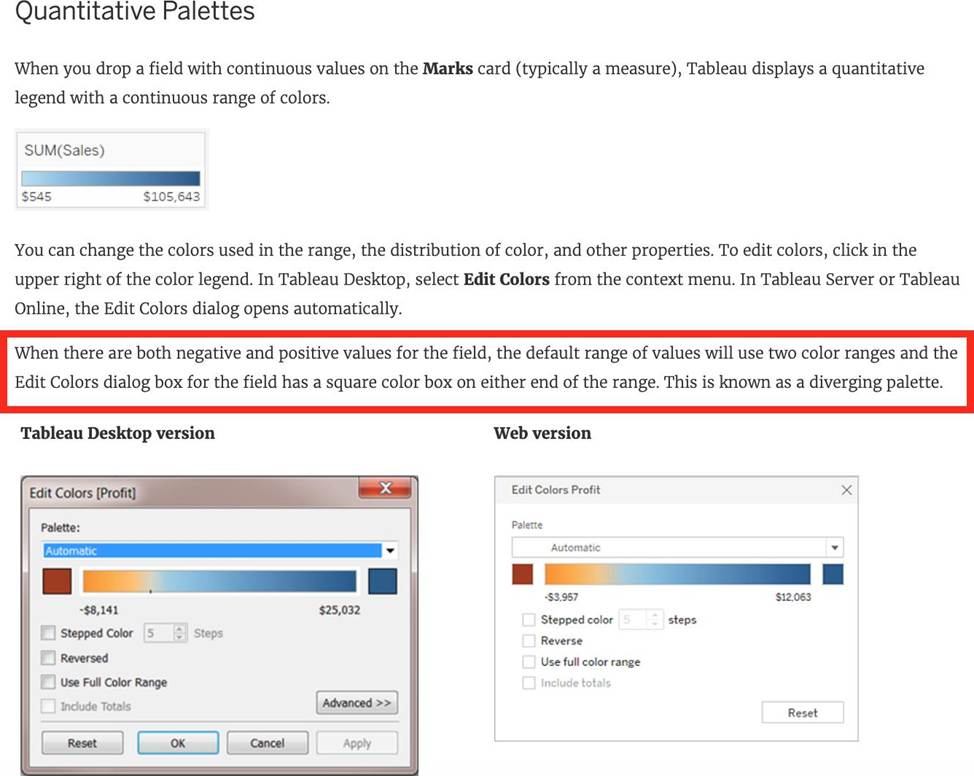
When there are both negative and positive values for a field, the default range of values will use two color ranges. This is known as a ______________ palette.
- A . reversed
- B . stepped
- C . diverging
- D . converging
C
Explanation:
Reference: https://help.tableau.com/current/pro/desktop/en-us/viewparts_marks_markproperties_color.htm
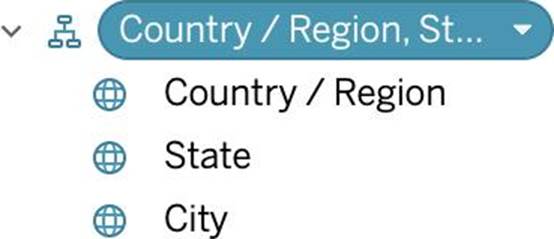
What term is used to describe the following picture?
- A . Larger image
- B . Parameter
- C . Set
- D . Hierarchy
- E . Group
C
Explanation:
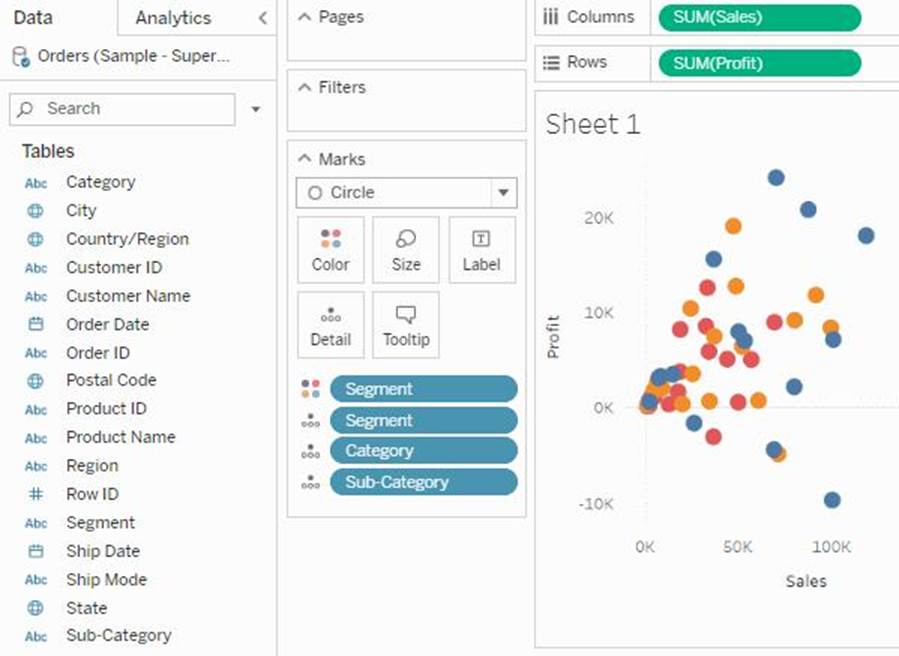
When you connect to a data source, Tableau automatically separates date fields into hierarchies so you can easily break down the viz. You can also create your own custom hierarchies. For example, if you have a set of fields named Region, State, and County, you can create a hierarchy from these fields so that you can quickly drill down between levels in the viz.
Reference: https://help.tableau.com/current/pro/desktop/en-us/qs_hierarchies.htm