
Tableau TDS-C01 Practice Exams
Last updated on Oct 23,2026- Exam Code: TDS-C01
- Exam Name: Tableau Desktop Specialist
- Certification Provider: Tableau
- Latest update: Oct 23,2026
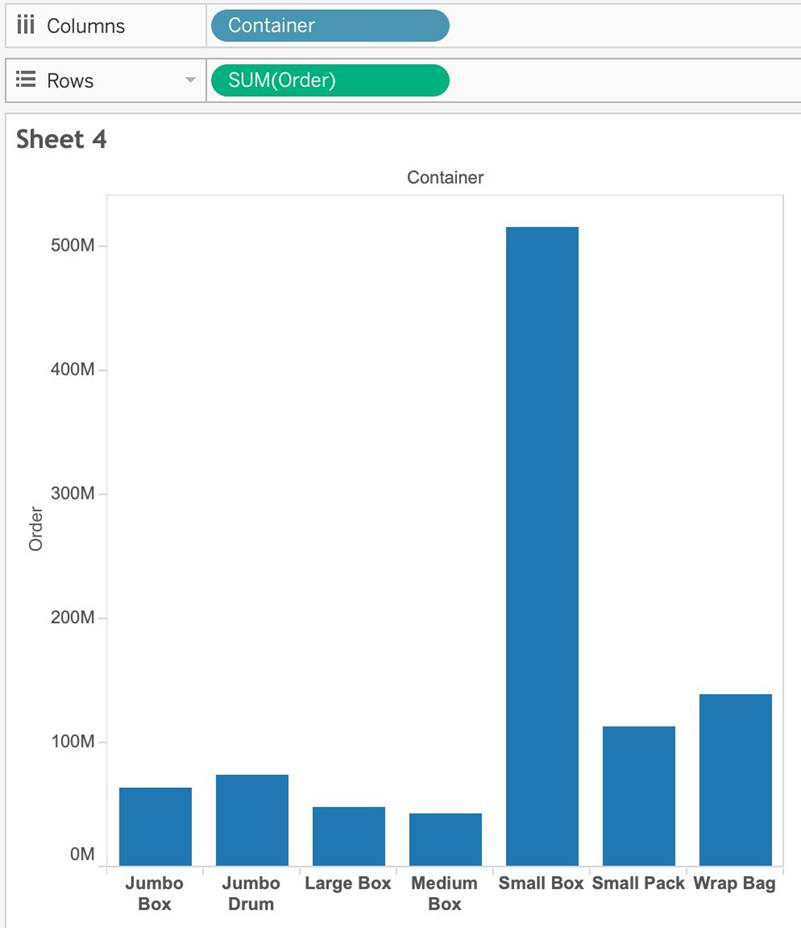
Suppose I have the following view.
What will be the total number of marks if I drag a new measure to the row shelf vs the column shelf?
- A . If dragged to row shelf: 14 marks; If dragged to column shelf: 7 marks
- B . If dragged to row shelf: 7 marks; If dragged to column shelf: 14 marks
- C . If dragged to row shelf: 14 marks; If dragged to column shelf: 14 marks
- D . If dragged to row shelf: 7 marks; If dragged to column shelf: 7 marks
A
Explanation:
This is a tricky question often asked in the exam.
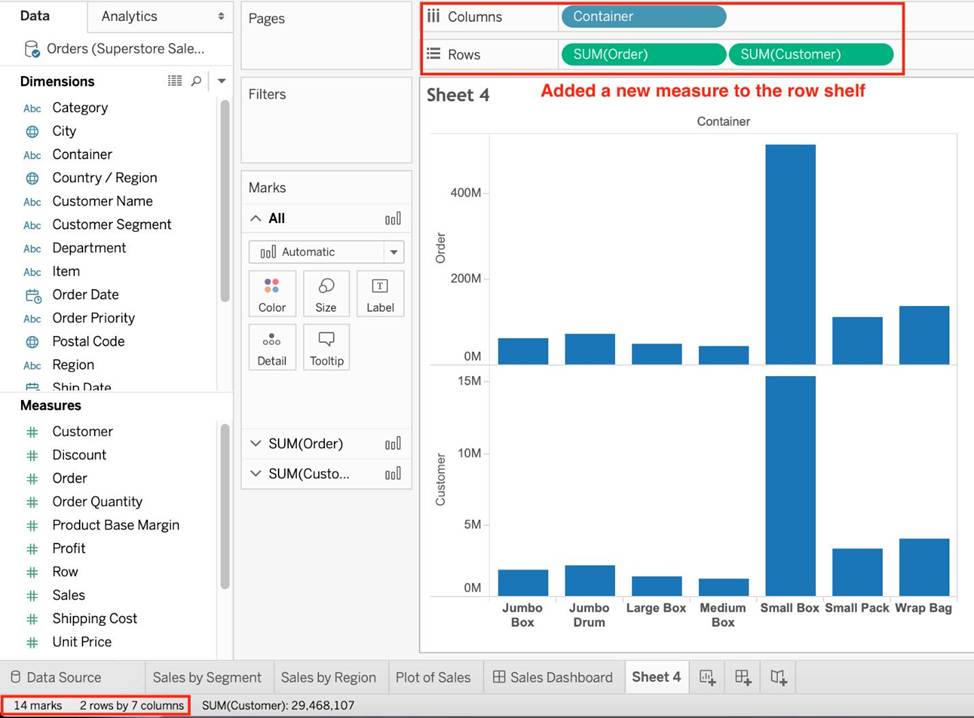
If we drag a new measure to the row shelf, the following happens:
We now have 2 rows, and the same 7 columns for both these rows. Therefore, 2×7 = 14 marks!
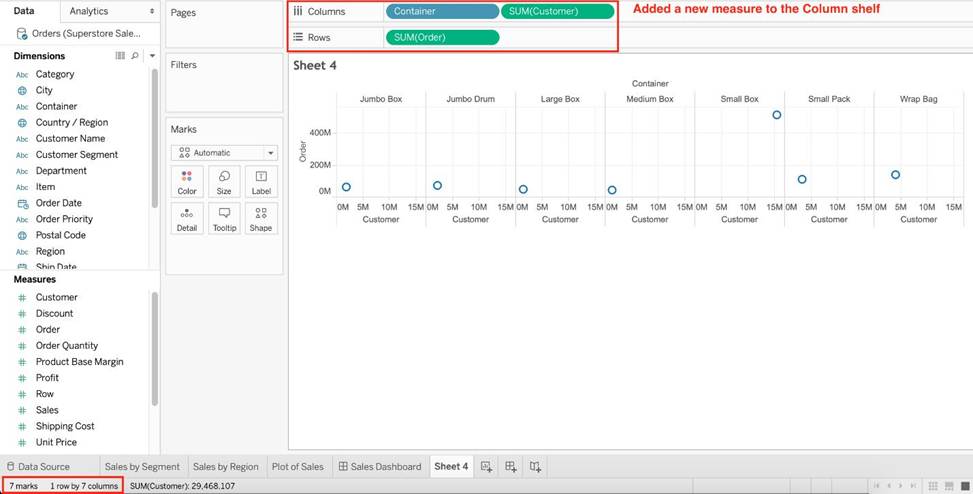
But if we drag the same measure to the column shelf, we have just 1 row and a chart created for each of the columns. So (1×7) = 7 marks!
Reference and notes: https://medium.com/@justindixon91/tableau-specialist-exam-notes-part-4-understanding-tableau-concepts-f78de83fdd35
What are two methods for renaming a field in a visualization? Choose two.
- A . From the Data pane, click and hold on the field until the name is editable.
- B . From the Data pane, use the field’s drop-down menu and select Rename.
- C . From the Format menu, select Field Labels.
- D . From the Data pane, right-click the field and select Replace Reference.
A, B
Explanation:
In Tableau, you can rename a field directly in the Data pane by clicking and holding on the field name until it becomes editable, allowing you to type a new name. Alternatively, you can use the drop-down menu associated with the field in the Data pane and select the "Rename" option. Both methods provide a quick and easy way to change the name of a field without affecting the underlying data structure. The "Format menu" and "Replace Reference" option do not apply to renaming fields.
Using the Time Series Table, create a Line chart showing the Monthly Year over Year Growth for the Sales, broken down by Assortment.
For the Electronics assortment, which Month had the most NEGATIVE value of Year over Year Growth?
- A . October
- B . September
- C . July
- D . June
A
Explanation:
Follow along:
1) Drag Assortment and Year ID (choose Discrete Month) to Columns shelf, and Sales to the Columns Shelf.
For sales, click on the pill -> choose Quick Table calculation -> Year over Year growth.
The view should now look like:
________________ can only create header. _______________ will create header and axis both.
- A . Dimensions, Measures
- B . Measures, Dimensions
- C . Groups, Sets
- D . Dates, Strings
A
Explanation:
Using the Sample superstore as a reference:
1) Let’s plot a bar chart showing SUM(Quantity) for each Segment:
2) Right click on the x-axis (Segment):
Notice we don’t have an option to edit the axis, only header. This is because only continous values form the AXIS.
3) Similarly, right click on the y-axis (Quantity):
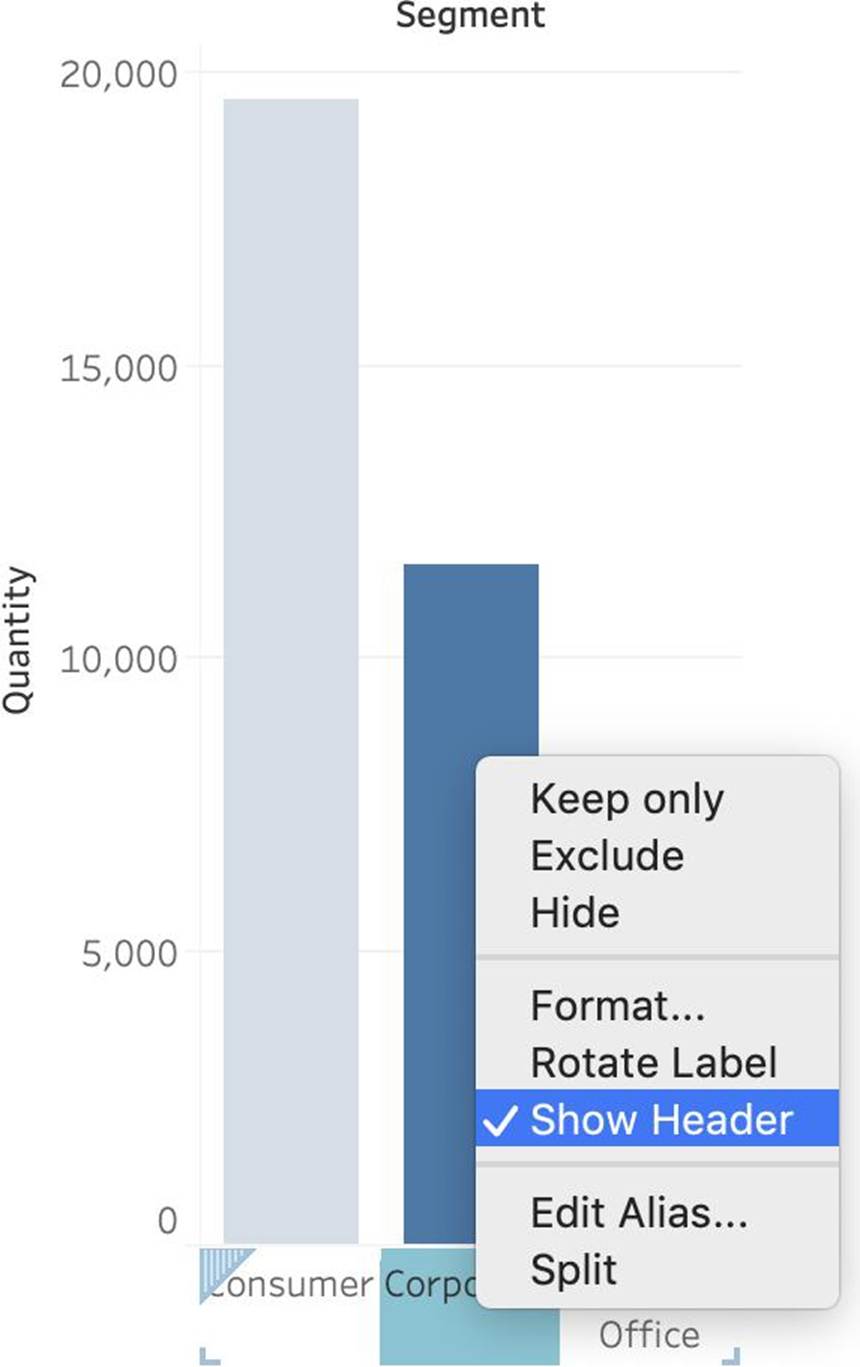
Now we have the option to edit BOTH the axis and the header.
Reference: https://help.tableau.com/current/pro/desktop/en-us/view_parts.htm
2) Right click on the x-axis (Segment):
Notice we don’t have an option to edit the axis, only header. This is because only continous values form the AXIS.
3) Similarly, right click on the y-axis (Quantity):
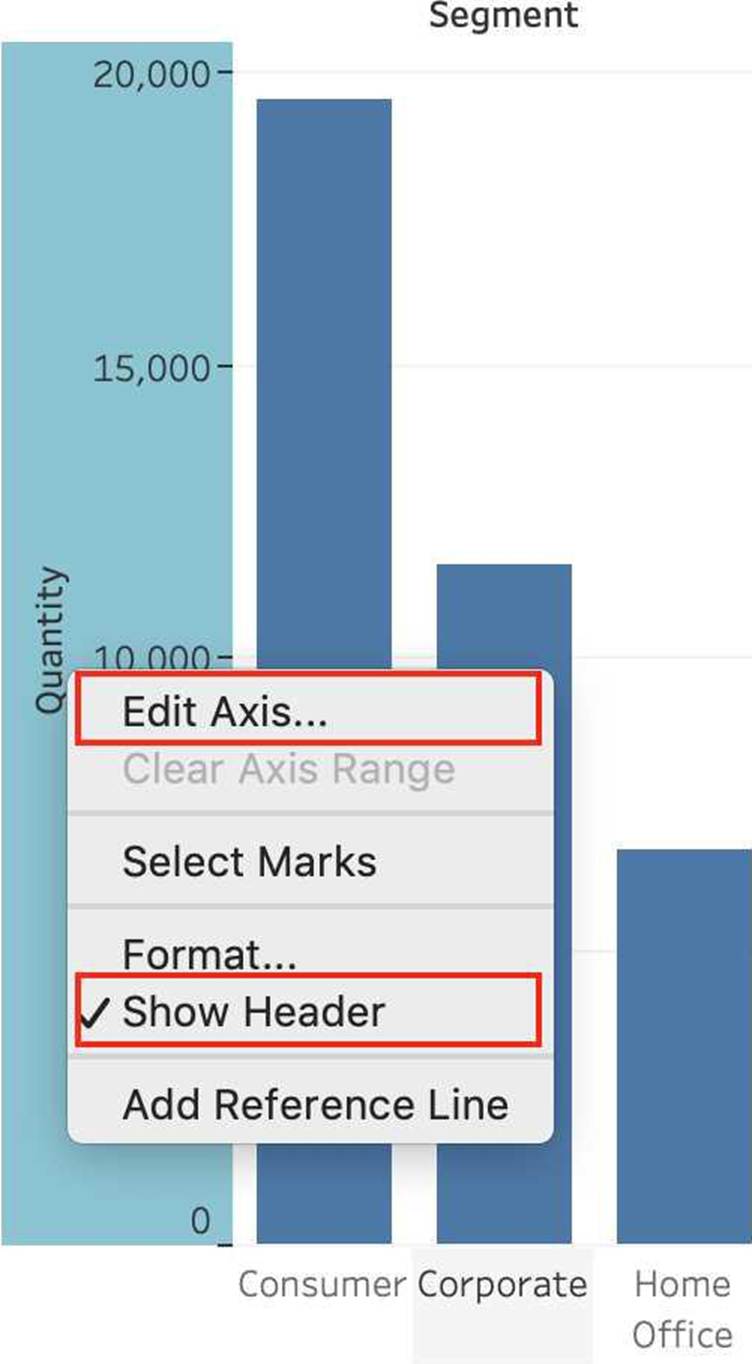
Now we have the option to edit BOTH the axis and the header.
Reference: https://help.tableau.com/current/pro/desktop/en-us/view_parts.htm
Which of the following are True for Measure Names?
- A . It contains all the measures in your data, collected into a single field with continuous values.
- B . When you add it to a view, all of the measure names appear as row or column headers in the view.
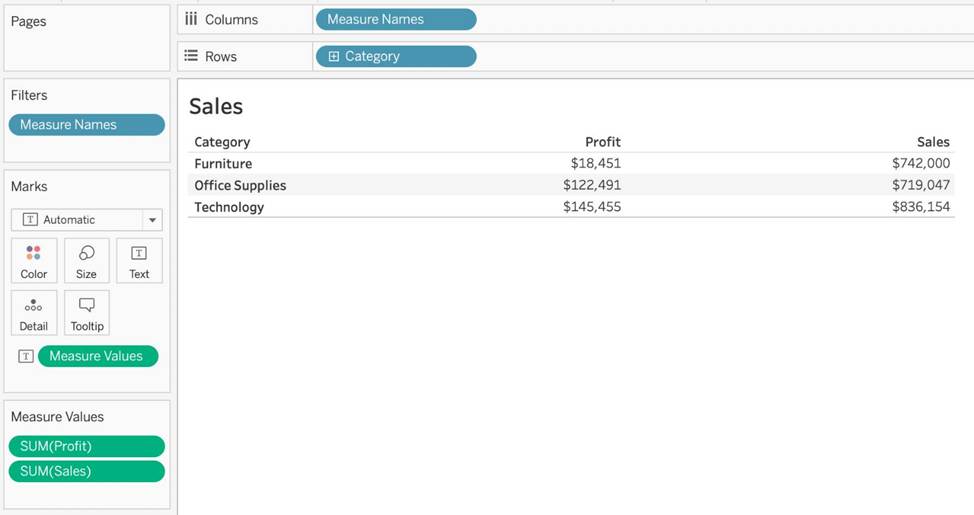
- C . When working with a text table showing Profit for each Category, when you add Sales to the text table (by dragging it and dropping it in the view), the measure names field is automatically dragged to the row and filter shelves.
- D . It contains the names of all measures in your data, collected into a single field with discrete values.
BCD
Explanation:
It contains all the measures in your data, collected into a single field with continuous values – This is the definition for ‘Measure Values’.
All others are True w.r.t. Measure Names!
The Measure Names field contains the names of all measures in your data, collected into a single field with discrete values.
Documentation: https://help.tableau.com/current/pro/desktop/en-us/datafields_understanddatawindow_meavalues.htm