
Microsoft MD-102 Practice Exams
Last updated on Nov 16,2026- Exam Code: MD-102
- Exam Name: Endpoint Administrator
- Certification Provider: Microsoft
- Latest update: Nov 16,2026
You have a Microsoft 365 subscription.
You use app protection policies to protect corporate data on Android devices.
You need to ensure that any user connecting from an Android device can only access the corporate data if they connect from an app that supports mobile application management (MAM).
What should you configure?
F. an app configuration policy
G. a Conditional Access policy
H. a device configuration profile
I. a device compliance policy
HOTSPOT
You have a Microsoft 365 tenant that uses Microsoft Intune to manage personal and corporate devices. The tenant contains Windows 10 devices as shown in the following exhibit.

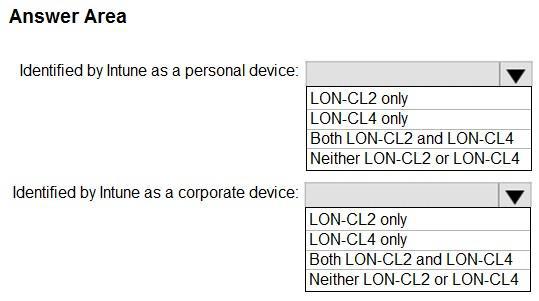
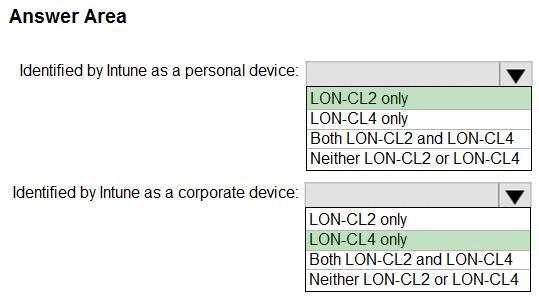
How will Intune classify each device after the devices are enrolled in Intune automatically? To answer, select the appropriate options in the answer area. NOTE: Each correct selection is worth one point.
Hot Area:
HOTSPOT
You have a Microsoft 365 tenant that uses Microsoft Intune to manage personal and corporate devices. The tenant contains Windows 10 devices as shown in the following exhibit.
How will Intune classify each device after the devices are enrolled in Intune automatically? To answer, select the appropriate options in the answer area. NOTE: Each correct selection is worth one point.
Hot Area:
HOTSPOT
You have a Microsoft 365 tenant that uses Microsoft Intune to manage personal and corporate devices. The tenant contains Windows 10 devices as shown in the following exhibit.
How will Intune classify each device after the devices are enrolled in Intune automatically? To answer, select the appropriate options in the answer area. NOTE: Each correct selection is worth one point.
Hot Area:
You have a Microsoft 365 subscription that has Windows 365 Enterprise licenses.
You plan to use a custom Windows 11 image as a template for Cloud PCs.
You have a Hyper-V virtual machine that runs Windows 11 and has the following configurations:
Name: VM1

Disk size: 64 GB
Disk format: VHDX
Disk type: Fixed size
Generation: Generation 2
You need to ensure that you can use VM1 as a source for the custom image.
What should you do on VM1 first?
- A . Change the disk type to Dynamically expanding.
- B . Change the disk format to the VHD.
- C . Change the generation to Generation 1.
- D . Increase the disk size.
Your network contains an Active Directory domain. The domain contains a user named Admin1. All computers run Windows 10.
You enable Windows PowerShell remoting on the computers.
You need to ensure that Admin1 can establish remote PowerShell connections to the computers. The solution must use the principle of least privilege.
To which group should you add Admin1?
- A . Access Control Assistance Operators
- B . Remote Desktop Users
- C . Power Users
- D . Remote Management Users
Your network contains an Active Directory domain. The domain contains a user named Admin1. All computers run Windows 10.
You enable Windows PowerShell remoting on the computers.
You need to ensure that Admin1 can establish remote PowerShell connections to the computers. The solution must use the principle of least privilege.
To which group should you add Admin1?
- A . Access Control Assistance Operators
- B . Remote Desktop Users
- C . Power Users
- D . Remote Management Users
You have a Microsoft 365 E5 subscription.
All devices are enrolled in Microsoft Intune.
You create a Conditional Access policy named Policy1 that requires multifactor authentication (MFA).
You need to ensure that Policy1 only applies to devices marked as noncompliant.
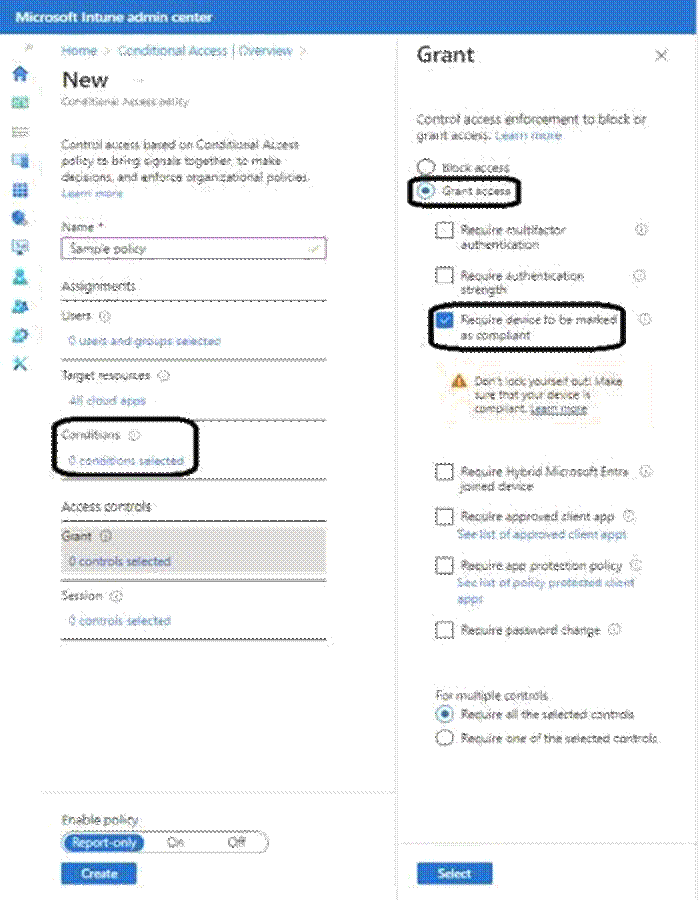
Which settings of Policy1 should you configure?
- A . Device platforms under Conditions
- B . Filter for devices under Conditions
- C . Target resources
- D . Grant
- E . Session
You have a Microsoft 365 E5 subscription.
All devices are enrolled in Microsoft Intune.
You create a Conditional Access policy named Policy1 that requires multifactor authentication (MFA).
You need to ensure that Policy1 only applies to devices marked as noncompliant.
Which settings of Policy1 should you configure?
- A . Device platforms under Conditions
- B . Filter for devices under Conditions
- C . Target resources
- D . Grant
- E . Session
You have a Microsoft 365 E5 subscription.
All devices are enrolled in Microsoft Intune.
You create a Conditional Access policy named Policy1 that requires multifactor authentication (MFA).
You need to ensure that Policy1 only applies to devices marked as noncompliant.
Which settings of Policy1 should you configure?
- A . Device platforms under Conditions
- B . Filter for devices under Conditions
- C . Target resources
- D . Grant
- E . Session