Microsoft MD-102 Practice Exams
Last updated on Nov 16,2026- Exam Code: MD-102
- Exam Name: Endpoint Administrator
- Certification Provider: Microsoft
- Latest update: Nov 16,2026
You have a Microsoft 365 E5 subscription that contains 100 iOS devices enrolled in Microsoft Intune.
You need to deploy a custom line-of-business (LOB) app to the devices by using Intune.
Which extension should you select for the app package file?
- A . .intunemac
- B . .ipa
- C . .apk
- D . .appx
You have a Microsoft 365 subscription.
You have 10 computers that run Windows 10 and are enrolled in mobile device management (MDM).
You need to deploy the Microsoft 365 Apps for enterprise suite to all the computers.
What should you do?
E. From the Microsoft Intune admin center, create a Windows 10 device profile.
F. From Microsoft Entra admin center, add an app registration.
G. From Microsoft Entra admin center, add an enterprise application.
H. From the Microsoft Intune admin center, add an app.
You use the Microsoft Deployment Toolkit (MDT) to manage Windows 11 deployments.
From Deployment Workbench, you modify the WinPE settings and add PowerShell support.
You need to generate a new set of WinPE boot image files that contain the updated settings.
What should you do?
- A . From the Deployment Shares node, update the deployment share.
- B . From the Advanced Configuration node, create new media.
- C . From the Packages node, import a new operating system package.
- D . From the Operating Systems node, import a new operating system.
You use the Microsoft Deployment Toolkit (MDT) to manage Windows 11 deployments.
From Deployment Workbench, you modify the WinPE settings and add PowerShell support.
You need to generate a new set of WinPE boot image files that contain the updated settings.
What should you do?
- A . From the Deployment Shares node, update the deployment share.
- B . From the Advanced Configuration node, create new media.
- C . From the Packages node, import a new operating system package.
- D . From the Operating Systems node, import a new operating system.
You are creating a device configuration profile in Microsoft Intune.
You need to configure specific OMA-URI settings in the profile.
Which profile type template should you use?
E. Device restrictions (Windows 10 Team)
F. Identity protection
G. Custom
H. Device restrictions
You are creating a device configuration profile in Microsoft Intune.
You need to configure specific OMA-URI settings in the profile.
Which profile type template should you use?
E. Device restrictions (Windows 10 Team)
F. Identity protection
G. Custom
H. Device restrictions
You have a Hyper-V host that contains the virtual machines shown in the following table.

On which virtual machines can you install Windows 11?
- A . VM1 only
- B . VM3 only
- C . VM1 and VM2 only
- D . VM2 and VM3 only
- E . VM1, VM2, and VM3
You have a Microsoft 365 E5 subscription. The subscription contains 25 computers that run Windows 11 and are enrolled in Microsoft Intune.
You need to onboard the devices to Microsoft Defender for Endpoint.
What should you create in the Microsoft Intune admin center?
- A . an attack surface reduction (ASR) policy
- B . a security baseline
- C . an endpoint detection and response (EDR) policy
- D . an account protection policy
- E . an antivirus policy
DRAG DROP
You have a Microsoft 365 subscription. The subscription contains computers that run Windows 11 and are enrolled in Microsoft Intune.
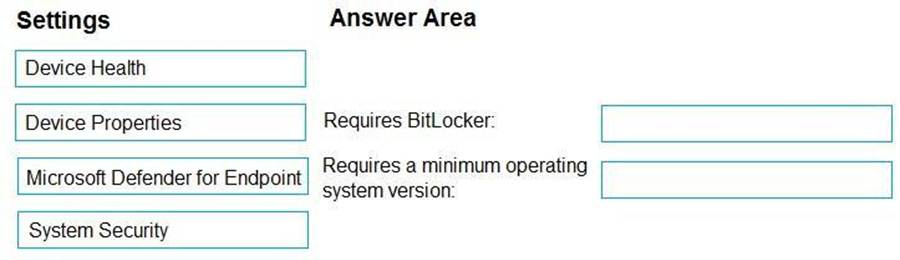
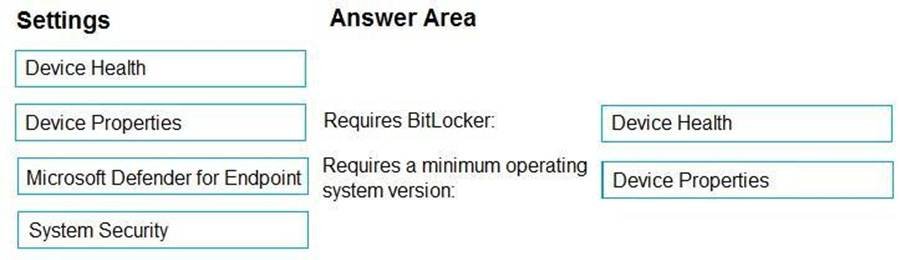
You need to create a compliance policy that meets the following requirements:
Requires BitLocker Drive Encryption (BitLocker) on each device Requires a minimum operating system version

Which setting of the compliance policy should you configure for each requirement? To answer, drag the appropriate settings to the correct requirements. Each setting may be used once, more than once, or not at all. You may need to drag the split bar between panes or scroll to view content. NOTE: Each correct selection is worth one point.
Select and Place:
HOTSPOT
You have a Microsoft 365 subscription that contains a user named User1. The subscription contains devices enrolled in Microsoft Intune as shown in the following table.

Microsoft Edge is available on all the devices.
Intune has the device compliance policies shown in the following table.

The Compliance policy settings are configured as shown in the exhibit. (Click the Exhibit tab.)
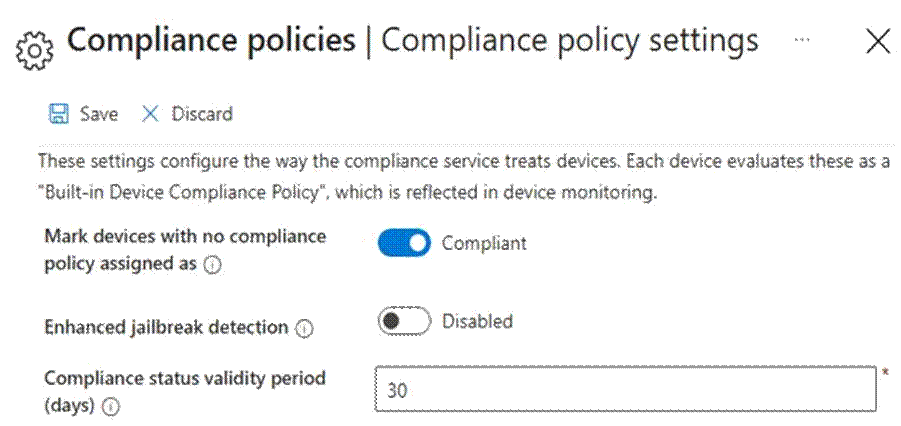
You create the following Conditional Access policy:
Name: Policy1

Assignments
– Users and groups: User1
– Cloud apps or actions: Office 365 SharePoint Online Access controls
– Grant: Require device to be marked as compliant
Enable policy: On
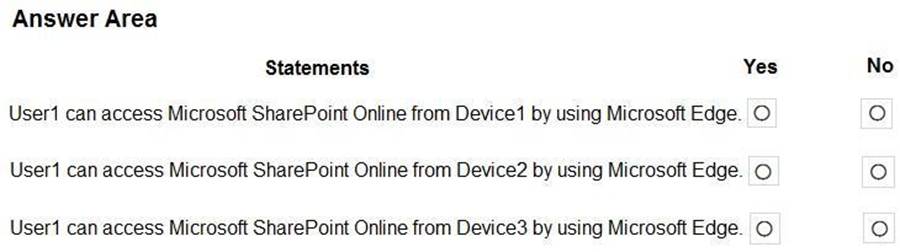
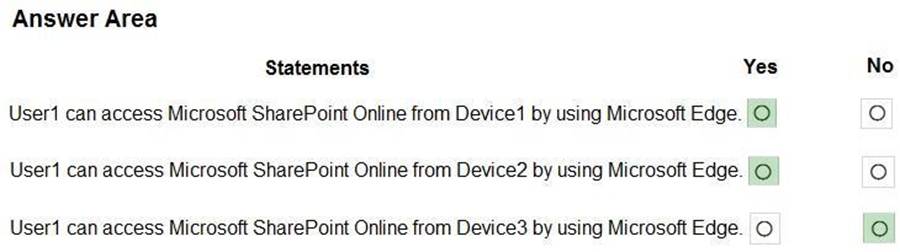
For each of the following statements, select Yes if the statement is true. Otherwise, select No. NOTE: Each correct selection is worth one point.
Hot Area: