
HP HPE0-S59 Practice Exams
Last updated on Oct 22,2026- Exam Code: HPE0-S59
- Exam Name: HPE Compute Solutions
- Certification Provider: HP
- Latest update: Oct 22,2026
HOTSPOT
Your customer is implementing an HPE Synergy solution based on three frames.
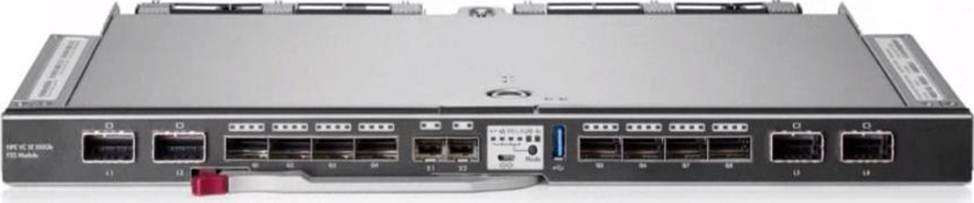
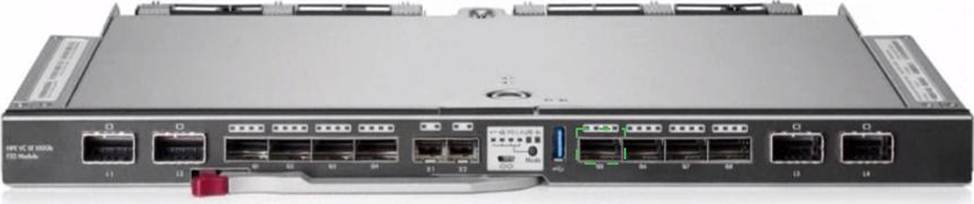
Click each of the ports that can be used to connect satellite modules.
Explanation:
The QSFP+ ports (Q1 and Q2) on the HPE Virtual Connect SE 100Gb F32 Module for HPE Synergy can be used to connect satellite modules. These ports are designed to handle high-speed connectivity required for linking additional frames and expanding the Synergy infrastructure.
Reference: HPE Virtual Connect SE 100Gb F32 Module for Synergy
Your customer plans to deploy HPE Superdome Flex and configure two nPars, each based on two chassis Which components must be included in the proposal to meet the customer’s needs?
- A . Rack Management Controller for nPar management
- B . HPE Superdome Flex Grid licenses enabling connectivity between chassis
- C . At least Tour HPE Persistent Memory DIMMs per nPar
- D . One base chassis and three expansion chassis with licenses
A
Explanation:
To deploy HPE Superdome Flex and configure two nPars, each based on two chassis, you must include the HPE Superdome Flex Grid licenses. These licenses enable connectivity between the chassis, allowing the creation of nPars (nPartitions) that span multiple chassis. This is essential for the system’s proper configuration and operation in a multi-chassis nPar setup.
Reference: HPE Superdome Flex Architecture Guide
HOTSPOT
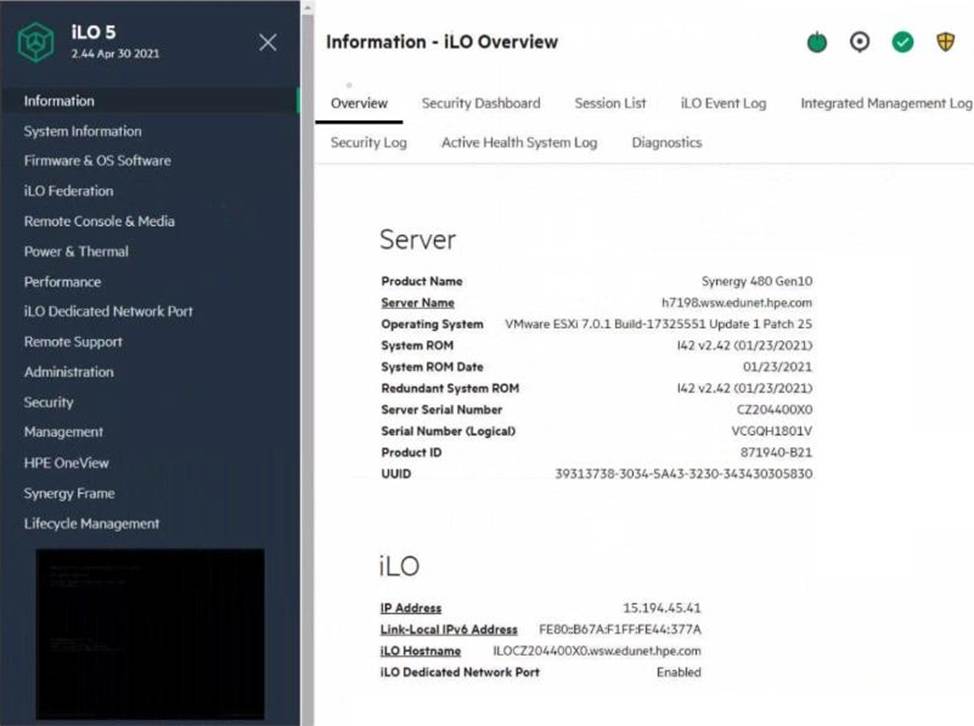
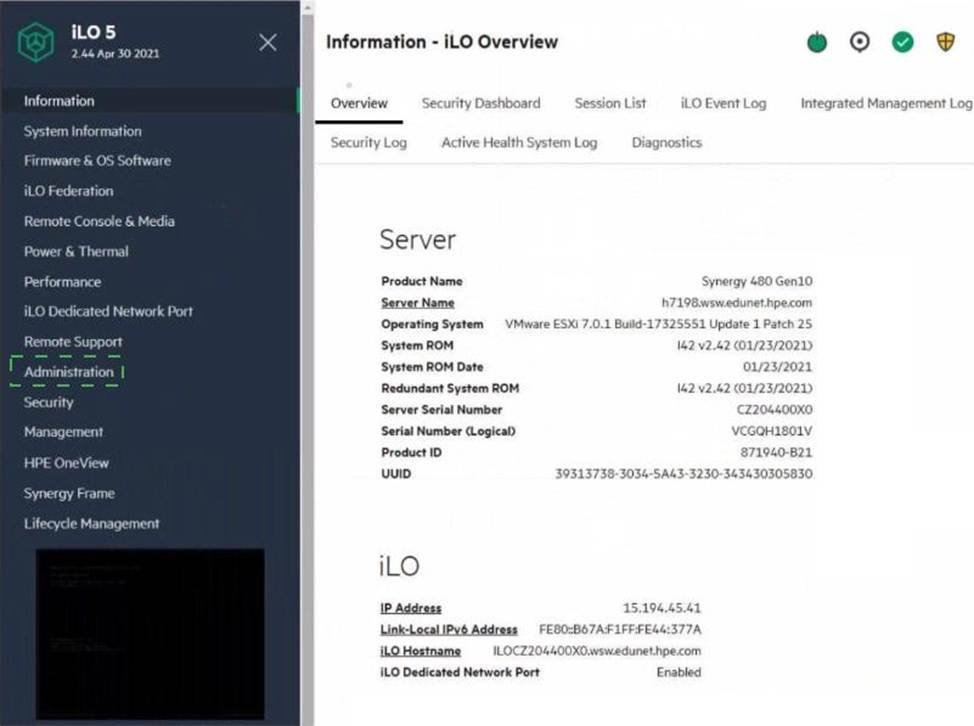
Click the area within the iLO management interface that will allow you to access workload Advisor.
Explanation:
The Performance section within the iLO management interface provides access to the Workload Advisor. This feature offers insights and analytics regarding the server’s performance, helping to optimize workloads and manage resources efficiently.
Reference: HPE iLO 5 User Guide
HOTSPOT
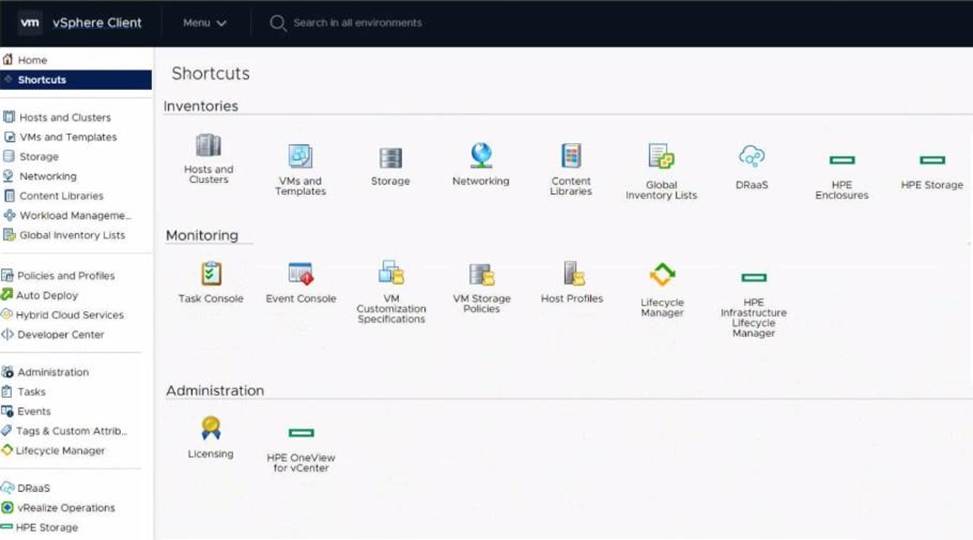
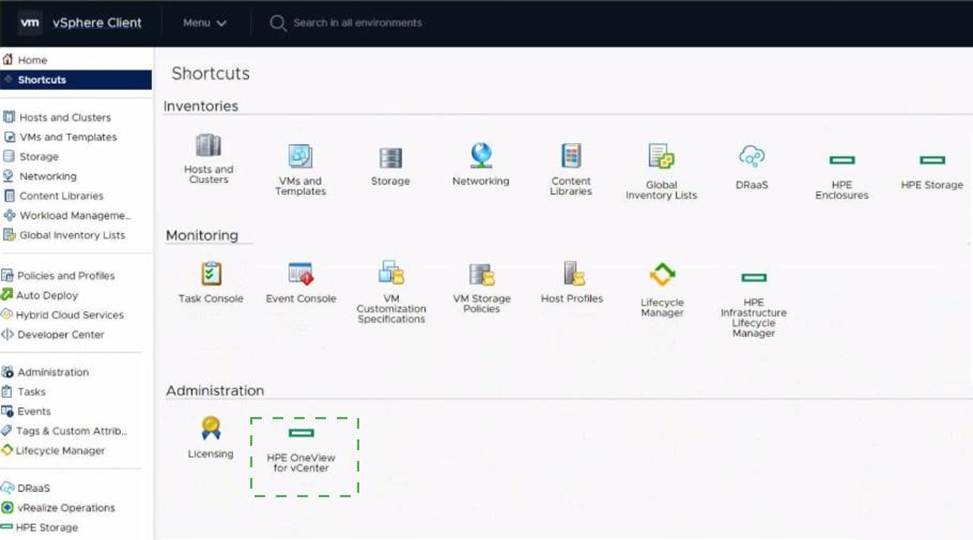
Click the option that will allow you to change the ESXI image used In an OS Deployment Plan.
Explanation:
The Lifecycle Manager in the vSphere Client interface is used for managing and updating ESXi hosts, including changing the ESXi image used in an OS Deployment Plan. This tool allows administrators to import, export, and apply different ESXi images, ensuring that the hosts are running the desired version and configuration of ESXi.
Reference: VMware vSphere Lifecycle Manager Guide