
DELL EMC D-PE-OE-23 Practice Exams
Last updated on Oct 24,2026- Exam Code: D-PE-OE-23
- Exam Name: Dell Technologies PowerEdge Operate 2023
- Certification Provider: DELL EMC
- Latest update: Oct 24,2026
A technician is installing Windows Server 2016 on a server with RAID 1 and RAID 5 virtual disks.
How should they configure the server and deploy the OS?
- A . Go to system setup to configure both virtual disks
Select the Deploy OS option in the system setup utility - B . Go to Settings in the Lifecycle Controller
Configure both virtual disks using the guided OS installation method - C . Create two virtual disks using the iDRAC UI
Access the Lifecycle Controller
Go to OS deployment using ‘Deploy OS’ - D . Go to the RAID Configuration menu in the Lifecycle Controller
Create both virtual disks
Go to OS deployment using ‘Deploy OS’
A technician needs to deploy a server into production. The technician needs to verify that the firmware levels match corporate policy before putting the server on the business network.
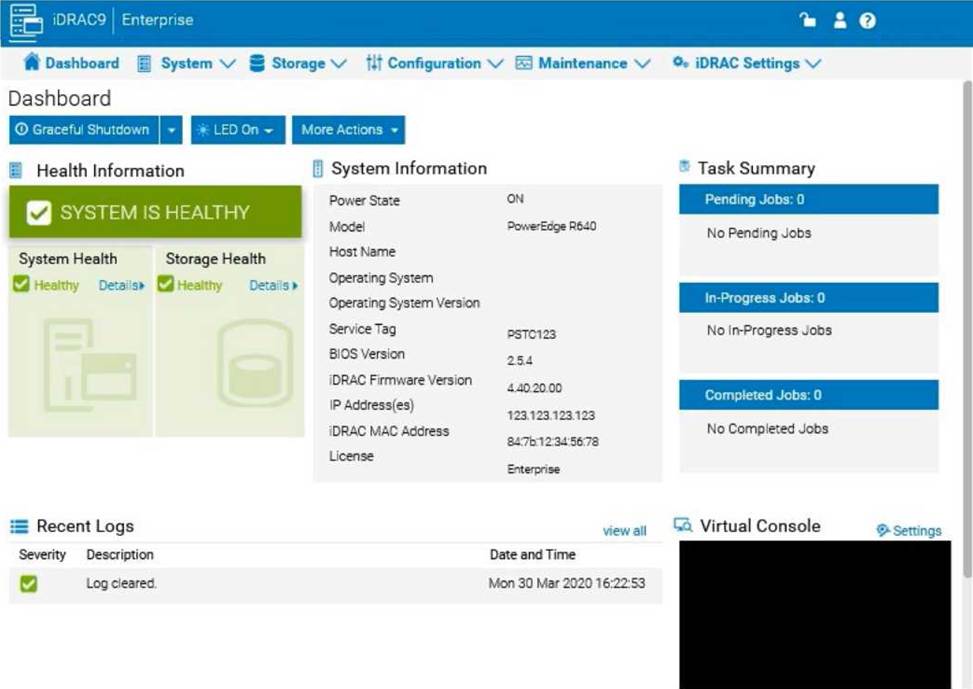
Which two methods should the technician use to verify the firmware version of iDRAC and BIOS? (Choose two.)
- A . Use the Lifecycle Controller and navigate to Firmware Update to view current versions
- B . Scroll through the menus on the LCD panel to view the BIOS and iDRAC firmware levels
- C . Log into the iDRAC web interface to view Server Information
- D . SSH into the iDRAC and run the command racadm system config to view current firmware
- E . Use the OMSA DVD that came with the server to view Current Drivers and Firmware
Which option is a granular user privilege configurable in the iDRAC9?
- A . Access virtual console
- B . Readonly
- C . Edit logs
- D . Change dashboard view
A
Explanation:
Understanding Granular User Privileges in iDRAC9
System Administration (18%)
Configure BIOS, Storage, virtual media, networking, user access, lockdown mode, and group management
Granular User Privileges in iDRAC9
iDRAC9 provides the ability to assign specific privileges to user accounts, allowing for fine-grained control over what actions users can perform.
Explanation of Options
Option A: Access virtual console
Access to the virtual console is a specific privilege that can be granted or denied to individual users in iDRAC9. This allows administrators to control who can remotely access the server’s console.
Conclusion: Correct Answer.
Option B: Readonly
The Readonly privilege is a role that allows users to view settings without making changes. It is not considered a granular privilege but a predefined user role. Conclusion: Not as granular as specific privileges.
Option C: Edit logs
iDRAC9 does not provide a specific privilege to edit logs, as logs are critical records that should not be altered for security and auditing purposes.
Conclusion: Incorrect.
Option D: Change dashboard view
Changing the dashboard view is a user interface preference and not typically a privilege that is controlled or assigned in iDRAC9.
Conclusion: Incorrect.
Dell Operate Reference
System Administration (18%)
Configure user access: Understanding how to assign and manage user privileges in iDRAC9. Server Management and Configuration Tools (14%)
Define the function of the iDRAC, login procedures, licensing, and connection methods: Emphasizes the importance of controlling access to management functions.
Conclusion
Access virtual console is a granular user privilege configurable in iDRAC9, allowing administrators to control remote console access on a per-user basis.
On a PowerEdge R640 server, the System Lockdown mode has been enabled. Certain features are no longer available in the System BIOS utility or IDRAC GUI.
Which other feature is no longer available?
- A . OMSA
- B . Lifecycle Controller
- C . iSM
- D . Booting to a 32-bit OS
What is an advantage of using virtual media from a management station?
- A . ISO can be transferred to the server using a USB flash drive.
- B . No physical presence is required at the data center.
- C . Remote file shares are supported.
- D . Management station can be separated from the server by firewalls or a DMZ.
B
Explanation:
Advantages of Using Virtual Media from a Management Station Server Management and Configuration Tools (14%)
Define the function of the iDRAC, login procedures, licensing, and connection methods Explain the management interface options – LCC, racadm, OMSA, iSM, OME
Understanding Virtual Media
Virtual Media allows administrators to remotely mount media devices (such as CD/DVD drives or ISO images) over the network to a server via the Integrated Dell Remote Access Controller (iDRAC). Purpose: Enables tasks like installing an operating system, updating firmware, or running diagnostics without needing physical access to the server.
Advantages
Option B: No physical presence is required at the data center
Remote Accessibility: Administrators can perform necessary tasks from any location, eliminating the need to be physically present at the server’s location.
Efficiency: Reduces travel time and costs associated with onsite visits.
Business Continuity: Allows for prompt responses to issues, minimizing downtime.
Dell Operate
Reference: Server Management and Configuration Tools (14%): Highlights the importance of remote management capabilities provided by tools like iDRAC and the Virtual Console.
Explanation of Other Options
Option A: ISO can be transferred to the server using a USB flash drive
Analysis: This involves physical transfer and insertion of a USB drive into the server, which contradicts the advantage of using virtual media remotely.
Conclusion: Not an advantage of virtual media from a management station.
Option C: Remote file shares are supported
Analysis: While some virtual media implementations may support remote file shares, the primary advantage is the ability to mount media remotely, not necessarily accessing file shares. Conclusion: Less accurate than Option B.
Option D: Management station can be separated from the server by firewalls or a DMZ Analysis: Firewalls and DMZs can actually hinder the use of virtual media due to blocked ports or security restrictions.
Conclusion: Not an advantage and may present challenges.
Conclusion
Using virtual media from a management station provides the significant advantage of allowing administrators to perform tasks without needing to be physically present at the data center. This enhances operational efficiency and responsiveness.
A customer reports that a server displayed an error during the last power on procedure. The server must stay operational 24/7. The error was NOT recorded and does NOT appear to be causing a serious failure.
In which two ways can the technician identify the error WITHOUT impacting the customer’s business? (Choose two.)
- A . Replay the last Boot capture
- B . Review OS System Event Logs
- C . Use the fast boot option
- D . Access Lifecycle log in the iDRAC
A technician is remotely installing ESXi 6.0 on a PowerEdge R640 in BIOS boot mode. The system has dual internal SD cards. After the OS is installed, the system reboots and shows an error screen with the following message: “No boot device found”
What should the technician do to resolve this issue?
- A . Enable vFlash in iDRAC web GUI
- B . Set the boot made from BIOS to UEFI
- C . Reseat the SD cards and try to boot to them again
- D . Change the Hard Disk Drive Sequence
How can a technician know whether IDRAC9 System Lockdown mode is enabled?
- A . Lockdown activation message in red box in the iDRAC web GUI Access to LCC is disabled when the server boots
- B . Lockdown activation message in yellow box in the iDRAC web GUI Access to LCC is disabled when the server boots
- C . Lockdown activation message in red box in the iDRAC web GUI Access to LCC requires a password when the server boots
- D . Lockdown activation message in yellow box in the iDRAC web GUI Access to LCC requires a password when the server boots
A technician is installing a new server and is not getting any link lights on the iDRAC management port. They have verified that the cable and switch port are working.
What could be causing this issue?
- A . NIC selection is set for Shared LOM
- B . iDRAC firmware update is currently in progress
- C . iDRAC has been disabled in the Lifecycle Controller
- D . IP has not been set in the Lifecycle Controller
The system administrator receives an email notification on April 30, 2022 that a power issue was reported on the Dell PowerEdge R660.
Which log entry helps them investigate this issue for that date?
- A . Under voltage fault detection on power supply 1.
- B . Power supply 2 has failed.
- C . Under voltage fault detected on power supply 2.
- D . Power supply 1 has failed.
C
Explanation:
To investigate a power issue on a specific date, such as April 30, 2022, the system administrator should examine the iDRAC logs for entries related to power supply faults or failures.
Here’s how to approach finding the correct answer:
Step-by-Step Approach:
Access the System Logs:
In the iDRAC interface, navigate to the Dashboard tab.
Scroll down to the Recent Logs section or navigate to System Logs under Maintenance or iDRAC Settings (depending on the iDRAC version) to access detailed logs.
Filter Logs by Date:
Use the filter option to specify the date, focusing on entries from April 30, 2022. This will help narrow down relevant events.
Identify Power-Related Entries:
Look for log entries that mention power supply issues or voltage faults around the specified date. In this case, entries related to under-voltage faults or power supply failures will be critical. Interpret the Log Entries:
Based on typical power fault logs, consider the possible answers: