
DELL EMC D-PE-OE-23 Practice Exams
Last updated on Oct 23,2026- Exam Code: D-PE-OE-23
- Exam Name: Dell Technologies PowerEdge Operate 2023
- Certification Provider: DELL EMC
- Latest update: Oct 23,2026
A server is experiencing latency issues, and the end user was told to disable C States and C1E.
Where can these settings be checked in the BIOS?
- A . Processor Settings
- B . Miscellaneous Settings
- C . System Profile Settings
- D . System Information
C
Explanation:
Locating C States and C1E Settings in the BIOS
System Administration (18%)
Configure BIOS, Storage, virtual media, networking, user access, lockdown mode, and group management
Understanding C States and C1E
C States: CPU power management features that allow the processor to enter low-power idle states to conserve energy when idle.
C1E: Enhanced C1 state; a deeper power-saving mode that reduces CPU voltage and frequency. Impact on Performance
While these features save power, they can introduce latency due to the time required for the CPU to transition between power states.
Disabling C States and C1E can improve performance and reduce latency, which is crucial for latency-sensitive applications.
Locating the Settings in BIOS
Enter BIOS Setup
During server startup, press F2 to enter the System Setup (BIOS) utility.
Navigate to System Profile Settings
In the BIOS menu, select System BIOS.
Then select System Profile Settings.
Adjust C States and C1E Settings
Within System Profile Settings, you can:
Set the System Profile to Performance to automatically disable power-saving features.
Manually disable C States and C1E under CPU Power Management if customization is needed.
Explanation of Options
Option A: Processor Settings
Analysis: While this section includes CPU-related configurations, power management settings like C States and C1E are typically located under System Profile Settings. Conclusion: Incorrect.
Option B: Miscellaneous Settings
Analysis: This section covers various unrelated settings and does not include CPU power
management options.
Conclusion: Incorrect.
Option C: System Profile Settings
Analysis: This is the correct location for adjusting power management features affecting CPU
performance and latency.
Conclusion: Correct Answer.
Option D: System Information
Analysis: This section displays hardware information and does not allow configuration changes.
Conclusion: Incorrect.
Dell Operate Reference
System Administration (18%)
Configure BIOS: Mastery of BIOS settings is essential for optimizing server performance and
addressing issues like latency.
Server Components (26%)
Define the different processor, memory options, and memory configurations: Understanding how CPU settings affect overall system performance.
Conclusion
To address latency issues by disabling C States and C1E, the settings can be found and adjusted in the System Profile Settings section of the BIOS.
SIMULATION
An administrator has been tasked to create and save replacement of a server configuration with the file
name of "PE-server".
The profile must include the configuration for only the following components:
. NIC
. RAID
. iDRAC
Using the simulator, create and save the replacement with these components.
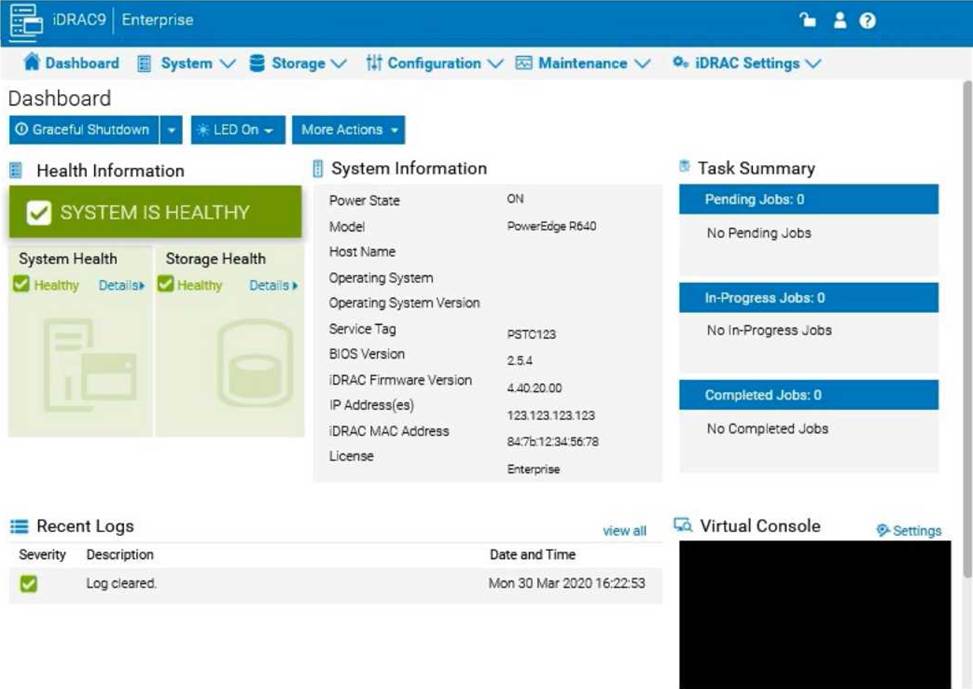
Step-by-Step Guide:
Access Configuration Profiles:
Go to the "Configuration" tab on the top menu bar.
From the dropdown options, select "Server Configuration Profile."
Create a New Profile:
Within the Server Configuration Profile section, choose the option to Create a New Profile. You will likely see options to specify which components to include in the configuration profile. Select Components:
When prompted, select only the components required for the configuration:
NIC: Network Interface Card settings.
RAID: Storage controller and RAID configuration.
iDRAC: iDRAC management settings.
Ensure that other components are not selected to meet the requirement.
Save the Configuration:
Enter the file name "PE-server" for the profile.
Choose the option to Save or Export the configuration profile. This should save the configuration to the specified name, typically on the server or local storage available through iDRAC. Verify the Profile Creation:
After saving, verify that the profile appears in the list of server configuration profiles with the name "PE-server."
Confirm that it includes only the selected components.
By following these steps, you should successfully create and save the configuration profile with the specified components.
What are the diagnostic indicators on the left control panel of a Dell PowerEdge 16G server?
- A . Electrical indicator, Temperature indicator, Memory indicator, and PSU indicator
- B . Drive indicator, Electrical indicator, Temperature indicator, and Memory indicator
- C . Drive indicator, Memory indicator, iDRAC direct indicator, and PCIe indicator
- D . Quick Sync 2 indicator, System ID indicator, PSU Indicator, and iDRAC direct indicator
A technician is troubleshooting a server with the following components:
Two CPUs
Memory installed in sockets A1, A2, A3, A4, A5, A6, B1, B2, B3, B4, B5 and B6
Expansion cards installed in all expansion slots
6x 1 TB drives configured as a RAID 6 virtual disk
The server has the following symptoms:
CPU2 has failed
Memory in slots B1, B2, B3, B4, B5 and B6 is not accessible
Some of the expansion cards have gone offline.
What should the technician do to resolve this issue?
- A . Replace CPU2
- B . Replace the failing CPU, failing memory, and expansion cards
- C . Replace the system board
- D . Reboot the server, access the Lifecycle and re-enable CPU2
A technician replaces a failed power supply unit (PSU) on a server. The LED on the new PSU blinks green and turns off.
What is the state of the new PSU?
- A . Successfully added and functional
- B . Successfully added and in standby mode
- C . Mismatched
- D . Defective
A technician is setting up a previously used Dell EMC PowerEdge server. Upon power up, the PERC alerts them to the presence of a foreign configuration. In the iDRAC storage section, the technician checks Foreign View. The foreign array configuration is the same as the configuration needed for the new project.
What is a recommended way to prepare the disks for the new project?
- A . Access the Ctrl+R utility, clear the foreign configuration, and set up array as needed
- B . Import the foreign configuration and perform a full initialization
- C . Format the foreign configuration and clear the controller configuration
- D . Edit the foreign configuration and set it to Ready
A technician is setting up a previously used Dell EMC PowerEdge server. Upon power up, the PERC alerts them to the presence of a foreign configuration. In the iDRAC storage section, the technician checks Foreign View. The foreign array configuration is the same as the configuration needed for the new project.
What is a recommended way to prepare the disks for the new project?
- A . Access the Ctrl+R utility, clear the foreign configuration, and set up array as needed
- B . Import the foreign configuration and perform a full initialization
- C . Format the foreign configuration and clear the controller configuration
- D . Edit the foreign configuration and set it to Ready
What are the two purposes of E3 EDSFF drives? (Select 2)
- A . Provides higher interface speed with PCIe Gen4.
- B . Replaces 3.5" and M.2 form factors.
- C . Provides a common form factor for accelerator and computational storage.
- D . Replaces 2.5" and U.2 form factors.
C, D
Explanation:
Understanding E3 EDSFF Drives
Server Components (26%)
Define storage options, Drives
What is EDSFF?
Enterprise and Datacenter Storage Form Factor (EDSFF) is a family of SSD form factors designed for enterprise and data center applications.
E3 Form Factor: A specific size within the EDSFF standard, optimized for performance, density, and thermal efficiency.
Purposes of E3 EDSFF Drives
Replaces 2.5" and U.2 Form Factors
E3 drives are intended to replace traditional 2.5" SSDs and U.2 form factors.
They offer higher density, improved thermal characteristics, and better scalability.
Conclusion: Option D is Correct
Provides a Common Form Factor for Accelerator and Computational Storage
E3 EDSFF drives are designed to support not only storage but also accelerator devices like GPUs, FPGAs, and computational storage.
This standardization simplifies system design and improves compatibility.
Conclusion: Option C is Correct
Explanation of Options
Option A: Provides higher interface speed with PCIe Gen4
Analysis: While EDSFF drives do support PCIe Gen4, their primary purpose is form factor standardization and scalability, not just providing higher interface speeds. Conclusion: Not the main purpose.
Option B: Replaces 3.5" and M.2 form factors
Analysis: E3 EDSFF does not directly replace 3.5" HDDs or M.2 SSDs, which serve different purposes
and sizes.
Conclusion: Incorrect.
Option C: Provides a common form factor for accelerator and computational storage
Analysis: Correct as per the explanation above.
Conclusion: Correct Answer
Option D: Replaces 2.5" and U.2 form factors
Analysis: Correct as per the explanation above.
Conclusion: Correct Answer
Dell Operate Reference
Server Components (26%)
Define storage options, Drives: Knowledge of new storage technologies and form factors is essential
for modern server configurations.
Server Portfolio and Features (10%)
Identify server features and specifications: Understanding hardware advancements and their practical benefits.
Conclusion
The E3 EDSFF drives serve to replace traditional 2.5" and U.2 form factors (Option D) and provide a common form factor for accelerator and computational storage devices (Option C), enhancing scalability and compatibility in data centers.
Topic 2, PowerEdge Test Simulator
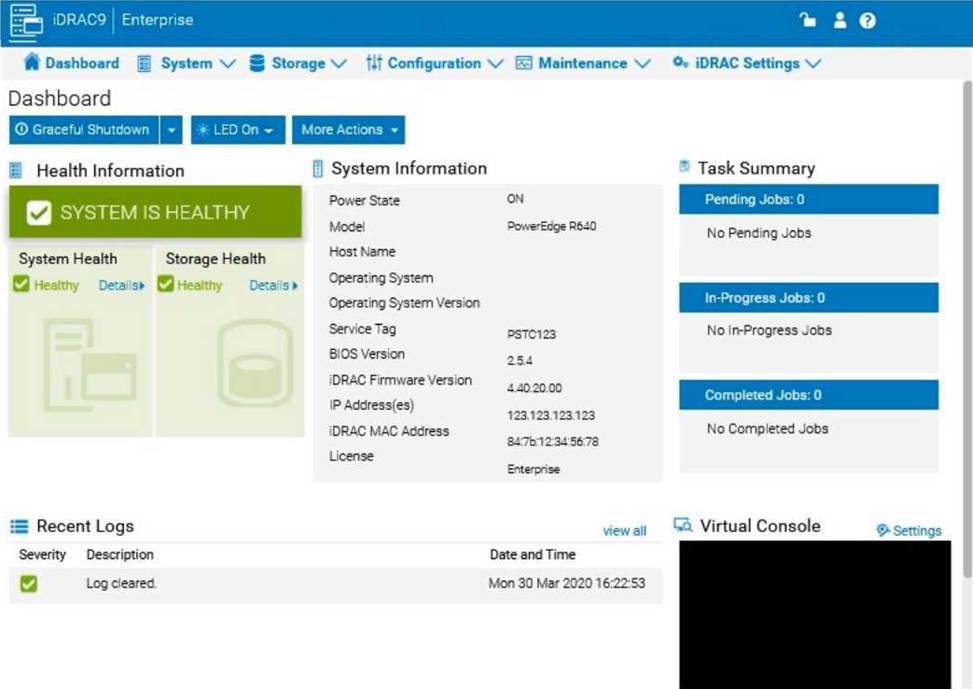
You will need to use the PowerEdge Simulator to correctly answer questions in Part 2. The simulator allows you to navigate through the PowerEdge interface and configure many items. You will be scored on your ability to perform tasks, configure items, and gather information within the simulated environment.
Which three tools for advanced server management and servicing at-the-box are provided with iDRAC Direct? (Select 3)
- A . Web Services Management (WSMAN)
- B . Remote Access Controller Admin (RACADM)
- C . Intelligent Platform Management Interface Tool (IPMITool)
- D . iDRAC Web Interface
- E . iDRAC RESTful API
A, B, E
Explanation:
Understanding iDRAC Direct and At-the-Box Management Tools Server Management and Configuration Tools (14%)
Define the function of the iDRAC, login procedures, licensing, and connection methods Explain the management interface options – LCC, racadm, OMSA, iSM, OME
What is iDRAC Direct?
iDRAC Direct is a feature that allows administrators to connect directly to the iDRAC interface using a USB connection.
Purpose: Provides at-the-box management capabilities without the need for network access. Connection: Utilizes a Micro USB port on the server connected to a management station (laptop/PC). Advanced Server Management Tools Provided with iDRAC Direct Web Services Management (WSMAN)
WSMAN is a standardized protocol that allows for remote management of systems using web services.
Usage with iDRAC Direct: Administrators can execute management tasks via WSMAN over the USB connection provided by iDRAC Direct.
Benefits:
Platform-independent management.
Allows for scripting and automation.
Remote Access Controller Admin (RACADM)
RACADM is a command-line utility used to manage the iDRAC and perform various administrative tasks.
Usage with iDRAC Direct: RACADM commands can be executed directly through the USB connection, enabling configuration and monitoring of the server.
Benefits:
Efficient management in environments with limited bandwidth.
Supports scripting for automation.
iDRAC RESTful API
The iDRAC RESTful API is a programmatic interface that allows for the management of server hardware using RESTful web services.
Usage with iDRAC Direct: Provides a secure and efficient way to perform management tasks over the
USB connection.
Benefits:
Modern API interface compatible with a wide range of programming languages.
Enables integration with automation tools and scripts.
Explanation of Options
Option A: Web Services Management (WSMAN)
Correct Answer. WSMAN is supported over iDRAC Direct for at-the-box management.
Option B: Remote Access Controller Admin (RACADM)
Correct Answer. RACADM commands can be executed via iDRAC Direct.
Option C: Intelligent Platform Management Interface Tool (IPMITool)
Incorrect: While IPMI is a management interface, the IPMITool is not provided specifically with iDRAC
Direct for at-the-box management.
Option D: iDRAC Web Interface
Incorrect: The iDRAC Web Interface typically requires network access and is not directly provided over the iDRAC Direct USB connection for at-the-box management.
Option E: iDRAC RESTful API
Correct Answer. The RESTful API is accessible via iDRAC Direct for advanced management.
Dell Operate Reference
Server Management and Configuration Tools (14%)
Emphasizes understanding various management tools available with iDRAC Direct. Define the function of the iDRAC, login procedures, licensing, and connection methods Highlights the use of different interfaces and protocols for server management. Explain the management interface options – LCC, racadm, OMSA, iSM, OME Focuses on different tools and their applications in server management.
Conclusion
The three tools provided with iDRAC Direct for advanced server management and at-the-box servicing are:
Web Services Management (WSMAN)
Remote Access Controller Admin (RACADM)
iDRAC RESTful API
These tools enable administrators to perform comprehensive management tasks directly at the server without the need for network connectivity.
A technician needs to update the iDRAC firmware from a USB key on a which cannot be rebooted.
What does the technician need to do to perform the update?
- A . Access the iDRAC, select System Update, select local as the Location Type, navigate to the USB key and select the iDRAC firmware and click the Reboot button
- B . Access the Lifecycle Controller, select Update and Rollback, select USB as the Location Type and select the iDRAC firmware
- C . Access the Lifecycle Controller, select iDRAC Settings, Select Update then select the iDRAC firmware
- D . Access the iDRAC, select System Update, select local as the Location Type, navigate to the USB key and select the iDRAC firmware