
DELL EMC D-PE-OE-23 Practice Exams
Last updated on Oct 22,2026- Exam Code: D-PE-OE-23
- Exam Name: Dell Technologies PowerEdge Operate 2023
- Certification Provider: DELL EMC
- Latest update: Oct 22,2026
A technician is investigating a server that is reporting that the Lifecycle Controller is disabled during the power-on procedure.
After checking that the system is displaying no other errors, how can the technician re-enable the Lifecycle Controller?
- A . Access the System Setup utility
Select iDRAC Settings and then select Lifecycle Controller
Check the Enable option, save, and reboot the server - B . Enter the iDRAC GUI
Select iDRAC Settings > Lifecycle Controller
Check the Enable option and then power cycle the server - C . Reboot the server
Press F10 during power up and access the Lifecycle Controller GUI
Select Power On Messages, select Enable, and reboot the server - D . Reboot the server and press Ctrl+L during the power on procedure
At the prompt type “LCC-enable”
Select save and reboot the server
A technician is trying to troubleshoot a server that constantly keeps raising and lowering the RPMs of the fans.
The technician investigates and finds the following:
– No errors are displayed
– No obvious log entries exist concerning temperatures
– Server cover is installed and secured
– No expansion cards are installed
What would be the quickest action plan that the technician could attempt to try to fix the issue with the fans?
- A . Replace all the fans
- B . Upload the latest iDRAC firmware
- C . Replace the fans one at a time until the faulty fan is identified
- D . Adjust the Multi Vector Cooling values
What is a key distinction between 1DRAC8 and 1DRAC9?
- A . iDRAC9 offers HTML5 based GUI
- B . iDRAC9 default credentials are root/calvin orderable only
- C . iDRAC8 offers HTML5 based GUI
- D . iDRAC8 default credentials are customer orderable
A PowerEdge R740 server has a BOSS subsystem installed with two SSDs. A technician needs to configure the SSDs as a RAID 0 virtual disk and then load the operating system onto the BOSS SSDs.
However, the technician is unable to create the RAID 0 virtual disk.
What is the issue?
- A . The operating system can only be installed on a RAID 0 virtual disk
- B . BOSS does not support RAID 0
- C . The operating system cannot be installed on a BOSS subsystem SSD
- D . BOSS only supports RAID 0 on a single SSD
A technician deploys a server. The iDRAC was configured with a static IP address and hostname. The technician is not able to ping the iDRAC from the workstation when using the hostname. However, they can ping the iDRAC with the IP address.
Which setting should the technician configure to address the issue?
- A . DNS Name in the Lifecycle Controller
- B . Register DRAC on DNS option in the iDRAC GUI
- C . DNS Server value in the Lifecycle Controller
- D . Reset DNS Cache option in the IDRAC GUI
A technician installs a PCIe Host Bus Adapter in a server, powers on the server, then starts the Lifecycle Controller to update the adapter’s firmware. Before starting the firmware update, they examine the Current Hardware Inventory. The Host Bus Adapter is not visible so it cannot be selected for a firmware update.
How should the technician address this issue?
- A . Power down the server, reseat the adapter, and reboot the server
- B . Perform a server profile backup and reboot the server
- C . Disable Collect Service Inventory on Restart and reboot the server
- D . Enable Collect System Inventory on Restart and reboot the server
Which Dell PowerEdge 16G server has the highest GPU density to run workloads like HPC, AI, DB Analytics, and VDI?
- A . XR4520c
- B . XR7620
- C . XE8545
- D . XE8640
SIMULATION
A system administrator is asked to create an iDRAC shared management port using LOM2 and create a failover network using LOM3.
Use the simulator to accomplish this task.
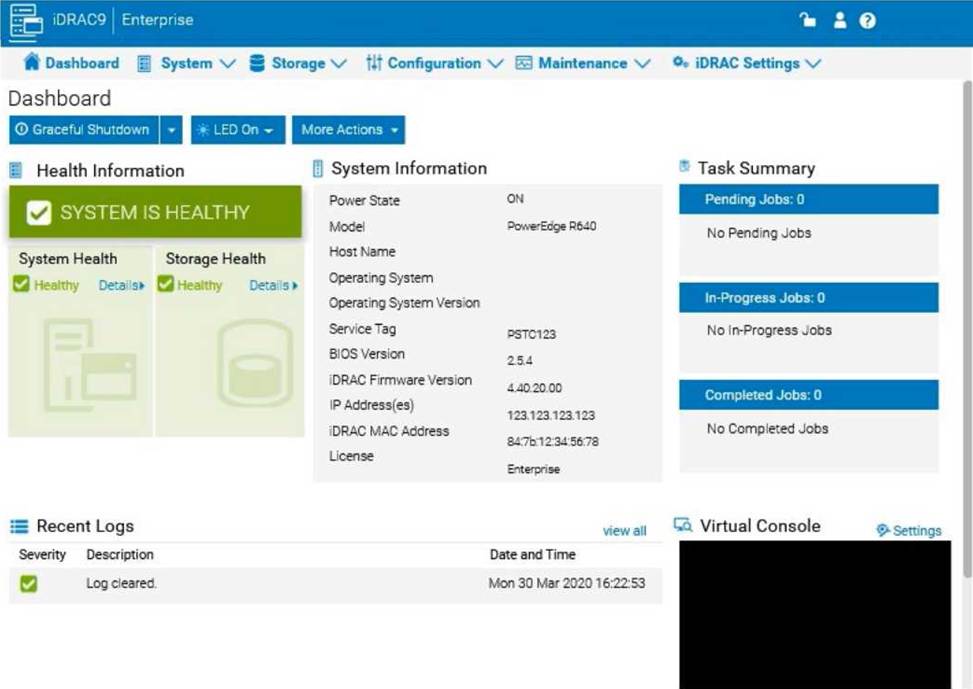
LOM3 in the iDRAC interface, follow these steps:
Step-by-Step Guide:
Access iDRAC Network Settings:
In the iDRAC interface, navigate to the iDRAC Settings tab in the top menu bar. Select Network from the dropdown options to access network configuration settings. Configure the Shared Management Port:
In the Network settings, locate the section for Network Interface or LAN Interface Configuration. Change the NIC Selection to Shared. This will enable the use of a LAN on Motherboard (LOM) port for iDRAC management.
Select LOM2 for the Shared Management Port:
Once you’ve selected Shared, additional options should appear for selecting the specific port. Choose LOM2 as the Shared Management Port. This configures iDRAC to use LOM2 for its primary network connection.
Enable Failover and Select LOM3:
Look for the Failover settings within the same Network Interface configuration.
Enable Failover and select LOM3 as the failover network port. This configuration allows iDRAC to switch to LOM3 automatically if there is an issue with the connection on LOM2.
Save and Apply Settings:
Once you have configured the shared management port and failover settings, click Apply or Save to confirm the configuration.
The iDRAC interface may briefly refresh, and you should receive a confirmation that the settings have
been applied successfully.
Verify Configuration:
After the settings are saved, you can verify that LOM2 is listed as the shared management port and that LOM3 is set as the failover port under Network settings.
By following these steps in the simulator, you should be able to configure iDRAC to use LOM2 for the shared management port and set up a failover network with LOM3. Make sure to save your changes to apply the configuration.
A server has the following configuration:
– 5x 1 TB drives configured in a RAID 5 array
– 1x 1 TB as a global hot spare
– Persistent Hot Spare Slot enabled
A user adds one additional 2 TB drive to the existing array using RAID migration.
How much disk space is available to the operating system?
- A . 5 TB
- B . 6 TB
- C . 7 TB
- D . 8 TB