
Microsoft MB-230 Practice Exams
Last updated on Nov 16,2026- Exam Code: MB-230
- Exam Name: Microsoft Dynamics 365 Customer Service Functional Consultant
- Certification Provider: Microsoft
- Latest update: Nov 16,2026
HOTSPOT
You use Dynamics 365 for Customer Service.
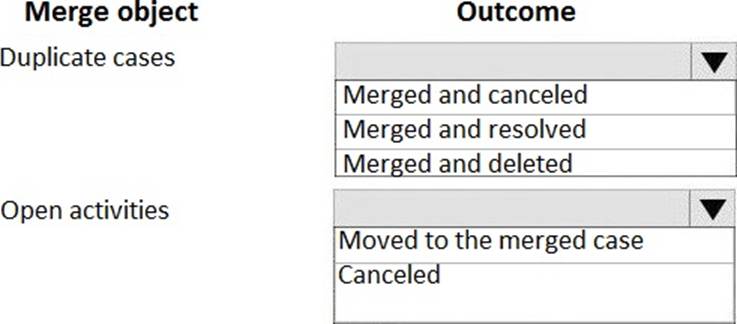
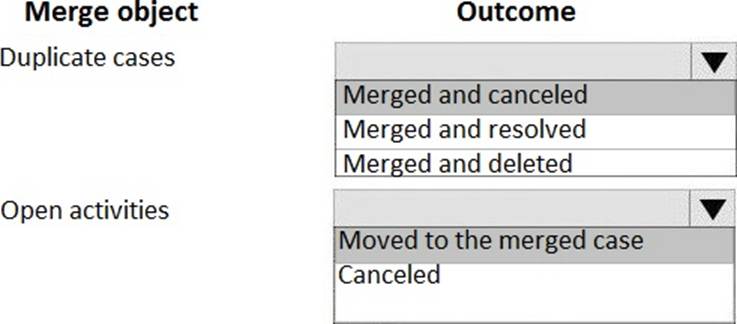
You need to merge cases.
What is the outcome for the merge process? To answer, select the appropriate configuration in the answer area. NOTE: Each correct selection is worth one point.
You need to configure the SMS workstream.
What should you use?
- A . the existing fallback queue
- B . the work distribution mode set to push
- C . a new fallback queue
- D . the work distribution mode set to pull
HOTSPOT
You are a Dynamics 365 for Customer Service administrator. You enable full-text, relevance, and category search.
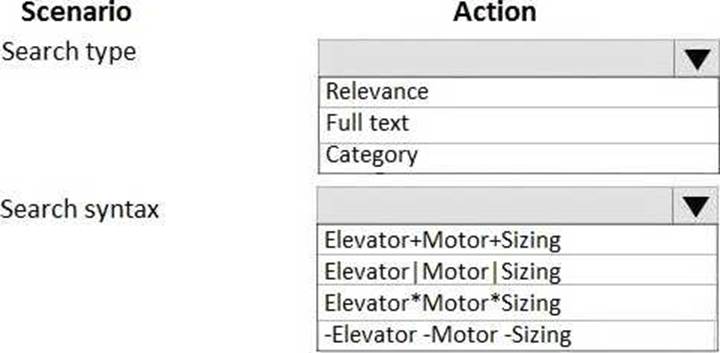
You need to use the knowledge base search control to locate knowledge base articles that contain each of the following words anywhere in an article, regardless of which product an article refers to:
✑ Elevator
✑ Motor
✑ Sizing
How should you configure the search? To answer, select the appropriate options in the answer area. NOTE: Each correct selection is worth one point.
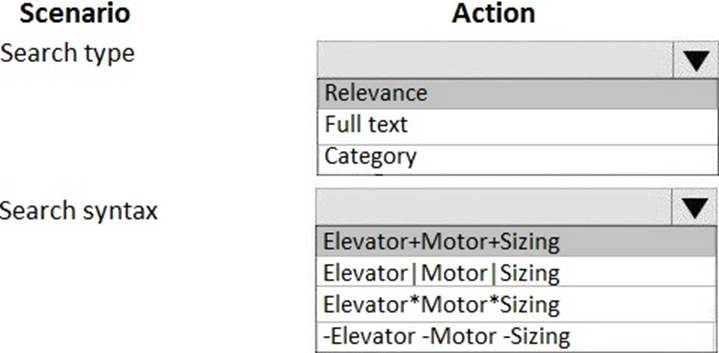
Explanation:
Reference: https://docs.microsoft.com/en-us/dynamics365/customer-engagement/basics/relevance-search-results
HOTSPOT
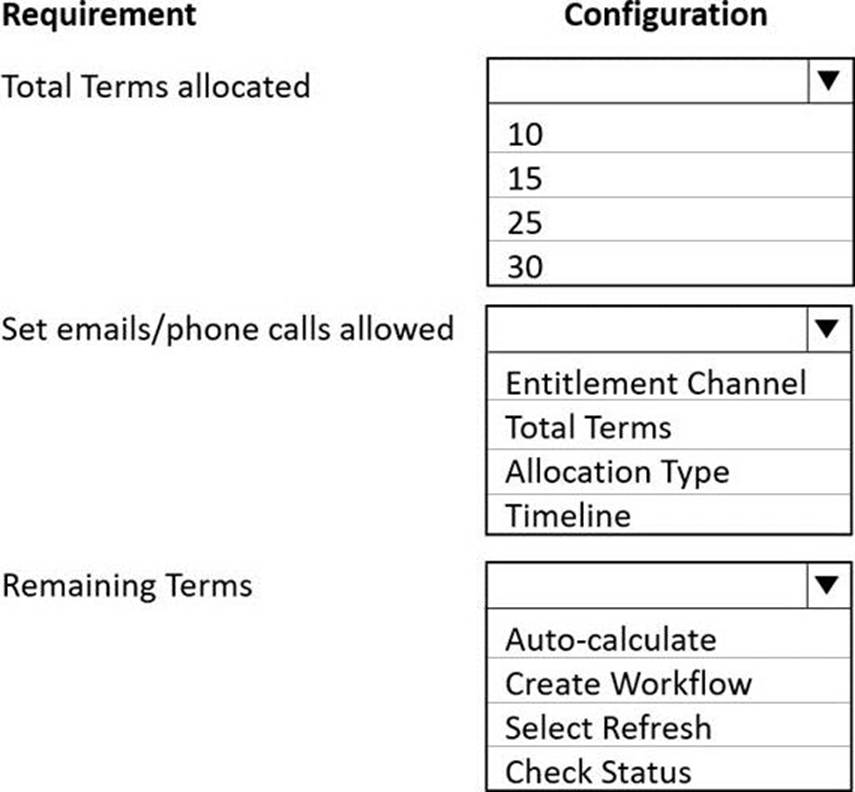
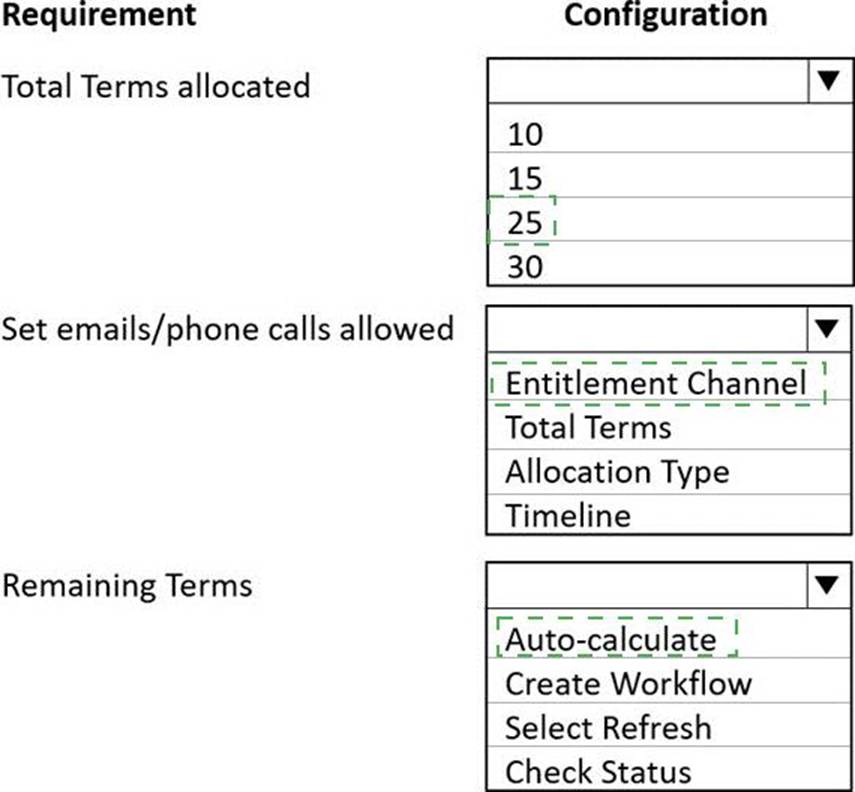
You need to configure entitlements for contracts.
What should you use? To answer, select the appropriate options in the answer area. NOTE: Each correct selection is worth one point.
Explanation:
Box 1: 25
Customers must have contracts that allow them to call Lamna Healthcare 10 times a year for help.
In addition to the 10 free calls, customers must be able to send 15 emails a year for support.
If you want to restrict support through the phone channel to 80 hours and email to 20 hours, create individual entitlement channel records and add their total terms.
Box 2: Entitlement Channel
The Entitlement Channel section specifies the support channel through which the customer can reach the organization and seek support.
Use this section to define the channels your customers are entitled to and track the customer support term for each channel. For example, you can add phone and email as the channels through which you’ll offer support. If you want to restrict support through the phone channel to 80 hours and email to 20 hours, create individual entitlement channel records and add their total terms.
Box 3: Auto-calculate
The remaining term is auto-calculated and shows the total number of hours or cases remaining for the customer’s entitlement.
Reference: https://docs.microsoft.com/en-us/dynamics365/customer-service/create-entitlement-define-
support-terms-customer
DRAG DROP
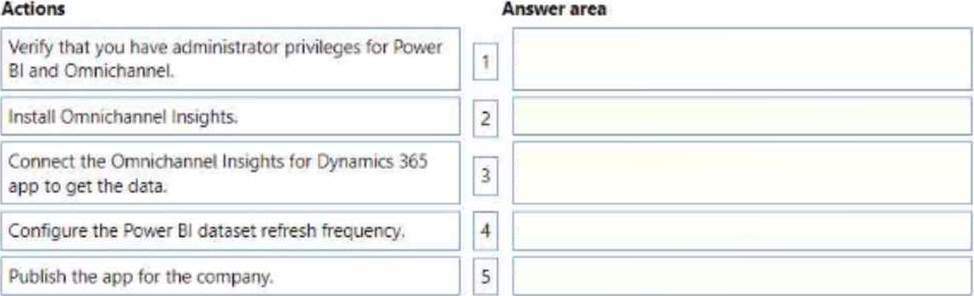
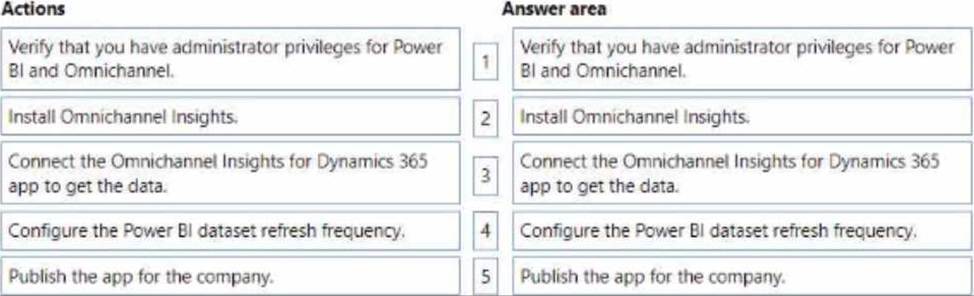
A contact center superviser requires operations metrics by channel and sentiment analysis.
You need to install the Omnichannel insights dashboard for the company.
In which order should you perform the actions? To answer, move all actions from the list of actions to the answer area and arrange them in the correct order. NOTE: More than one order of answer chokes is correct. You will receive credit for any of the correct orders you select.
A company uses Dynamics 365 for Customer Service. A case in the queue is routed to you.
You will be going on a vacation.
You need to assign the case to someone else.
What should you do?
- A . Release the case.
- B . Route the case to another queue.
- C . Share the case.
- D . Escalate the case
DRAG DROP
A company has a Dynamics 365 Customer Service implementation that uses the voice channel feature.
Supervisors need to review reports to see how the representatives are performing on the following metrics:
• Percentage of calls that are answered within 30 seconds in the previous four hours.
• Number of calls that are rejected by each representative in the previous four hours.
You need to change the configuration of reports to ensure that they default to the requirements.
Which reports should you configure? To answer, drag the appropriate reports to the correct metrics. Each report may be used once, more than once, or not at all. You may need to drag the split bar
between panes or scroll to view content. NOTE: Each correct selection is worth one point.


DRAG DROP
A company has a Dynamics 365 Customer Service implementation that uses the voice channel feature.
Supervisors need to review reports to see how the representatives are performing on the following metrics:
• Percentage of calls that are answered within 30 seconds in the previous four hours.
• Number of calls that are rejected by each representative in the previous four hours.
You need to change the configuration of reports to ensure that they default to the requirements.
Which reports should you configure? To answer, drag the appropriate reports to the correct metrics. Each report may be used once, more than once, or not at all. You may need to drag the split bar
between panes or scroll to view content. NOTE: Each correct selection is worth one point.
Note: This question is part of a series of questions that present the same scenario. Each question in the series contains a unique solution. Determine whether the solution meets the stated goals. Some question sets might have more than one correct solution, while others might not have a correct solution.
After you answer a question in this section, you will NOT be able to return to it. As a result, these questions will not appear in the review screen.
You are creating agent scripts that have macros for quick steps for agents in a support center.
Agents need to be able to open a case from one of the steps in the agent scripts.
You need to select a type of connector to use to create the Macio.
Solution: Configure the macro by using a productivity automation connector.
Does the solution meet the goal?
- A . Yes
- B . No
A company enables custom context variables on a chat widget.
Users report that the context variables are not being populated on new chats.
You need to troubleshoot the issue by querying the event listeners.
Which listener is required to be running?
- A . setContextProvider
- B . startProactiveChat
- C . startChat
- D . getContextProvider
- E . initializeNewConversation