
Microsoft MB-230 Practice Exams
Last updated on Nov 16,2026- Exam Code: MB-230
- Exam Name: Microsoft Dynamics 365 Customer Service Functional Consultant
- Certification Provider: Microsoft
- Latest update: Nov 16,2026
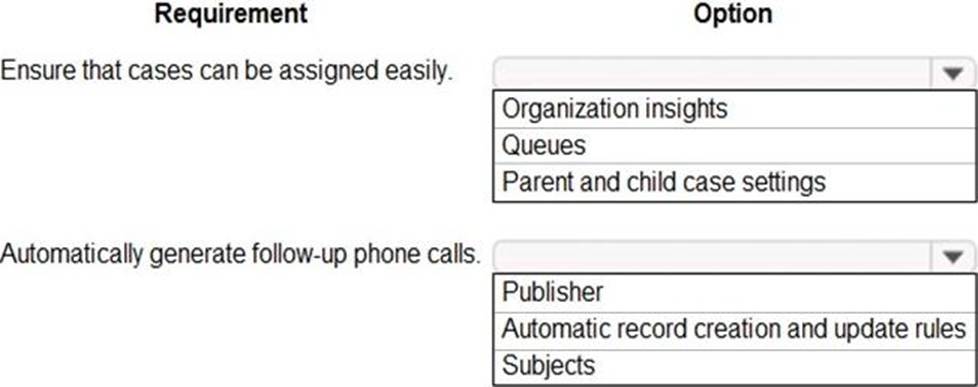
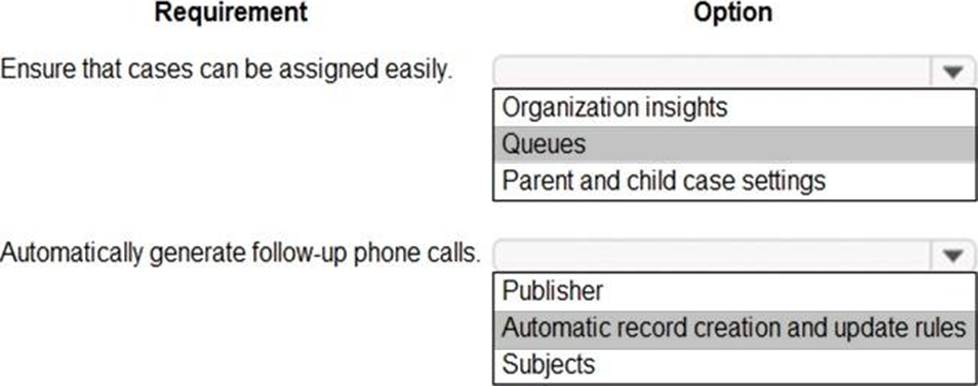
HOTSPOT
You are a Dynamics 365 Customer Service administrator.
You must track issues submitted by customers.
You need to configure case settings for the Service Management module.
What should you configure? To answer, select the appropriate options in the answer area. NOTE: Each correct selection is worth one point.
You need to add the confirmation step for cases.
What should you edit?
- A . Common Data Service
- B . Business process now
- C . Workflow
- D . Power Automate
- E . Environment
B
Explanation:
A confirmation section must be added before the resolve section.
Example: Add an on-demand action to a business process flow.
The Dynamics 365 (online), version 9.0 update introduces a business process flow feature: business process flow automation with Action Steps. You can add a button to a business process flow that will trigger an action or workflow.
Reference: https://docs.microsoft.com/en-us/power-automate/create-business-process-flow#add-an-on-
demand-action-to-a-business-process-flow
HOTSPOT
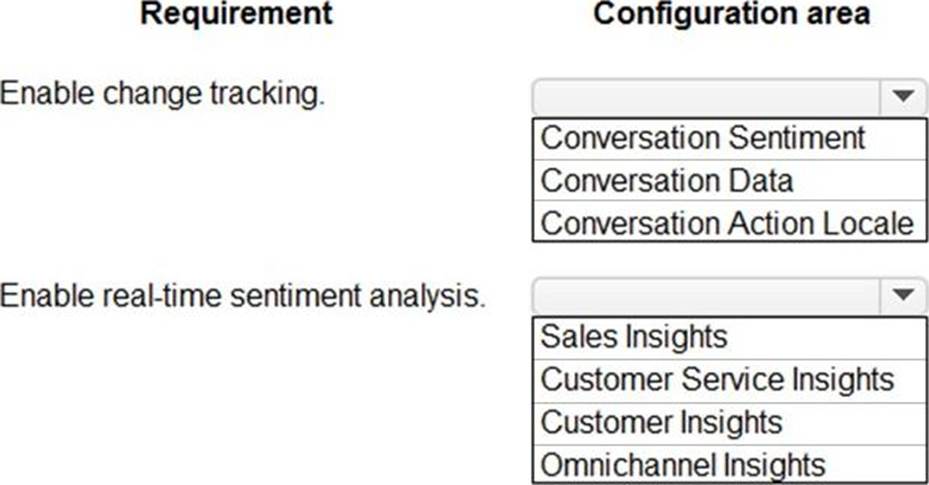
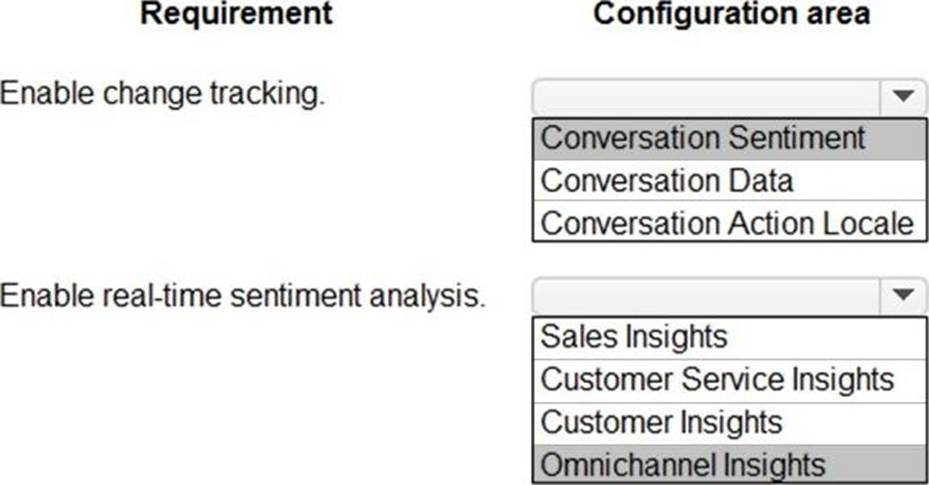
You are an Omnichannel supervisor for an inbound call center.
The call center’s customer service rating has decreased over the past few months.
You need to enable analysis to view real-time customer sentiment.
In which configuration area should you enable each requirement? To answer, select the appropriate options in the answer area. NOTE: Each correct selection is worth one point.
A company uses Dynamics 365 Customer Sen/ice.
A customer service supervisor must create canvas apps. The environment uses a Microsoft Dataverse database. The supervisor must be able to create new connections and Microsoft Power Automate flows. The supervisor must not have data access privileges to data in the environment. You need to assign a role to the supervisor by using the principle of least privilege.
Which security role should you grant to the supervisor?
- A . Environment Maker
- B . System Customizer
- C . System Administrator
- D . Environment Admin
DRAG DROP
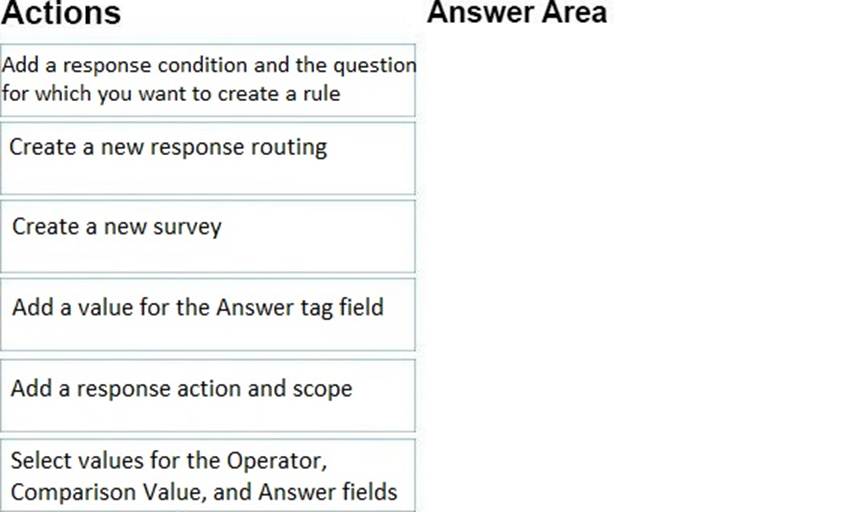
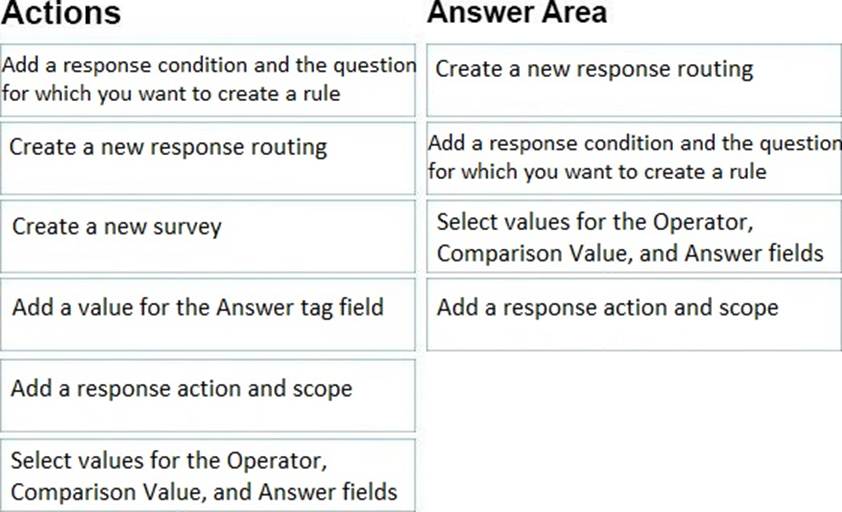
You are a Dynamics 365 for Customer Service administrator. You are using Voice of the Customer and are reviewing survey
A survey responder marked 10 percent for overall satisfaction.
You need to ask additional questions based on the response.
Which four actions should you perform in sequence? To answer, move the appropriate actions from the list of actions to the answer area and arrange them in the correct order.
Explanation:
Reference: https://docs.microsoft.com/en-us/dynamics365/customer-engagement/voice-of-customer/design-advancedsurvey
A company uses Omnichannel for Customer Service.
The company wants to configure Power Virtual Agents within Omnichannel to have automatic answers when a customer starts a chat session.
You need to set up the prerequisites for the Power Virtual Agents.
Which three technologies should you set up? Each correct answer presents part of the solution. NOTE: Each correct selection is worth one point.
- A . Work stream
- B . Queues
- C . Azure Application ID
- D . Chat widget
- E . Chatbot
BCE
Explanation:
CE: Prerequisites
Before you integrate Power Virtual Agents bots in Omnichannel for Customer Service, check the following:
* Azure Application ID – You’ll need an application registered on the Azure portal before connecting to Omnichannel for Customer Service.
* Bot – You must have a pre-configured bot that can integrate with Omnichannel for Customer Service.
* Product licenses – You need a product license for Power Virtual Agents
* Role – You must have the Omnichannel administrator role.
B: In Omnichannel Administration, after the Power Virtual Agents bot is created and configured to work with Omnichannel for Customer Service, you can configure it to hand off conversations to queues. To receive incoming messages, you must add the bot to at least one queue.
Reference: https://docs.microsoft.com/en-us/dynamics365/customer-service/configure-bot-virtual-agent
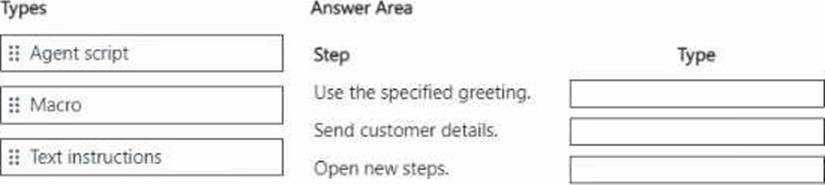
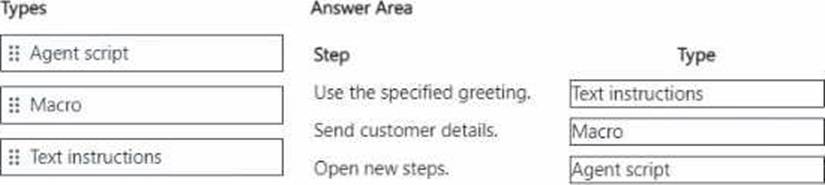
Open another set of steps to follow.
You need to configure the type of steps that are needed.
Which type should you choose when configuring each step? To answer, drag the appropriate types to the correct steps. Each type may be used once, more than once, or not at all. You may need to drag the split bar between panes or scroll to view content. NOTE: Each correct selection is worth one point.
Note: This question is part of a series of questions that present the same scenario. Each question in the series contains a unique solution. Determine whether the solution meets the stated goals. Some question sets might have more than one correct solution, while others might not have a correct solution.
After you answer a question in this section, you will NOT be able to return to it. As a result, these questions will not appear in the review screen.
You are creating agent scripts that have macros for quick steps for agents in a support center.
Agents need to be able to open a case from one of the steps in the agent scripts.
You need to select a type of connector to use to create the macro.
Solution: Configure the macro by using a session connector.
Does the solution meet the goal?
- A . Yes
- B . No
DRAG DROP
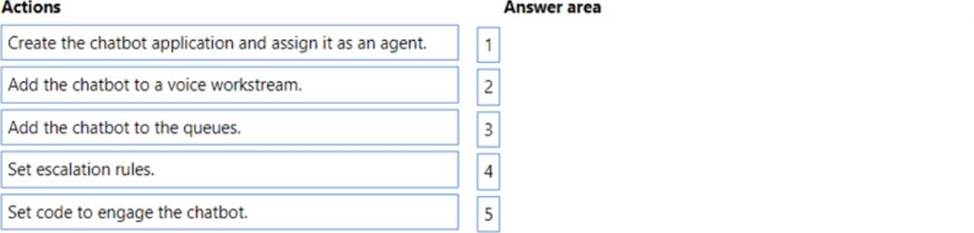
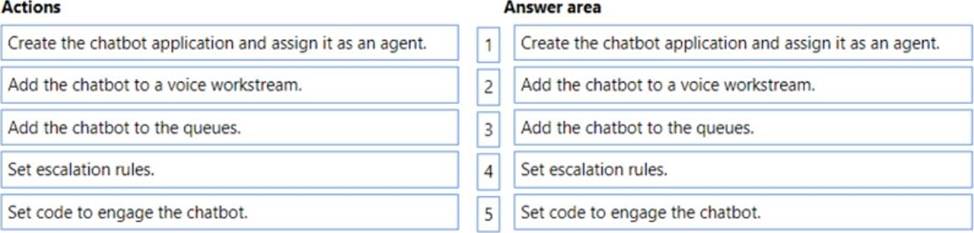
A company uses Dynamics 365 Customer Service. The company connects chatbots to its Omnichannel configuration.
The chatbot does not escalate calls to agents.
You need to troubleshoot the chatbot issue.
In which order should you perform the actions? To answer, move all actions from the list of actions to the answer area and arrange them in the correct order. NOTE: More than one order of answer choices is correct. You will receive credit for any of the correct orders you select.
You need to add SLA timers to the Case form.
Which two options should you configure? Each correct answer presents part of the solution. NOTE: Each correct selection is worth one point.
- A . Create Quick View Form in SLA KPI Instance entity.
- B . Create SLA KPI Instance entity.
- C . Create field in case entity with lookup to SLA KPI Instance.
- D . Create Quick View Form in Case entity with reference to the SLA KPI Instance entity.
- E . Insert subgrid from the SLA KPI Instance entity into the Case Main form.
C, E
Explanation:
Reference: https://docs.microsoft.com/en-us/dynamics365/customer-service/add-timer-control-case-form-track-time-against-sla