
Microsoft AZ-204 Practice Exams
Last updated on Nov 16,2026- Exam Code: AZ-204
- Exam Name: Developing Solutions for Microsoft Azure
- Certification Provider: Microsoft
- Latest update: Nov 16,2026
HOTSPOT
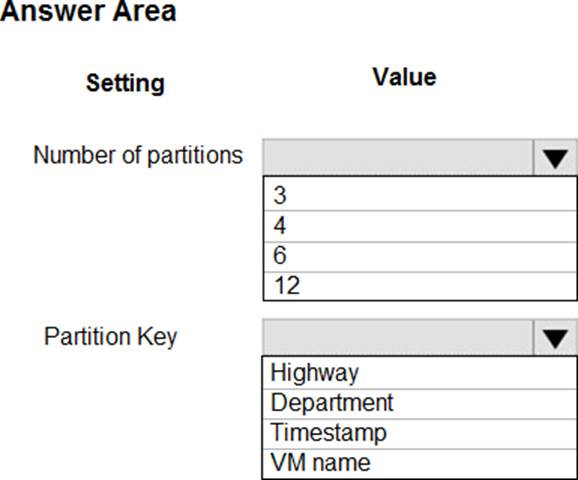
You are building a traffic monitoring system that monitors traffic along six highways. The system produces time series analysis-based reports for each highway. Data from traffic sensors are stored in Azure Event Hub.
Traffic data is consumed by four departments. Each department has an Azure Web App that displays the time-series-based reports and contains a WebJob that processes the incoming data from Event Hub. All Web Apps run on App Service Plans with three instances.
Data throughout must be maximized. Latency must be minimized.
You need to implement the Azure Event Hub.
Which settings should you use? To answer, select the appropriate options in the answer area. NOTE: Each correct selection is worth one point.
Explanation:
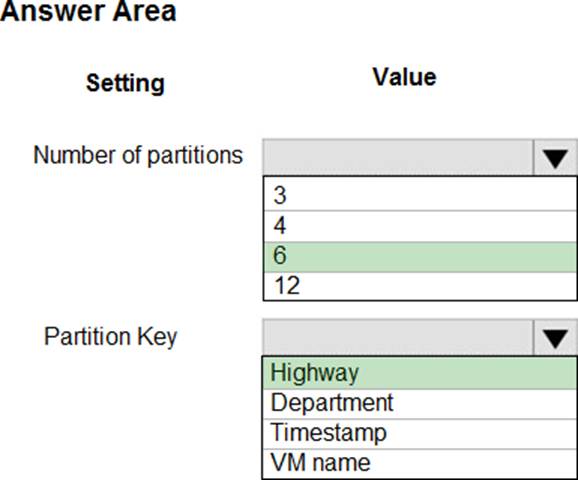
Box 1: 6
The number of partitions is specified at creation and must be between 2 and 32.
There are 6 highways.
Box 2: Highway
Reference: https://docs.microsoft.com/en-us/azure/event-hubs/event-hubs-features
DRAG DROP
You manage an Azure Cosmos DB for a NoSQL API account named account1. You configure account1 with the default consistency level.
An application named app1 must access containers in account1 to perform read and write operations. The connections from app1 to account1 must be established by using the direct mode.
You plan to configure app1 to override the default consistency level by using the Azure Cosmos DB SDK client.
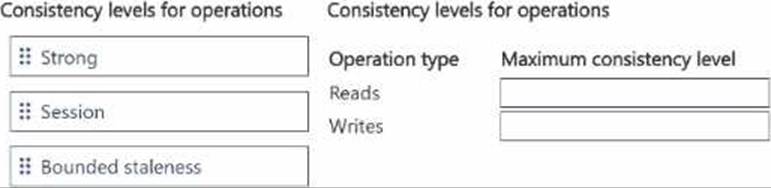
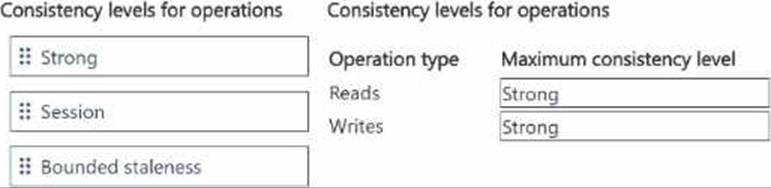
You need to set the maximum consistency level for app1 to use for read and write operations.
Which consistency level should you set? To answer, move the appropriate maximum consistency levels to the correct operation types. You may use each maximum consistency level once, more than once, or not at all. You may need to move the split bar between panes or scroll to view content.
HOTSPOT
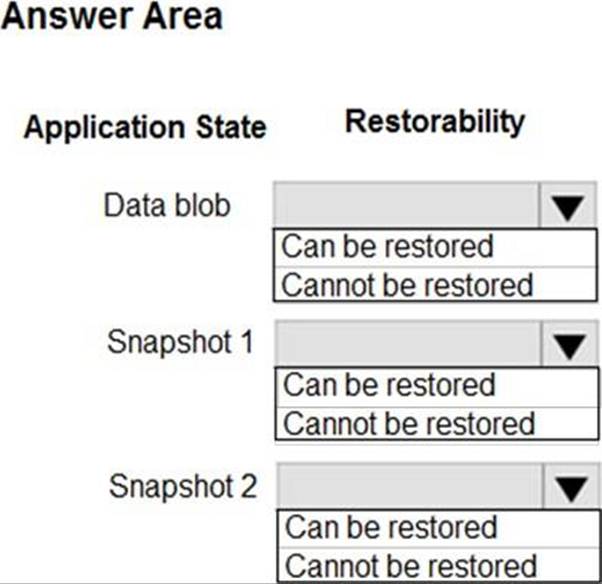
You are developing an application that use an Azure blob named data to store application data. The application creates blob snapshots to allow application state to be reverted to an earlier state.
The Azure storage account has soft deleted enabled.
The system performs the following operations in order:
• The blob is updated
• Snapshot 1 is created.
• Snapshot 2 is created.
• Snapshot 1 is deleted.
A system error then deletes the data blob and all snapshots.
You need to determine which application states can be restored.
What is the restorability of the application data? To answer, select the appropriate options in the
answer area. NOTE: Each correct selection is worth one point.
Explanation:
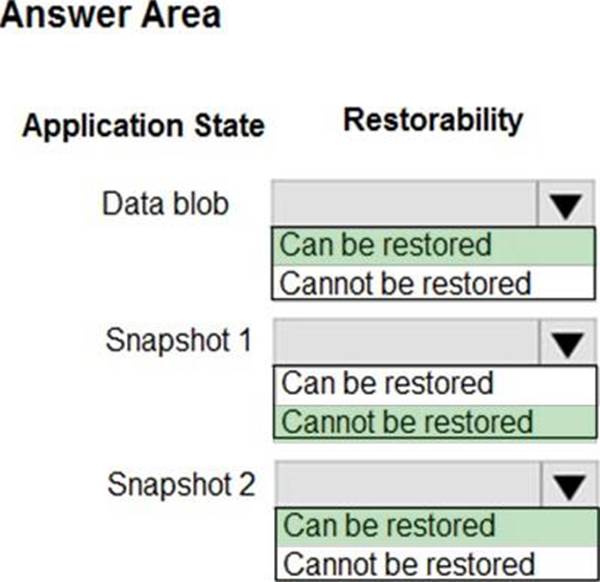
Box 1: Can be restored
When enabled, soft delete enables you to save and recover your data when blobs or blob snapshots are deleted. This protection extends to blob data that is erased as the result of an overwrite.
Box 2: Cannot be restored
It has been deleted.
Box 3: Can be restored
It has not been deleted.
Reference: https://docs.microsoft.com/en-us/azure/storage/blobs/storage-blob-soft-delete
DRAG DROP
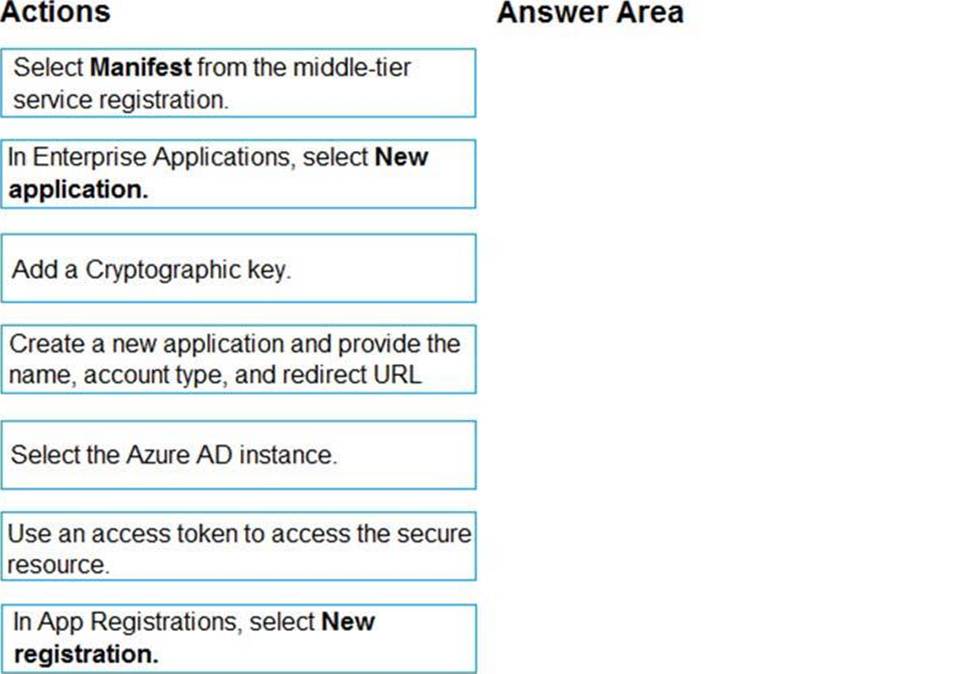
You develop a web application.
You need to register the application with an active Azure Active Directory (Azure AD) tenant.
Which three actions should you perform in sequence? To answer, move all actions from the list of actions to the answer area and arrange them in the correct order.
Explanation:
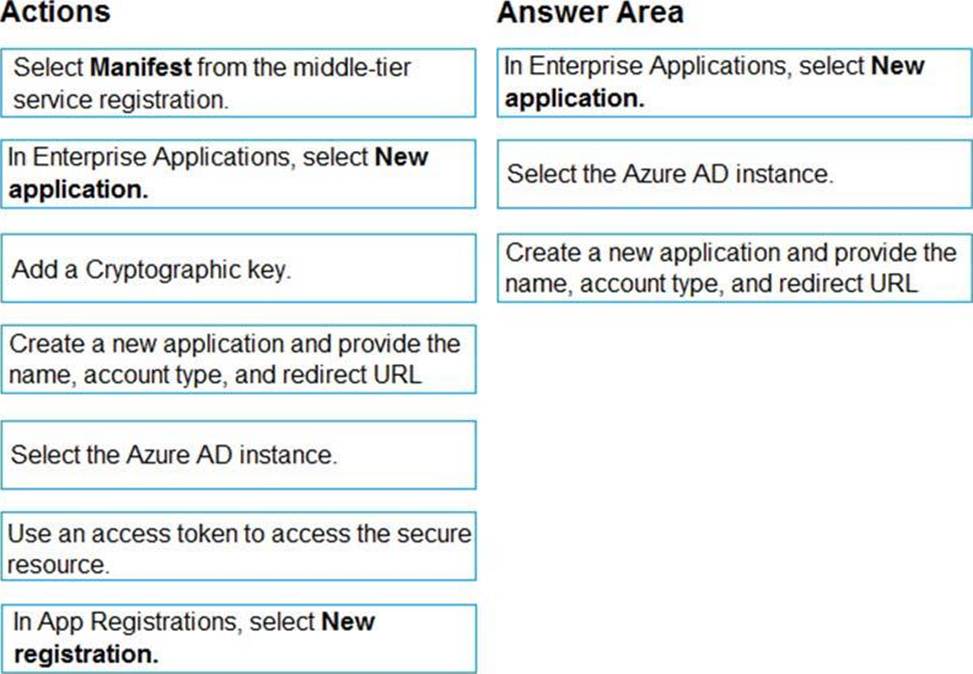
Register a new application using the Azure portal
Sign in to the Azure portal using either a work or school account or a personal Microsoft account.
If your account gives you access to more than one tenant, select your account in the upper right corner. Set your portal session to the Azure AD tenant that you want.
Search for and select Azure Active Directory. Under Manage, select App registrations.
Select New registration. (Step 1)
In Register an application, enter a meaningful application name to display to users.
Specify who can use the application. Select the Azure AD instance. (Step 2)
Under Redirect URI (optional), select the type of app you’re building: Web or Public client (mobile & desktop). Then enter the redirect URI, or reply URL, for your application. (Step 3)
When finished, select Register.
HOTSPOT
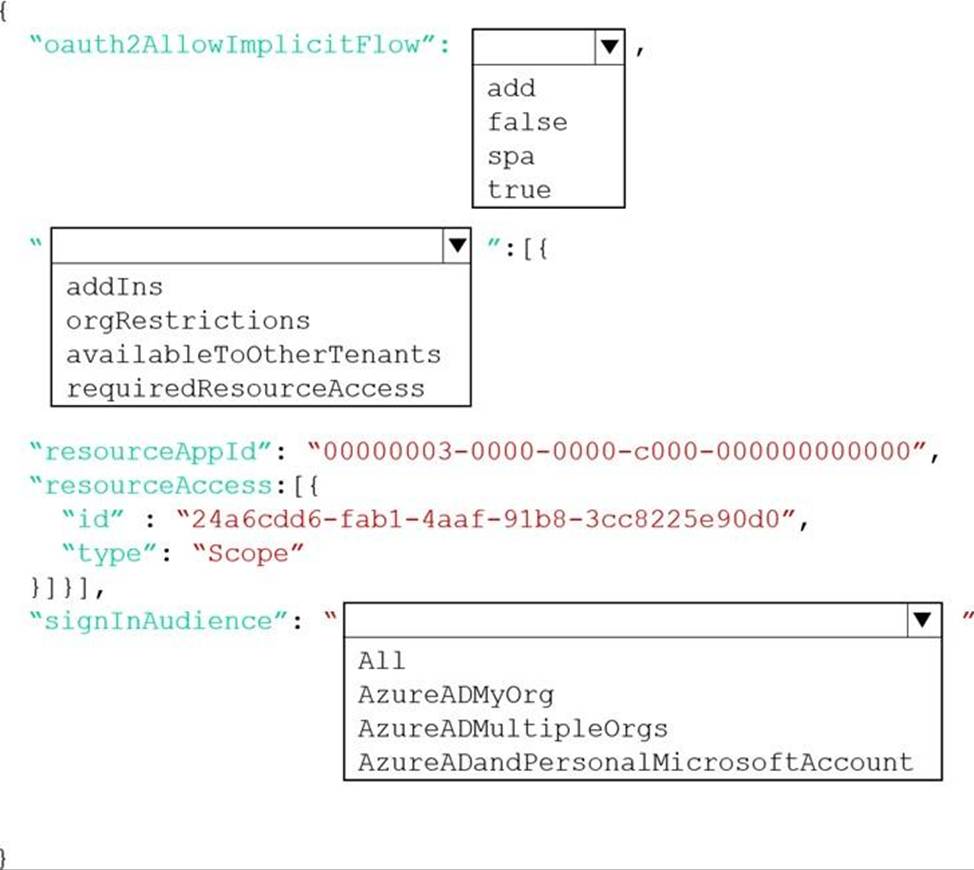
You have a single page application (SPA) web application that manages information based on data returned by Microsoft Graph from another company’s Azure Active Directory (Azure AD) instance.
Users must be able to authenticate and access Microsoft Graph by using their own company’s Azure AD instance.
You need to configure the application manifest for the app registration.
How should you complete the manifest? To answer, select the appropriate options in the answer area. NOTE: Each correct selection is worth one point.
Explanation:
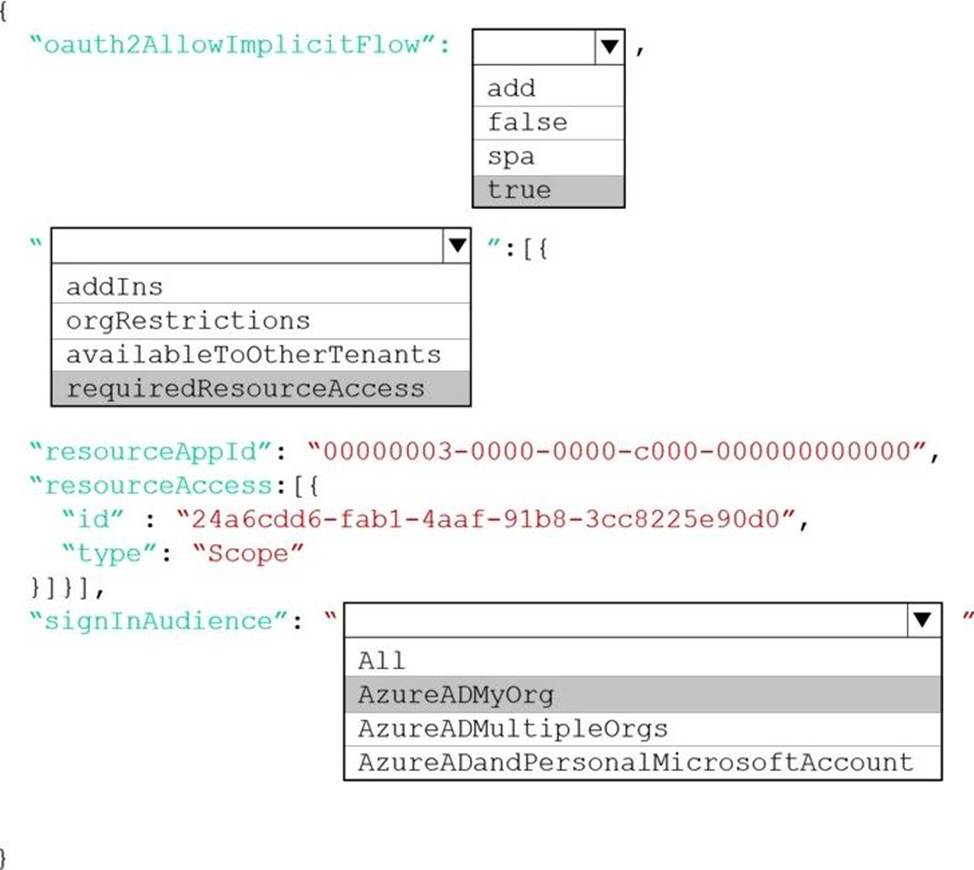
Box 1: true
The oauth2AllowImplicitFlow attribute Specifies whether this web app can request OAuth2.0 implicit flow access tokens. The default is false. This flag is used for browser-based apps, like JavaScript single-page apps.
In implicit flow, the app receives tokens directly from the Azure Active Directory (Azure AD) authorize endpoint, without any server-to-server exchange. All authentication logic and session handling is done entirely in the JavaScript client with either a page redirect or a pop-up box.
Box 2: requiredResourceAccess
With dynamic consent, requiredResourceAccess drives the admin consent experience and the user consent experience for users who are using static consent. However, this parameter doesn’t drive the user consent experience for the general case.
resourceAppId is the unique identifier for the resource that the app requires access to. This value should be equal to the appId declared on the target resource app.
resourceAccess is an array that lists the OAuth2.0 permission scopes and app roles that the app requires from the specified resource. Contains the id and type values of the specified resources.
Example:
"requiredResourceAccess": [
{
"resourceAppId": "00000002-0000-0000-c000-000000000000",
"resourceAccess": [
{
"id": "311a71cc-e848-46a1-bdf8-97ff7156d8e6",
"type": "Scope"
}
]
}
],
Box 3: AzureADMyOrg
The signInAudience attribute specifies what Microsoft accounts are supported for the current application. Supported values are:
AzureADMyOrg – Users with a Microsoft work or school account in my organization’s Azure AD tenant (for example, single tenant)
AzureADMultipleOrgs – Users with a Microsoft work or school account in any organization’s Azure AD tenant (for example, multi-tenant)
AzureADandPersonalMicrosoftAccount – Users with a personal Microsoft account, or a work or school
account in any organization’s Azure AD tenant
Reference:
https://docs.microsoft.com/en-us/azure/active-directory/develop/reference-app-manifest
https://docs.microsoft.com/en-us/azure/active-directory/develop/v2-oauth2-implicit-grant-flow
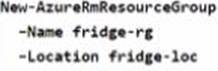
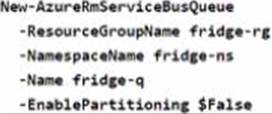
The solution must receive and store messages until they can be processed. You create an Azure Service Bus instance by providing a name, pricing tier, subscription, resource group, and location.
You need to complete the configuration.
Which Azure CLI or PowerShell command should you run?
A)
B)

C)
D)
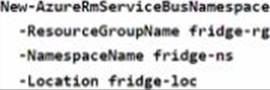
- A . Option A
- B . Option B
- C . Option C
- D . Option D
HOTSPOT
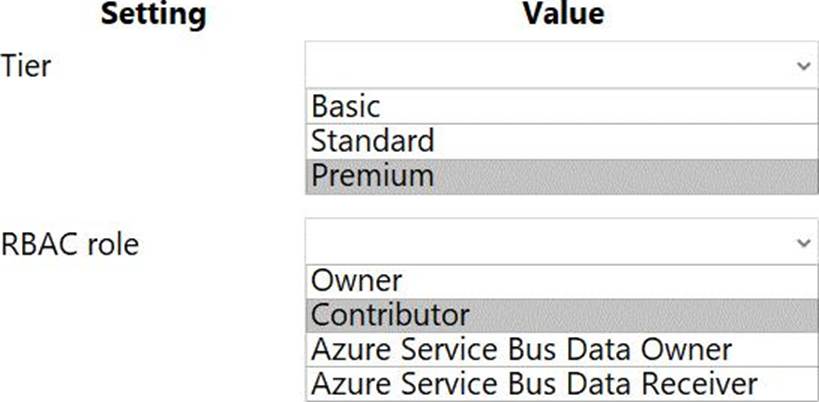
You need to configure Azure Service Bus to Event Grid integration.
Which Azure Service Bus settings should you use? To answer, select the appropriate options in the answer area. NOTE: Each correct selection is worth one point.
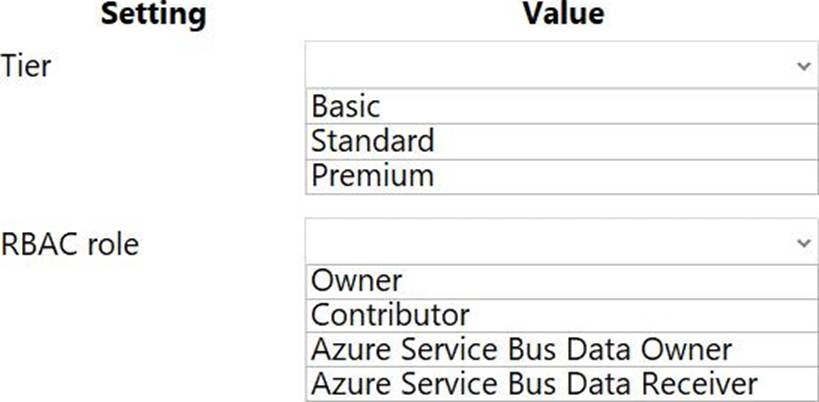
Explanation:
Box 1: Premium
Service Bus can now emit events to Event Grid when there are messages in a queue or a subscription when no receivers are present. You can create Event Grid subscriptions to your Service Bus namespaces, listen to these events, and then react to the events by starting a receiver. With this
feature, you can use Service Bus in reactive programming models.
To enable the feature, you need the following items:
A Service Bus Premium namespace with at least one Service Bus queue or a Service Bus topic with at least one subscription.
Contributor access to the Service Bus namespace.
Box 2: Contributor
Reference: https://docs.microsoft.com/en-us/azure/service-bus-messaging/service-bus-to-event-grid-integration-concept
You have an existing Azure storage account that stores large volumes of data across multiple containers.
You need to copy all data from the existing storage account to a new storage account.
The copy process must meet the following requirements:
✑ Automate data movement.
✑ Minimize user input required to perform the operation.
✑ Ensure that the data movement process is recoverable.
What should you use?
- A . AzCopy
- B . Azure Storage Explorer
- C . Azure portal
- D . .NET Storage Client Library
A
Explanation:
You can copy blobs, directories, and containers between storage accounts by using the AzCopy v10 command-line utility.
The copy operation is synchronous so when the command returns, that indicates that all files have been copied.
Reference: https://docs.microsoft.com/en-us/azure/storage/common/storage-use-azcopy-blobs-copy
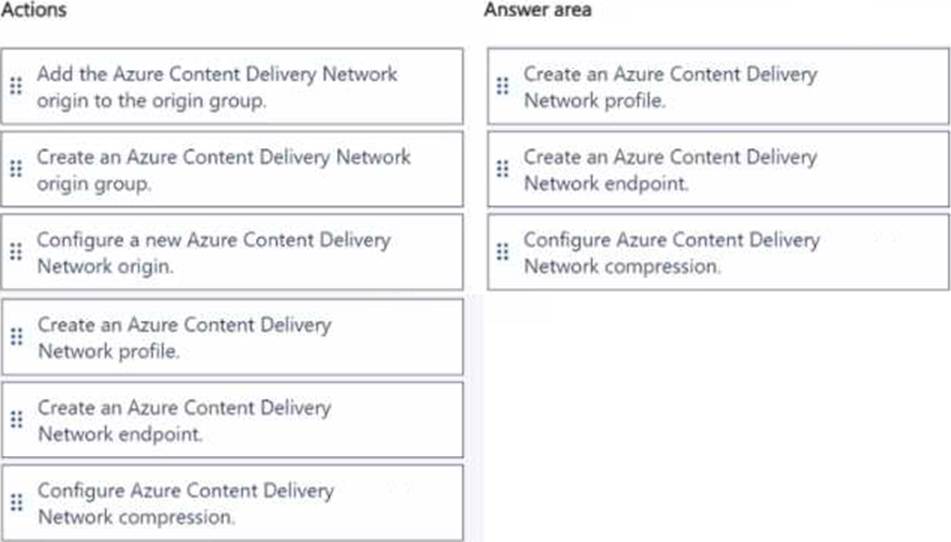
DRAG DROP
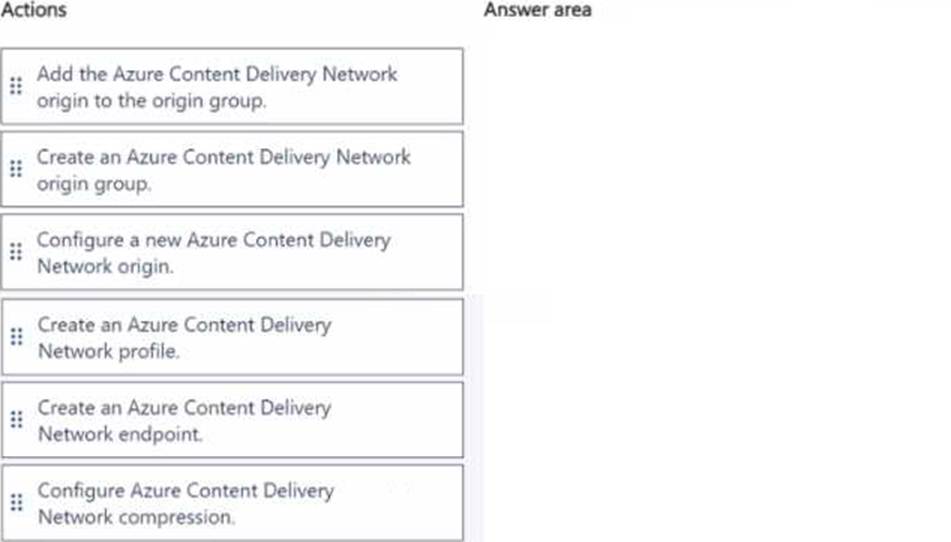
You need to correct the internal staff issue with webpages.
Which three actions should you perform in sequence? To answer, move the appropriate actions from the list of actions to the answer area and arrange them in the correct order.
Note: This question is part of a series of questions that present the same scenario. Each question in the series contains a unique solution that might meet the stated goals. Some question sets might have more than one correct solution, while others might not have a correct solution.
After you answer a question in this section, you will NOT be able to return to it. As a result, these questions will not appear on the review screen.
You have an Azure App Service web app named WebApp1 and an Azure Functions app named Function 1. WebApp1 is associated with an Application Insights instance named appinsights1.
You configure a web test and a corresponding alert for WebApp1 in appinsights1. Each alert triggers a delivery of email to your mailbox.
You need to ensure that each alert also triggers execution of Function1.
Solution: Configure an Azure Monitor Insights workbook.
Does the solution meet the goal?
- A . Yes
- B . No