
CompTIA N10-009 Practice Exams
Last updated on Oct 01,2026- Exam Code: N10-009
- Exam Name: CompTIA Network+ Certification
- Certification Provider: CompTIA
- Latest update: Oct 01,2026
A medical clinic recently configured a guest wireless network on the existing router. Since then, guests have been changing the music on the speaker system.
Which of the following actions should the clinic take to prevent unauthorized access? (Select two).
- A . Isolate smart devices to their own network segment.
- B . Configure IPS to prevent guests from making changes.
- C . Install a new AP on the network.
- D . Set up a syslog server to log who is making changes.
- E . Change the default credentials.
- F . Configure GRE on the wireless router.
A,E
Explanation:
• A. Isolate smart devices to their own network segment: Network segmentation using VLANs or separate SSIDs ensures that smart devices (like speakers) are not on the same network as guests, preventing unauthorized control.
• E. Change the default credentials: Many IoT devices (e.g., smart speakers) come with default usernames and passwords. If these are not changed, unauthorized users can easily take control.
• Why not the other options?
• B. Configure IPS: IPS (Intrusion Prevention System) detects threats but cannot block specific guest actions on an IoT device.
• C. Install a new AP: A new access point does not solve the unauthorized control issue.
• D. Set up a syslog server: Helps with logging, but does not prevent unauthorized access.
• F. Configure GRE: Generic Routing Encapsulation (GRE) is used for VPN tunneling, which is irrelevant in this case.
Reference: CompTIA Network+ (N10-009) Official Guide C Chapter 11: Network Security
A group of users cannot connect to network resources. The technician runs ipconfig from one user’s device and is able to ping the gateway shown from the command.
Which of the following is most likely preventing the users from accessing network resources?
- A . VLAN hopping
- B . Rogue DHCP
- C . Distributed DoS
- D . Evil twin
B
Explanation:
A rogue DHCP server occurs when an unauthorized or misconfigured DHCP server assigns incorrect IP addresses, default gateways, or DNS settings to clients.
• In this scenario:
• The user can ping the gateway, meaning local network communication is working.
• However, they cannot access network resources, which suggests incorrect IP configuration (likely due to a rogue DHCP server assigning the wrong gateway or DNS).
• Why not the other options?
• VLAN hopping (A): This is an attack that exploits VLAN configurations to gain access to unauthorized VLANs. It would not typically cause multiple users to lose network access.
• Distributed DoS (C): A DDoS attack floods a network or service with traffic, but this issue is more likely misconfigured IP settings than an actual attack.
• Evil twin (D): This refers to a fraudulent Wi-Fi network mimicking a legitimate one. Since the users are on a wired network (ipconfig output checked), this is not applicable.
Reference: CompTIA Network+ (N10-009) Official Guide C Chapter 11: Network Security Threats
A VoIP phone is plugged in to a port but cannot receive calls.
Which of the following needs to be done on the port to address the issue?
- A . Trunk all VLANs on the port.
- B . Configure the native VLAN.
- C . Tag the traffic to voice VLAN.
- D . Disable VLANs.
C
Explanation:
Understanding VoIP and VLANs:
VoIP (Voice over IP) phones often use VLANs (Virtual Local Area Networks) to separate voice traffic from data traffic for improved performance and security. Tagging Traffic to Voice VLAN:
Voice VLAN Configuration: The port on the switch needs to be configured to tag traffic for the specific voice VLAN. This ensures that voice packets are prioritized and handled correctly.
VLAN Tagging: VLAN tagging allows the switch to identify and separate voice traffic from other types of traffic on the network, reducing latency and jitter for VoIP communications. Comparison with Other Options:
Trunk all VLANs on the port: Trunking all VLANs is typically used for links between switches, not for individual device ports.
Configure the native VLAN: The native VLAN is for untagged traffic and does not address the need for separating and prioritizing voice traffic.
Disable VLANs: Disabling VLANs would mix voice and data traffic, leading to potential performance issues and lack of traffic separation.
Implementation:
Configure the switch port connected to the VoIP phone to tag the traffic for the designated voice VLAN, ensuring proper network segmentation and quality of service.
Reference: CompTIA Network+ study materials on VLAN configuration and VoIP implementation.
SIMULATION
A network technician was recently onboarded to a company. A manager has
tasked the technician with documenting the network and has provided the technician With partial information from previous documentation.
Instructions:
Click on each switch to perform a network discovery by entering commands into the terminal. Fill in the missing information using drop-down menus provided.
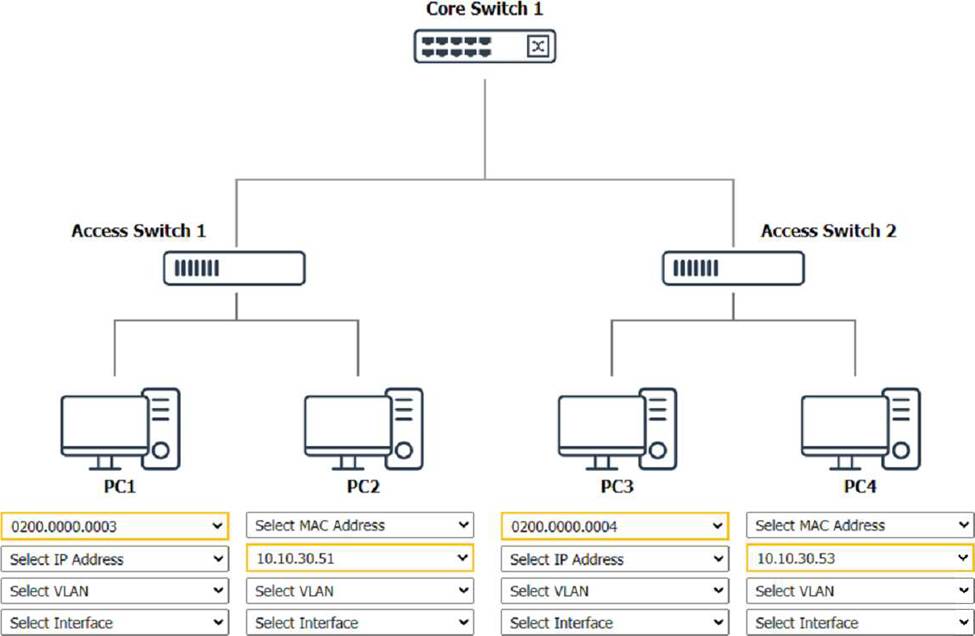
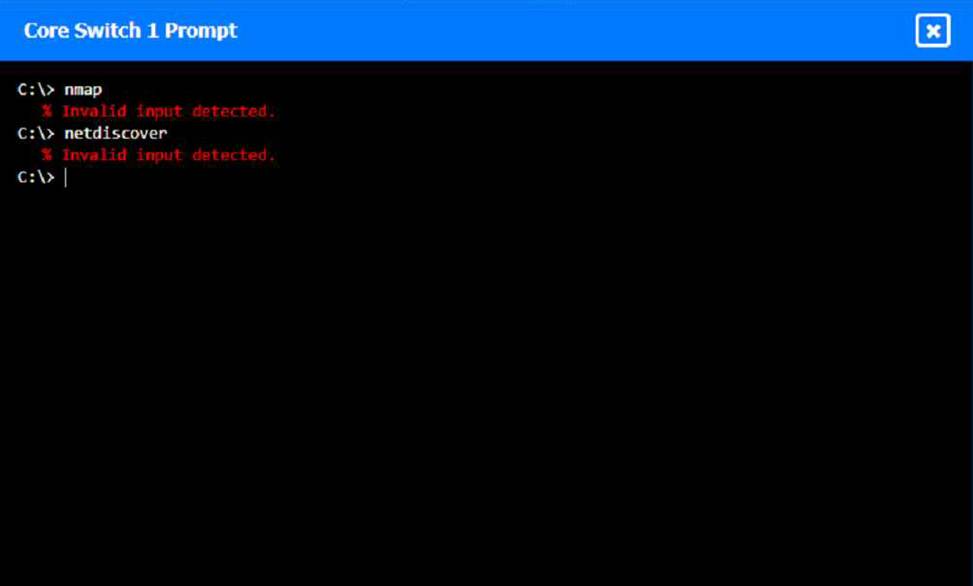
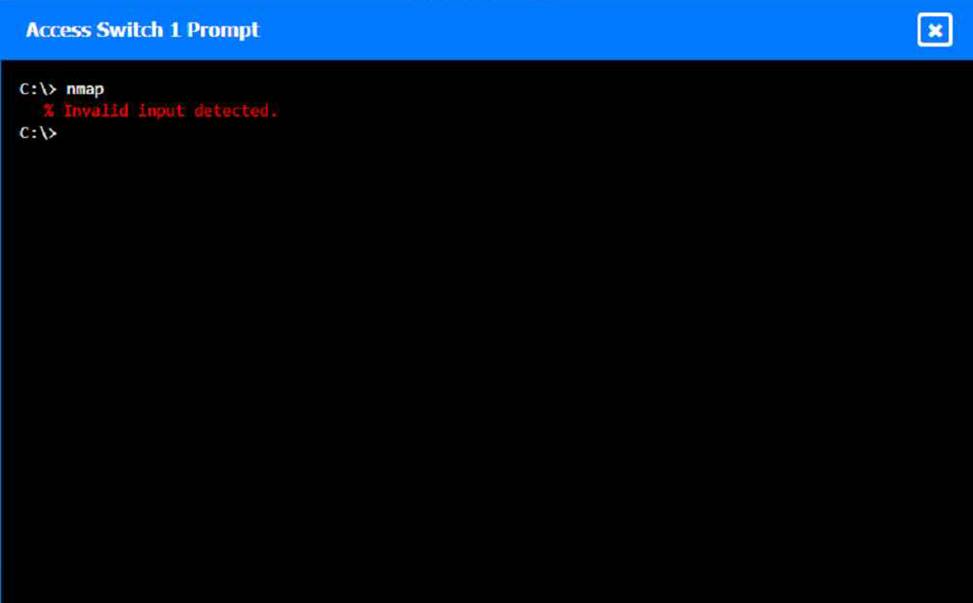

To perform a network discovery by entering commands into the terminal, you can use the following steps:
Click on each switch to open its terminal window.
Enter the command show ip interface brief to display the IP addresses and statuses of the switch interfaces.
Enter the command show vlan brief to display the VLAN configurations and assignments of the switch interfaces.
Enter the command show cdp neighbors to display the information about the neighboring devices that are connected to the switch.
Fill in the missing information in the diagram using the drop-down menus provided.
Here is an example of how to fill in the missing information for Core Switch 1:
The IP address of Core Switch 1 is 192.168.1.1.
The VLAN configuration of Core Switch 1 is VLAN 1: 192.168.1.0/24, VLAN 2: 192.168.2.0/24, VLAN 3:
Which of the following best describes a group of devices that is used to lure unsuspecting attackers and to study the attackers’ activities?
- A . Geofencing
- B . Honeynet
- C . Jumpbox
- D . Screened subnet
B
Explanation:
A honeynet is a network of honeypots designed to attract and study attackers. Honeypots are decoy systems set up to lure cyber attackers and analyze their activities. A honeynet, being a collection of these systems, provides a broader view of attack methods and patterns, helping organizations improve their security measures.
Reference: CompTIA Network+ Exam Objectives and official study guides.
A user cannot access an external server for a client after connecting to a VPN.
Which of the following commands would a support agent most likely use to examine the issue? (Select two).
- A . nslookup
- B . tcpdump
- C . arp
- D . dig
- E . tracert
- F . route print
E, F
Explanation:
When a user connects to a VPN and experiences connectivity issues to an external server, the problem is often related to routing or network path issues.
E. tracert:
Traces the path packets take from the user’s device to the destination server.
Helps determine if the traffic is being blocked or misrouted.
F. route print:
Displays the device’s routing table.
Helps diagnose whether traffic is being sent to the VPN tunnel instead of the correct external server.
Incorrect Options:
Which of the following steps in the troubleshooting methodology comes after using a top-to-top buttom examination of the OSI model to determine cause?
- A . Test in the theory
- B . Establish a plan of action
- C . Verify full system functionality
- D . Identify the problem
Which of the following should be configured so users can authenticate to a wireless network using company credentials?
- A . SSO
- B . SAML
- C . MFA
- D . RADIUS
D
Explanation:
RADIUS (Remote Authentication Dial-In User Service) is a networking protocol that provides centralized Authentication, Authorization, and Accounting (AAA) management for users who connect and use a network service. RADIUS is often used to manage access to wireless networks, enabling users to authenticate with their company credentials, ensuring secure access to the network.
Reference: CompTIA Network+ study materials.
A network administrator needs to connect a department to a new network segment. They need to use a DHCP server located on another network.
Which of the following can the administrator use to complete this task?
- A . IP Helper
- B . Reservation
- C . Exclusion
- D . Scope
A
Explanation:
An IP Helper (IP Helper Address) allows DHCP requests to pass through routers and reach a DHCP server on another network.
DHCP broadcasts are not forwarded across routers by default, so an IP Helper Address is needed to relay the request.
This is crucial for large networks where a single DHCP server serves multiple subnets.
Option B (Reservation): Ensures a specific IP address is assigned to a MAC address but does not relay DHCP across networks.
Option C (Exclusion): Prevents specific IP addresses from being assigned, but does not help with DHCP relay.
Option D (Scope): Defines the range of IP addresses available for DHCP clients but does not assist in cross-network communication.
Reference: CompTIA Network+ (N10-009) Official Study Guide C Section: DHCP and IP Addressing
A systems administrator is investigating why users cannot reach a Linux web server with a browser but can ping the server IP. The server is online, the web server process is running, and the link to the switch is up.
Which of the following commands should the administrator run on the server first?
- A . traceroute
- B . netstat
- C . tcpdump
- D . arp
B
Explanation:
The netstat command provides information about network connections, routing tables, interface statistics, masquerade connections, and multicast memberships. Running netstat on the server can help the administrator verify that the web server process is listening on the expected port (e.g., port 80 for HTTP or port 443 for HTTPS) and that there are no issues with network connections. This is a crucial first step in diagnosing why the web server is not accessible via a browser.
Reference: CompTIA Network+ study materials.