
Cisco 300-810 Practice Exams
Last updated on Nov 16,2026- Exam Code: 300-810
- Exam Name: Implementing Cisco Collaboration Applications (CLICA)
- Certification Provider: Cisco
- Latest update: Nov 16,2026
Refer to the exhibit.
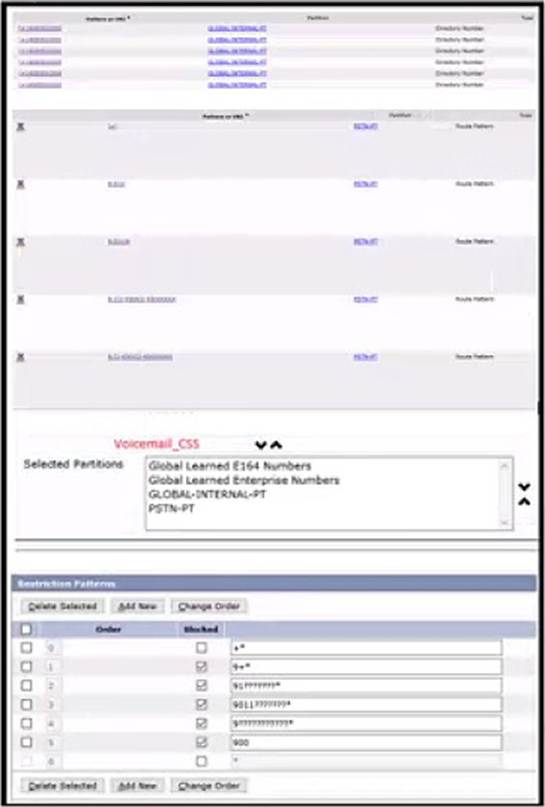
Cisco UCM is integrated with Cisco Unity connection via a SIP truck and is configured using a globalized dial plan (directory number are configured with “*”).
Using cisco best practices, which implementation allows call transfers to internal directory numbers but not to PSTN numbers?
- A . remove PSTN-PT from voicemail_CSS
- B . change the order of partitions to put GLOBAL-INERNAL-PT first in Voicemail_CSS
- C . create a BLOCK-PSTN-PT partition and add it to Voicemail_CSS
- D . block pattern +* in the Cisco Unity restriction table
An engineer is checking the Cisco Unified Communications Manager and Cisco Unity Connection integration and presses the Message button on a phone to check the voicemail.
Which action does Cisco Unified CM take?
- A . Cisco Unified CM looks up the voicemail pilot configured to dial.
- B . Cisco Unified CM routes the configured hunt pilot to Unity Connection.
- C . Cisco Unified CM looks up the hunt pilot configured to dial.
- D . Cisco Unified CM sends an AXL query to Unity Connection.
A
Explanation:
Reference: https://www.cisco.com/c/en/us/td/docs/voice_ip_comm/cucm/admin/9_1_1/ccmsys/CUCM_BK_C5565591_00_cucm-system-guide-91/CUCM_BK_C5565591_00_cucm-system-guide- 91_chapter_011110.html
A user encounters a problem while checking voicemail, set up in a Cisco UCME and Cisco Unity Express integration. The user reports that when calling the office number from a mobile phone, the call goes to voicemail, but it is then routed to the main menu rather than the voicemail box. The user can check voicemail from an office phone without any issues.
How is this issue fixed?
- A . Assign the user to the correct user group.
- B . Add the user to Cisco Unity Express.
- C . Configure a primary E.164 number for the user.
- D . Set "Login without PIN" to ‘No" for the user.
DRAG DROP
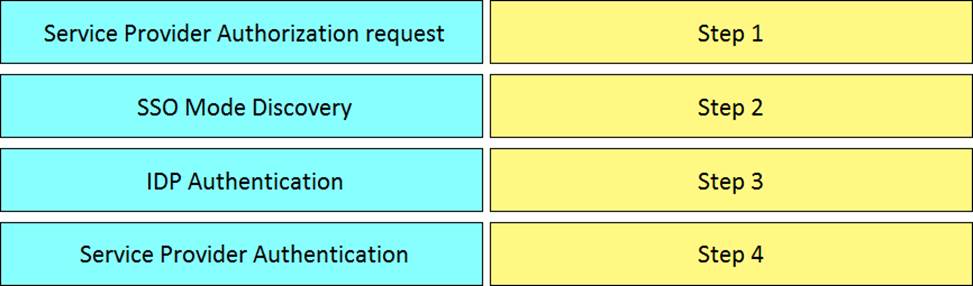
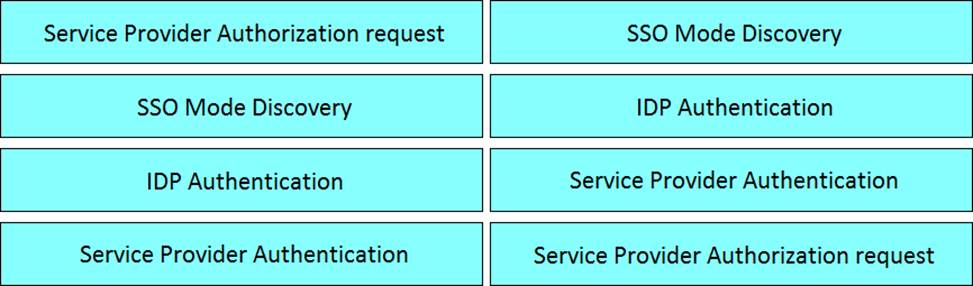
Drag and drop the events for an on-premises Jabber SAML SSO flow from the left into the correct order on the right.
Explanation:
SSO Mode Discovery – Step 1
Service Provider Authorization request – Step 2
IDP Authentication – Step 3
Service Provider Authentication – Step 4
DRAG DROP
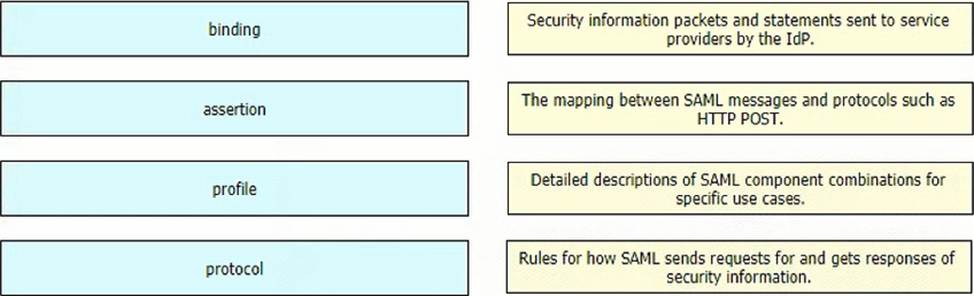
Drag and drop the SAML components from the left onto the descriptions on the right.
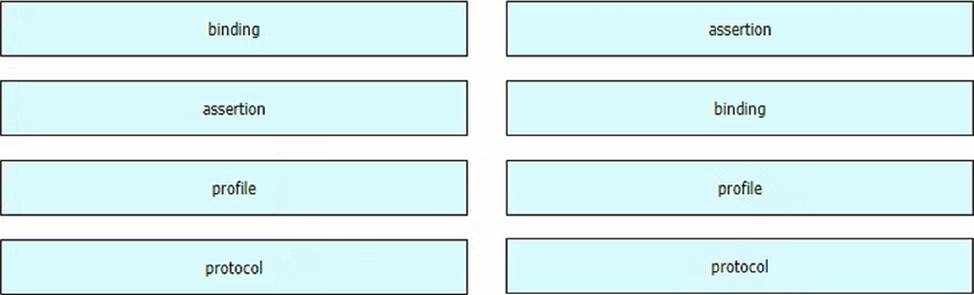
Explanation:
Graphical user interface
Description automatically generated with medium confidence
Refer to the exhibit.
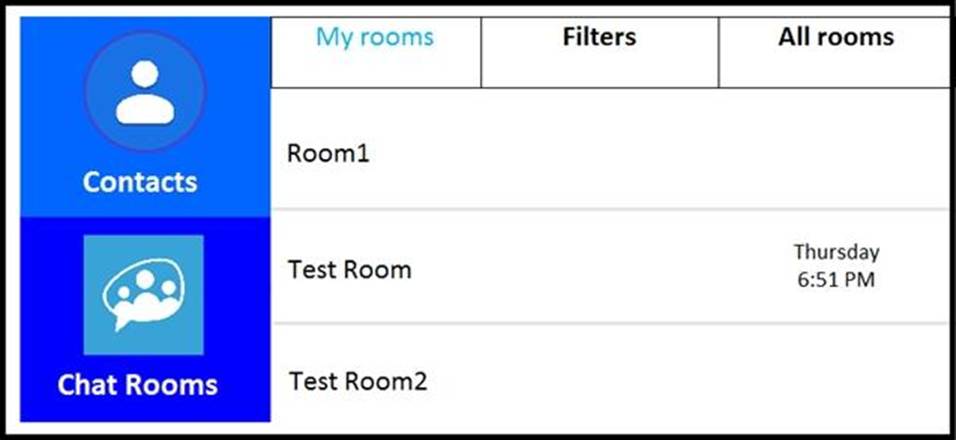
Users report that they cannot see the Chat Rooms icon on their Cisco Jabber clients. This feature works without issue in the lab. An engineer reviews the Cisco IM&P and Jabber configuration and finds that the jabber-config.xml file is configured properly to support this feature.
Which activity should be performed on the IM&P server to resolve this issue?
- A . Activate Cisco XCP Connection Manager in Cisco Unified Serviceability > Tools > Service Activation.
- B . Restart Cisco XCP Message Archiver in Cisco Unified Serviceability > Tools > Control Center C Feature Services.
- C . Restart XCP Text Conference Manager in Cisco Unified Serviceability > Tools > Control Center C Network Services.
- D . Activate XCP Text Conference Manager in Cisco Unified Serviceability > Tools > Service Activation.
D
Explanation:
Reference: https://www.cisco.com/c/en/us/support/docs/unified-communications/jabber-windows/118684- probsol-chat-00.html
An engineer deploys Centralized Deployment for Cisco IM and Presence, where central IM and Presence runs version 12.0, and remote Cisco UCM clusters run version 10.5. The engineer checks under System > Centralized Deployment and notes that Status remains UnSynchronized.
What are two reasons for this status? (Choose two.)
- A . The Cisco UCM and IM and Presence cluster must be running at least version 11.5 to allow for Centralized Deployment.
- B . The remote Cisco UCM cluster does not support OAuth Refresh Token flow.
- C . This connection must be synchronized from the remote Cisco UCM Administration menu.
- D . The username ana/or password of the application user that was provided for adding remote dusters to the central IM and Presence is incorrect.
- E . The application user that is configured on remote Cisco UCM clusters does not have ‘Standard AXL API Access- added.
A collaboration engineer is troubleshooting an issue with Cisco Jabber for Windows clients Users in a new branch location report that ‘cannot locate server is displayed when they launch the client When the engineer manually configures the server settings on a client, the dient logs in successfully. The Cisco IM and Presence servers are located across the WAN at the corporate HQ.
Which action resolves the issue?
- A . Reinstall the Jabber clients with UPN_DISCOVERY_ENABLED=false
- B . Add a firewall rule to allow TCP/8443 from the branch to HQ
- C . Add a _collab-edge _Us.company com SRV record to the branch DNS server
- D . Add a _cisco-uds_tcp company com SRV record to the branch DNS server
Collaboration engineer is troubleshooting a Cisco Jabber for Windows client issue. The end user reports that they cannot control their desk phone from the Cisco Jabber client.
Which action must the engineer take to verify the service connections of the Cisco Jabber client?
- A . Click Help and dick Show Connection Status
- B . Click Help and dick XML settings
- C . Click XML settings and click Help
- D . Click TFTP settings and click Help
A
Explanation:
To troubleshoot desk phone control issues in Cisco Jabber for Windows, the "Show Connection Status" option provides essential information about the Jabber client’s connection to services like Cisco UCM:
Displays status of services: Shows the status of CTI, TAPI, and other connections needed for desk phone control.
Troubleshooting information: Can highlight if there are any connectivity issues or failures that would explain the problem.
Reference: Cisco Jabber for Windows Documentation: This should have a section on troubleshooting and may mention the "Show Connection Status" feature.
A company is setting up B2B instant messaging capability using a secure client integrated into the on-premises Cisco communication platform. During the setup, the engineer discovers that external Usages from other businesses do not seem to reach the Cisco Expressway for instant messaging, but B2B calling seems to be working Internal chat between clients and chat toward clients is king m home offices using Mobile and Remote Access The engineer verified that the correct ports have been configured on the Cisco ASA, and the firewall rules on the expressway show no cation of any traffic.
What is the cause of the issue?
- A . The XMPP service is not activated on the Cisco Expressway
- B . The Cname record for XMPP is not configured or is misconfigured.
- C . The SRV record for XMPP is not configured or is misconfigured.
- D . The XMPP service is not running under services in Cisco IM and Presence Server
C
Explanation:
In Business-to-Business (B2B) instant messaging using Cisco Expressway, SRV records are crucial for external users to discover and connect to the correct XMPP service. The fact that B2B calling works but not instant messaging points towards a service discovery issue specific to XMPP.
SRV records for XMPP: Typically, the domain would have an SRV record like "xmpp-client.[invalid URL removed]" pointing to the Expressway.